Skip to content
Riser & Rail

01 — Standing Desks

The Best Standing Desks Under $300

Three hundred dollars is the line where a sit-stand desk stops being a lift with a top on it. What it still does not buy, at any point in this band, is a certificate.

By Stephen V.Updated How we research
#ad

We earn a commission when you buy through our Amazon links, at no extra cost to you. It never affects our rankings, and we say so when the cheaper — or the direct-only — product is the better buy. How this works.

Under three hundred dollars, buy the FlexiSpot Comhar. It is the only desk in the band whose listing makes a material claim at all — FlexiSpot states an FSC-certified whole-piece desktop — and it arrives as one unit with a drawer, USB-A and USB-C charging, four presets, anti-collision and a child lock, so there is nothing to assemble around and no cable run to invent. If you want surface area instead of features, the VIVO 71 by 30 gives you nearly six feet of desk with a listing-stated 220 lb capacity. And if you already own a desktop you like, the smartest buy in this band is not a desk at all: the VIVO dual-motor frame puts two motors and three-stage legs under your own top for less than most complete desks here. The budget pick is the FEZIBO 55 by 30 with drawers. Sixteen desks in our registry carried a live price under $300 at the last price check, so this band is not a question of what qualifies. It is a question of which trade you take.

Every price beside every pick is read from the Amazon Creators API and stamped with the date it was read; nothing on this page is typed in. That matters in this band more than any other, because desks here move in and out of the $300 line week to week — one of the desks we had ranked inside it a week ago is sitting above it today, which is exactly why the band is defined by the price layer rather than by our memory.

What $300 actually buys

The useful way to read this band is as four things that become available on the way up from $100, in this order.

A button instead of a crank, then presets instead of a button. Electric lift starts at around a hundred dollars; programmable memory presets start a little above it. That second step is the one that matters and it is cheap: the entire health argument for a sit-stand desk depends on the desk actually being adjusted, and a desk you have to hold a button on for fourteen seconds gets adjusted less often than one with a button marked 2. NIOSH is blunt about the other half of this — standing all day is its own hazard, not a cure for sitting all day — so the goal is a desk that changes height several times, not a desk you leave up.

Depth.Most desks under $150 are 24 inches deep. At the top of this band you can have 30, and depth is what actually decides whether a monitor can sit at arm's length with your keyboard in front of it. OSHA's workstation guidance and our monitor height guideboth put the screen at roughly arm's length; on a 24-inch top with a monitor stand, that is geometrically hard.

A second motor. Two motors and three-stage legs are the difference between a desk that is steady at standing height and one that shivers when you type. In complete desks this band mostly buys you single-motor lifts; in frames, it buys you dual-motor outright, which is the arbitrage at the heart of this page.

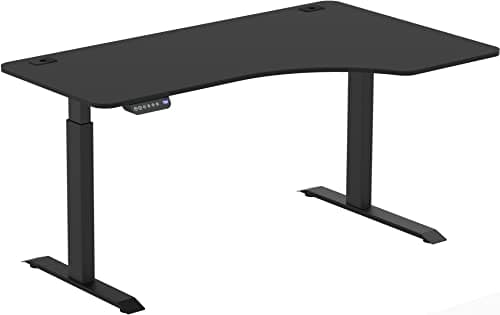
A shape. L-shaped and corner desks start inside this band, which surprises people. They are two-leg geometries at this price rather than three, so the unsupported corner flexes — but a corner desk under $300 exists, and our L-shaped ranking covers the whole set.

What $300 does not buy, at any point in the band

A certificate. Not one desk in this band publishes a third-party low-emission certificate for its desktop — no GREENGUARD, no SCS Indoor Advantage, nothing you can look up at a registry. Every top here is laminate over engineered wood, which is a composite panel using formaldehyde-based resins, and the federal floor under all of it is EPA's TSCA Title VI standard, which applies to composite wood sold in the US whether or not a maker mentions it. So you are not buying an uncontrolled product; you are buying a product with no document specific to it.

Read the one certification claim in this band carefully, because it is the kind of thing this site exists to pull apart. FlexiSpot's Comhar listing states an FSC-certifiedwhole-piece desktop. FSC is the Forest Stewardship Council: a forestry and chain-of-custody certification about where the wood came from. It is a real certification and it is not an indoor-air one. It tells you nothing about what the panel emits into your room. That is not a criticism of the desk — it is the best-documented top in the band — it is a warning about reading the word "certified" as one thing.

If a documented top is your actual requirement, there are two honest routes and this page is not either of them. Buy a frame in this band and put a certified or solid top on it — the route the third pick here exists for, laid out in full on standing desk frames. Or spend up: GREENGUARD-certified standing desks is the short list of desks whose makers publish, and non-toxic standing desks is the fuller argument. In the meantime, every laminate desk gets its first-week ventilation period, which is the one thing you can do for free — the first 72 hours covers it.

Who each pick is for

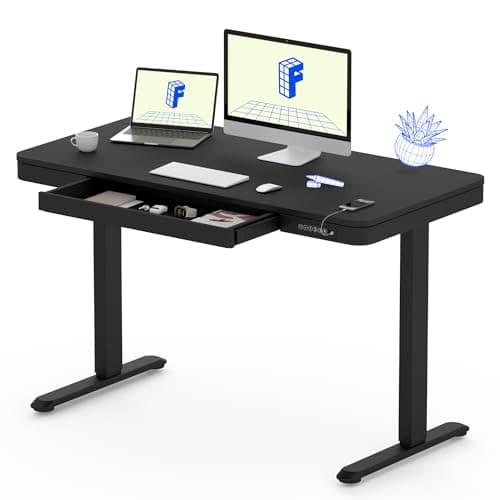
  • FlexiSpot Comhar 48 in — the self-contained desk: drawer, USB-A and USB-C charging, four presets, anti-collision, child lock, and the only FSC claim in the band. Buy it if you want one box and no accessories.
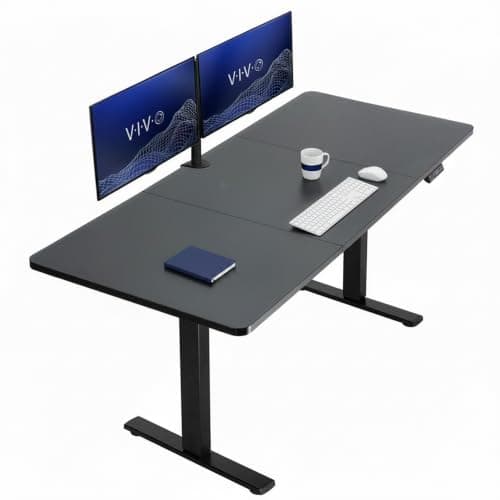
  • VIVO 71 by 30 — maximum surface per dollar. Nearly six feet wide, 30 deep, 220 lb stated on the listing, four presets. Buy it for a two-monitor workstation.
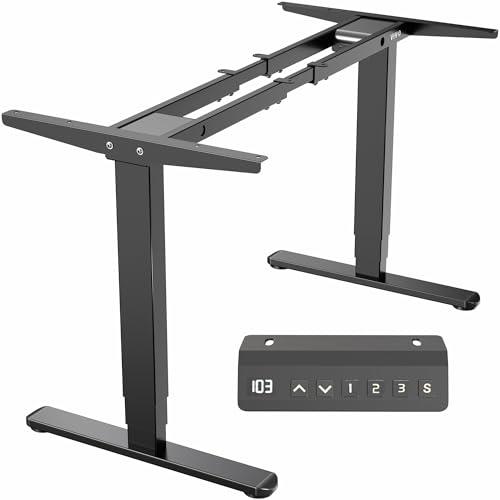
  • VIVO dual-motor frame (40-85 in tops) — buy it if you already own a desktop, or if you want a documented or solid top. Two motors, three-stage legs, and the material question moves entirely to a top you choose.
  • SHW 55 in electric L-shape — the corner desk in the band. Reversible, four finishes, electric with memory. Buy it for a corner you cannot otherwise use.
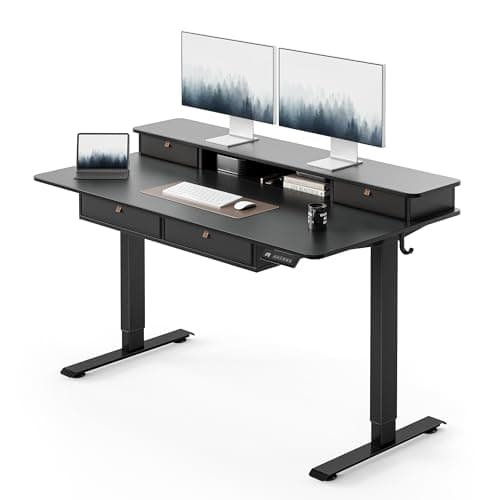
  • FEZIBO 55 by 30 with drawers (budget pick) — four drawers, a monitor stand and a 30-inch-deep top at the bottom of this band. Buy it if storage is the constraint.

The honest trade in each one

The Comhar's top is fixed. An all-in-one is tidy precisely because the top and frame are matched, which also means you can never put a bamboo or solid top on it. If your plan is to upgrade the surface later, this is the wrong desk and the frame is the right one.

The VIVO 71 runs one motor under a very wide top.VIVO's own listing calls it a single-motor desk and states 220 lb; width amplifies any flex, so keep it against a wall if you type hard, and read how to fix standing desk wobble before you conclude a desk is faulty.

The frame is not a desk. You need a top, you need to drill it or find a pre-drilled one, and if your existing top is 24 inches deep you have not fixed the depth problem. The 40 to 85 inch span is also more than most people need, and you pay for it.

The L-shape flexes at the corner. Two legs under an L means the unsupported corner is the weak point, which is exactly where people put the heaviest monitor. Put the monitor over a leg.

The FEZIBO carries the most undocumented panel of the five. A 55 by 30 top plus four drawers and a monitor shelf is the largest composite surface area on this page, on the lightest frame, with the lowest published capacity. It is a value desk with storage, not a heavy-duty one.

What we would actually do with $300

Buy the frame, if you have any usable top at all. Two motors and three-stage legs under a door slab or an existing desktop beats a single-motor complete desk on stability, on the material question and on how long the thing lasts, and it is the one route in this band that leaves the desktop decision in your hands. We say the same thing on budget standing desks, which covers the tier below this one, and the reason is the same: in cheap desks, the frame is the product and the top is the compromise.

If you have no top and no wish to find one, buy the Comhar and spend the difference on the two accessories that change a standing desk day more than any feature on a spec sheet: something under your feet and something to hold the cables. Standing on a hard floor for two hours is its own complaint — the best anti-fatigue mats is the fix — and a desk that moves 18 inches needs its cables to move with it, which is the whole subject of standing desks with cable management and our cable-management accessory picks.

And if you are not sure a sit-stand desk is the right purchase at all, a converter sits on the desk you already own for less than most of this band — desk versus converter is the comparison that decides it.

One band note, added 2026-11-22: if your ceiling is nearer five hundred dollars than three, the set changes completely rather than simply getting better. Standing desks under $500 shares none of the five picks above, because that band is where brands that publish a certifications table and a ten-year warranty start to appear.

The short answer

Quick picks

#ProductBest forScorePrice
01
FlexiSpot FlexiSpot Comhar Electric Standing Desk (48)
FlexiSpot Comhar Electric Standing Desk (48)

An all-in-one: frame, top, drawer and USB charging in one unit, so there's nothing to assemble around.

A tidy, self-contained desk with charging built in
7.0
$206.14Amazon
02
VIVO VIVO Electric Standing Desk (71×30)
VIVO Electric Standing Desk (71×30)

The big surface for the money — 71 inches wide, which is a lot of desk for a dual-monitor setup.

Wide dual-monitor workstations
7.0
$224.99Amazon
03
VIVO VIVO Electric Dual-Motor Standing Desk Frame (40–85 in tops)
VIVO Electric Dual-Motor Standing Desk Frame (40–85 in tops)

The widest span here — the frame to buy when the top you already own is longer than a normal desk.

Reusing an existing long desktop or door slab
8.0
$212.49Amazon
04
SHW SHW 55-Inch Electric L-Shaped Standing Desk
SHW 55-Inch Electric L-Shaped Standing Desk

The value L: a proven budget frame maker's take on a corner desk, at roughly two-thirds the price of the three-leg alternatives.

A corner desk on a real budget
6.8
$239.87Amazon
05
FEZIBO FEZIBO Standing Desk with Drawers (55×30)
FEZIBO Standing Desk with Drawers (55×30)

The value pick with storage built in — four drawers and a monitor stand most desks at this price skip.

A deep top and drawers on a budget
6.6
$179.99Amazon

#ad · Live prices from the Amazon Product API, as of November 23, 2026. Where we have no verified live price, we show none — we would rather leave a gap than print a number that has rotted.

In detail

The picks, in full

01
FlexiSpot FlexiSpot Comhar Electric Standing Desk (48)

A tidy, self-contained desk with charging built in

FlexiSpot Comhar Electric Standing Desk (48)

48×24 inIntegrated drawerUSB-A + USB-CMemory presets

Certification & materials

No third-party emissions certificate published for this model. Integrated top is engineered wood with a laminate finish — uncertified on emissions.

7.0/10

An all-in-one: frame, top, drawer and USB charging in one unit, so there's nothing to assemble around.

Stability
7
Adjustment
8
Materials & certs
5
Build & motor
7
Value
8

Pros

  • Built-in drawer and USB charging ports reduce cable clutter with no extra buying
  • Sold as a complete unit, so the top and frame are matched and simple to set up

Cons

  • Fixed top means you can't swap in a bamboo or solid-wood surface later
  • No published emissions certificate

Don't buy this if…

…you want to choose your own certified top. The Comhar's appeal is that it's all-in-one, which is also its limitation.

$206.14View on Amazon

$298.9931% off

Price as of November 23, 2026. Prices change — Amazon's is the one that counts.

#ad · we may earn a commission from this link to FlexiSpot Comhar Electric Standing Desk (48)

02
VIVO VIVO Electric Standing Desk (71×30)

Wide dual-monitor workstations

VIVO Electric Standing Desk (71×30)

71×30 inSingle motor (listing)VIVO rates 220 lb4 memory presets

Certification & materials

No GREENGUARD/BIFMA/CARB certificate published for this model. Laminate top over engineered wood — uncertified on emissions.

7.0/10

The big surface for the money — 71 inches wide, which is a lot of desk for a dual-monitor setup.

Stability
7
Adjustment
8
Materials & certs
5
Build & motor
7
Value
8

Pros

  • 71 inches is genuinely large — room for two monitors and a laptop without cramping
  • VIVO's listing states 220 lb on an all-steel frame, which is a high figure for this price band
  • Four memory presets, which is what makes a sit-stand desk actually get adjusted

Cons

  • Corrected 2026-11-13: VIVO's own listing calls this a SINGLE-motor desk, not dual — one motor under the widest top here, so a wide top amplifies any wobble; keep it against a wall if you type hard
  • No published emissions certificate

Don't buy this if…

…your room is small — 71 inches dominates a space, and a 48-inch desk will serve a single screen better.

$224.99View on Amazon

$299.9925% off

Price as of November 23, 2026. Prices change — Amazon's is the one that counts.

#ad · we may earn a commission from this link to VIVO Electric Standing Desk (71×30)

03
VIVO VIVO Electric Dual-Motor Standing Desk Frame (40–85 in tops)

Reusing an existing long desktop or door slab

VIVO Electric Dual-Motor Standing Desk Frame (40–85 in tops)

VIVO states 40–85 in top rangeDual motor3-stage legsFrame only

Certification & materials

Powder-coated steel; nothing in the frame off-gasses. VIVO publishes no third-party emissions or BIFMA certification for it. As with every frame, the material question moves entirely to the top you choose.

8.0/10

The widest span here — the frame to buy when the top you already own is longer than a normal desk.

Stability
8
Adjustment
9
Materials & certs
7
Build & motor
8
Value
8

Pros

  • The 40–85 inch adjustment range fits tops that most frames cannot span
  • Dual motors keep a long, heavy top level instead of racking at one end
  • Widely stocked with well-documented replacement parts

Cons

  • No published certification of any kind, including load testing
  • The controller is basic next to FlexiSpot's

Don't buy this if…

…you have a standard 48–60 inch top. You are paying for span you will never use.

$212.49View on Amazon

$249.9915% off

Price as of November 23, 2026. Prices change — Amazon's is the one that counts.

#ad · we may earn a commission from this link to VIVO Electric Dual-Motor Standing Desk Frame (40–85 in tops)

04
SHW SHW 55-Inch Electric L-Shaped Standing Desk

A corner desk on a real budget

SHW 55-Inch Electric L-Shaped Standing Desk

55 in main spanElectric height adjustHeight memoryReversible corner

Certification & materials

Laminate over engineered wood; no CARB Phase 2 or GREENGUARD certification published. SHW's documentation across its range is minimal, and we are not going to read a certificate into its absence.

6.8/10

The value L: a proven budget frame maker's take on a corner desk, at roughly two-thirds the price of the three-leg alternatives.

Stability
6
Adjustment
7
Materials & certs
4
Workspace
8
Value
9

Pros

  • The cheapest electric L-shape we could find from a brand with a real service history
  • Reversible corner covers either room layout
  • Four finish options, which is unusual at this price

Cons

  • Two-leg geometry means more flex at the unsupported corner than a three-leg desk
  • No emissions documentation of any kind

Don't buy this if…

…you will load the corner with a heavy monitor. That is precisely the spot a two-leg L is weakest.

$239.87View on Amazon

Price as of November 23, 2026. Prices change — Amazon's is the one that counts.

#ad · we may earn a commission from this link to SHW 55-Inch Electric L-Shaped Standing Desk

05
FEZIBO FEZIBO Standing Desk with Drawers (55×30)

A deep top and drawers on a budget

FEZIBO Standing Desk with Drawers (55×30)

55×30 in4 drawers + monitor standFEZIBO rates 176 lb4 memory presets

Certification & materials

No GREENGUARD/BIFMA/CARB certification published for this model. The top is laminate over engineered wood — uncertified on emissions. Ventilate during the first-week break-in period.

6.6/10

The value pick with storage built in — four drawers and a monitor stand most desks at this price skip.

Stability
6
Adjustment
7
Materials & certs
5
Build & motor
6
Value
9

Pros

  • Four smooth-glide drawers and an integrated monitor stand at a genuinely low price
  • A 30-inch-deep top — deeper than the 24 in most budget desks give you, which is what a monitor stand needs

Cons

  • Lighter capacity and a smaller motor than the full-size dual-motor desks — steadier low than high
  • No published emissions certificate

Don't buy this if…

…you run a heavy multi-monitor setup or type hard at full height. This is a value desk with storage, not a rock-solid heavy-duty one.

$179.99View on Amazon

Price as of November 23, 2026. Prices change — Amazon's is the one that counts.

#ad · we may earn a commission from this link to FEZIBO Standing Desk with Drawers (55×30)

Before you buy

How to spend $300 on a standing desk

1. Check your lowest height, not just your highest

A desk whose minimum is 29 inches is a normal desk height — it adds standing without fixing sitting. If you are under about 5 ft 6, the seated height is the number that decides the purchase, and our short-user page has the arithmetic.

2. Insist on memory presets

They cost almost nothing in this band and they are the difference between a desk that gets adjusted and a desk that sits at one height for a year. Everything good about a sit-stand desk depends on the second half of that sentence not happening.

3. Measure depth before width

Thirty inches deep lets a monitor sit at arm's length with the keyboard in front of it. Twenty-four does not, once a monitor stand is involved. Width is comfort; depth is ergonomics.

4. Count motors, then read the capacity figure on the listing

One motor is normal here and acceptable; two is better and available if you buy a frame. The capacity figure is a manufacturer statement rather than a third-party test in this band, so treat it as a ceiling to stay well under, not a target.

5. Decide the top question now, not later

No complete desk under $300 publishes an emissions certificate for its top. If that matters to you, the answer is a frame plus a top you choose — decide it before you buy, because an all-in-one cannot be changed afterwards.

6. Budget for the floor and the cables

A mat and a cable tray together cost a fraction of the desk and are the two things that decide whether you keep standing. Leaving them out is the most common way a cheap standing desk ends up permanently in the sitting position.
Side by side

Compare the five on the factors that decide it

The same four questions asked of every desk in the band. The certification column is the one that reads the same for all five, which is the honest headline of this page.

ChairLumbarAdjustmentsCertificationRated forPrice
48 by 24 in one-piece top, drawer and USB-A + USB-C charging built inFour presets, anti-collision, child lock; FlexiSpot states 28.9-46.5 inFlexiSpot's listing states an FSC-certified whole-piece desktop — a forestry chain-of-custody certification, NOT an indoor-air one. No emissions certificate publishedManufacturer figure only; no third-party stability certification published$206.14Check price on Amazon
71 by 30 in three-piece top — the largest surface in the bandSingle motor on VIVO's own listing; four memory presets; 29.2-48.4 in statedNo GREENGUARD, BIFMA or CARB certificate published; particle-board top, uncertified on emissionsVIVO's listing states 220 lb and all-steel frame construction$224.99Check price on Amazon
No top — VIVO states it fits 40-85 in desktopsDual motor, three-stage legs; the widest span of any frame we rankPowder-coated steel, so nothing in the frame off-gasses; the material question moves entirely to the top you chooseNo published load testing of any kind; manufacturer figures only$212.49Check price on Amazon
55 in main span, reversible corner, four finishesElectric with memory; SHW states 28-45 in and 176 lbNo CARB Phase 2 or GREENGUARD certification published; laminate over engineered woodSHW's cut sheet states 176 lb / 80 kg$239.87Check price on Amazon
55 by 30 in top with four drawers and an integrated monitor standFour presets, anti-collision reverse, under 45 dB claimed; 28-47 in statedNo GREENGUARD, BIFMA or CARB documentation published; the largest composite panel area on this pageFEZIBO states 176 lb$179.99Check price on Amazon

#ad · we may earn a commission · Live prices from the Amazon Product API, as of November 23, 2026. Where we have no verified live price we show none.

How we picked

We do not run a testing lab

We compiled specs from manufacturer manuals, verified every certification claim in the certifying body's own registry (UL SPOT for GREENGUARD, BIFMA, CARB), did the cost-to-own math, and read the aggregated owner reviews, then scored each product against a published rubric. The scores are judgments from documented research — they are not measurements we took, because we do not have a lab and we are not going to pretend we do.

Small things, same day

Desk-day essentials under $40

None of these will change which desk you should buy. They are the cheap, unglamorous parts that decide whether the desk you do buy is pleasant to use on a Tuesday — and, where the material is the whole point of the thing, we have said what it is and what it is not certified to.

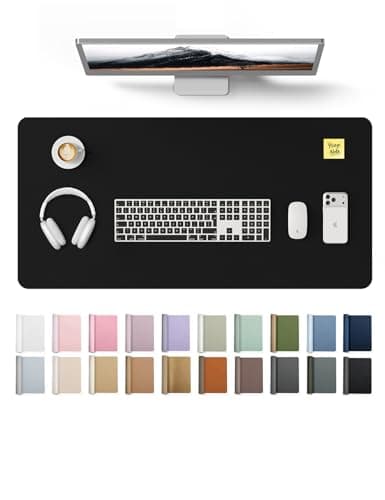
  • YSAGi PU Leather Desk Pad (31.5 × 15.8 in)

    YSAGi PU Leather Desk Pad (31.5 × 15.8 in)

    The cheapest way to stop a laminate top getting scratched, and it gives the mouse one consistent surface at both sitting and standing height.

    Materials YSAGi lists it as PU — polyurethane, the same polymer we prefer over PVC on the mats side, and for the same reason: no plasticizer question. No emissions certificate is published for it, and at this price we would not expect one.

  • Cork Desk Mat, dual-sided (36 × 17 in)

    Cork Desk Mat, dual-sided (36 × 17 in)

    The natural-material option if a polymer sheet on your desk is exactly the thing you are trying to avoid. Wide enough that keyboard and mouse both sit on it.

    Materials Sold as a dual-sided cork mat — cork is bark rather than a polymer sheet, which is the whole reason to pick it here. The seller does not publish what the backing or the second face is made of, and there is no emissions certificate, so treat it as uncertified like the rest of this list.

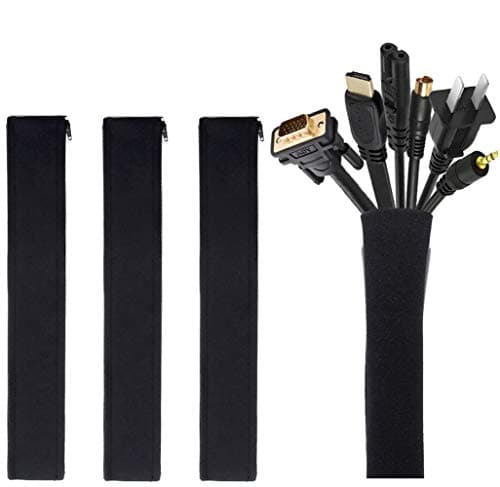
  • JOTO Cable Management Sleeve (4-pack, 19-20 in)

    JOTO Cable Management Sleeve (4-pack, 19-20 in)

    A sit-stand desk drags its entire cable loom up and down twenty times a day. Sleeving the run is the single cheapest thing that stops a cable snagging mid-travel.

    Materials No certification is published, and none would mean anything on a cable wrap. This one is on the list for what it prevents, not for what it is made of.

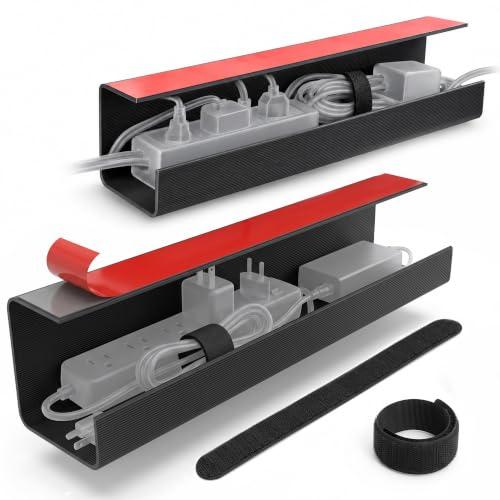
  • Scanfield No-Screw Under-Desk Cable Tray (17 in, 2-pack)

    Scanfield No-Screw Under-Desk Cable Tray (17 in, 2-pack)

    Gets the power strip and the laptop brick off the floor and onto the underside of the top, so the whole lot travels with the desk instead of tugging at it.

    Materials No certification is published and none applies to a tray. The reason it is this one: the no-screw mount means nothing gets drilled into a desktop you may have chosen precisely because it is intact and certified.

  • Amazer Bamboo 2-in-1 Reversible Rocking Footrest

    Amazer Bamboo 2-in-1 Reversible Rocking Footrest

    Rock it while you sit, flip it to a fixed angle while you stand. Movement is the entire point of alternating, and this is the cheapest way to add some.

    Materials Bamboo. Bamboo panel is normally laminated with an adhesive, and Amazer publishes no formaldehyde or emissions certificate for this model — we are not going to imply it has one.

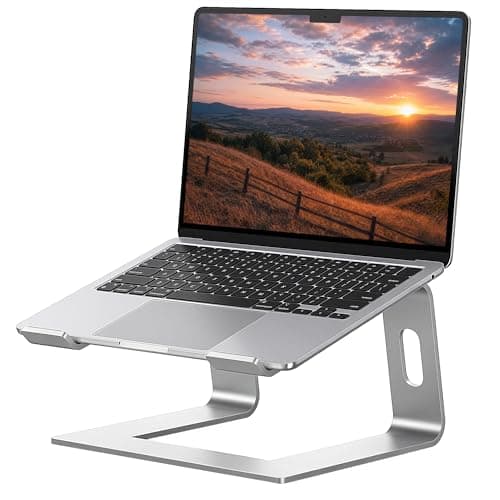
  • SOUNDANCE Aluminum Laptop Stand (10-15.6 in)

    SOUNDANCE Aluminum Laptop Stand (10-15.6 in)

    If you work off a laptop, no amount of desk height fixes a screen sitting in your lap. This lifts it toward eye level for under twenty dollars.

    Materials Solid aluminum — no composite panel, no adhesive, nothing to off-gas. That is the honest appeal of a metal accessory on a site like this, and it needs no certificate to be true.

  • Gorilla Grip Memory Foam Wrist Rest (keyboard + mouse, 2-piece)

    Gorilla Grip Memory Foam Wrist Rest (keyboard + mouse, 2-piece)

    Standing does not fix wrist extension; keeping the wrist neutral does. Two pieces, so the mouse hand gets one as well.

    Materials Memory foam under a fabric cover. No emissions or content certificate is published — memory foam is polyurethane foam, and if that is a hard line for you, skip this one rather than talk yourself into it.

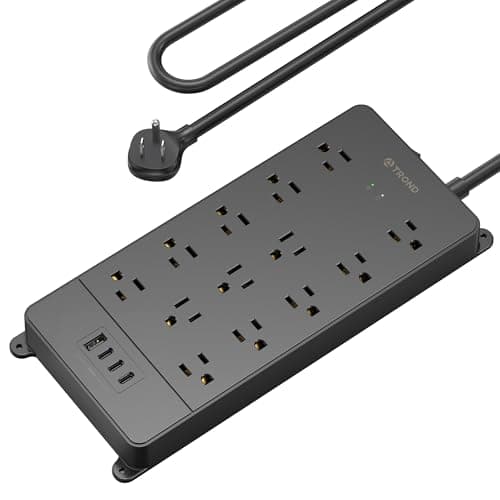
  • TROND Surge Protector Power Strip (4000 J, ETL Listed)

    TROND Surge Protector Power Strip (4000 J, ETL Listed)

    A powered desk, two monitors and a laptop brick all end up on one strip that travels with the top. Worth thirty dollars for that not to be the cheapest part of the setup.

    Materials ETL Listed — a real third-party safety listing from Intertek, and the only genuine certification in this list. You can look it up in Intertek's public directory the same way we tell you to check a GREENGUARD claim at UL SPOT.

Questions

Frequently asked

What is the best standing desk under $300?
The FlexiSpot Comhar, for most people. It arrives as one unit with a drawer, USB-A and USB-C charging, four memory presets, anti-collision and a child lock, and its listing is the only one in the band that makes any material claim at all — FlexiSpot states an FSC-certified whole-piece desktop. If surface area matters more than features, the VIVO 71 by 30 is the biggest top in the band with a listing-stated 220 lb capacity.
Can you get a dual-motor standing desk under $300?
As a complete desk, rarely — this band is mostly single-motor lifts. As a frame, yes and comfortably: VIVO's dual-motor three-stage frame sits inside the band with room to spare, which makes it the best stability per dollar here if you have or can buy a top. See standing desk frames for the full set and single versus dual motor for whether the second motor is worth it for you.
Is any standing desk under $300 certified for low emissions?
No. Not one desk in this band publishes a third-party low-emission certificate for its desktop, and we are not going to read one into an absence. Every top here is laminate over engineered wood, covered by EPA's federal formaldehyde standard for composite wood like every other panel sold in the US, but with no document specific to the model. The two honest routes are a frame plus a top you choose, or spending up to a desk whose maker publishes a certificate.
Is an L-shaped standing desk under $300 any good?
It is a real electric L-shape, with the geometry you would expect at the price: two legs rather than three, which leaves the corner unsupported and flexing. That is manageable if you put your heaviest monitor over a leg rather than in the corner. The SHW 55-inch is the value pick of the set; the whole category is ranked on our L-shaped desk page.
Should I buy a cheap standing desk or a converter?
A converter sits on the desk you own, costs less than most desks in this band, and raises only the working surface — so your monitor and keyboard go up and your desk does not. A full desk gives you the whole surface at both heights and no stacked-platform wobble. The decision turns on whether you like your current desk: desk versus converter walks through it, and converters under $200 is the cheaper band if that is the route.
How much do you need to spend to get a genuinely good standing desk?
You can get a genuinely good lift inside this band, especially as a frame. What more money buys, above it, is a documented top, a longer warranty and a lower minimum height: the premium desks on our main standing desk ranking publish GREENGUARD Gold documents and 10- to 15-year terms, and they descend further for shorter sitters. If neither of those three things is your constraint, the extra money buys you very little that you will feel day to day.

Keep reading

Receipts

Sources

We do not run a testing lab, and we do not pretend to. We verify certifications in the certifying body's own registry, compile specs from manufacturer manuals, and cite health claims to recognized authorities — by name, with a link. Where we could not verify something, we say so on the page rather than quietly leaving it out. Read our full method.