Skip to content
Riser & Rail

04 — Accessories

The Best Laptop Stands

A laptop forces you to choose between your neck and your wrists. A stand plus a separate keyboard is the only setup that refuses the choice.

By Stephen V.Updated How we research
#ad

We earn a commission when you buy through our Amazon links, at no extra cost to you. It never affects our rankings, and we say so when the cheaper — or the direct-only — product is the better buy. How this works.

Buy the Rain Design mStand for a fixed desk setup and the iLevel2 if you need the height to adjust. Both are single-piece aluminum, which means nothing to sag and nothing to off-gas. But the stand is only half the purchase: raising a laptop without adding a separate keyboard raises your hands with the screen and solves nothing.

The laptop problem, stated properly

A laptop bolts the screen to the keyboard. Put the keyboard where your hands should be and the screen is roughly a foot below where your eyes should be; put the screen at eye level and your hands are at chest height. There is no position that serves both, which is why laptop-only work reliably produces forward head posture — the head drifting forward and down, with the neck and upper back holding it there for eight hours.

OSHA's workstation guidance and Mayo Clinic's desk setup advice both put the top of the screen at or slightly below eye level, at roughly arm's length. A laptop on a desk is nowhere near that, and no amount of sitting up straight fixes a geometric problem.

The fix is to separate the two halves: stand raises the screen, external keyboard and mouse restore the hands. Together that is the single highest-value ergonomic change most laptop users can make, and it costs less than a chair.

How high does it actually need to go?

This is the specification listings hide, and it is the one that decides whether a stand works for you. Most fixed stands raise a laptop about five to seven inches. For a person of average height seated at a standard desk that lands close to right; for a tall person it is not close at all.

  1. Sit properly first, chair set for your elbows, feet flat or on a footrest.
  2. Look straight ahead, then measure the gap between your eye line and the top of the laptop screen where it sits now.
  3. That is the rise you need. If it is more than about seven inches, buy an adjustable stand — the iLevel2, the Nulaxy telescoping model or the Roost.
  4. If you use the same laptop sitting and standing, the stand has to adjust. Standing changes your eye height by more than any fixed riser accounts for.

Aluminum, plastic and the materials angle

This is one of the few categories where the material question is genuinely easy. A solid aluminum stand has no foam, no laminate, no composite core and no adhesive — it is an inert object, and there is nothing to break in, nothing to off-gas and nothing to compress. On a site that spends most of its time explaining what is ina product, it is worth saying when the answer is "metal".

The Roost is the exception and it is a reasonable one: glass-filled nylon, an engineering plastic, chosen because aluminum cannot fold to that size. It is still a solid molded part with no emissions pathway of consequence. The stands to be skeptical of are the ones with foam pads and fabric-wrapped surfaces, and none of those made this list.

Stand plus what?

Budget for three things, not one:

  • A separate keyboard. Without it the stand is pointless. A split or sculpted board is better again — our ergonomic keyboard roundup covers the options.
  • A separate mouse. A trackpad at chest height is worse than a trackpad on a desk. A vertical mouse is the usual upgrade here, and our ergonomic mouse picks explain why.
  • Somewhere for the keyboard to go. On a shallow desk, the stand plus a keyboard eats the depth you need for a comfortable viewing distance. A keyboard tray buys that depth back.

And the honest alternative: if the laptop lives on one desk permanently, an external monitor on a monitor arm is a better setup than any stand — a proper screen at a proper height, with the laptop closed or used as a second display. The stands on this page are for people who need the laptop screen itself.
The short answer

Quick picks

#ProductBest forScorePrice
01
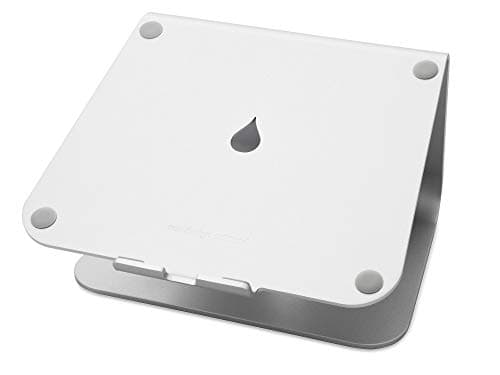
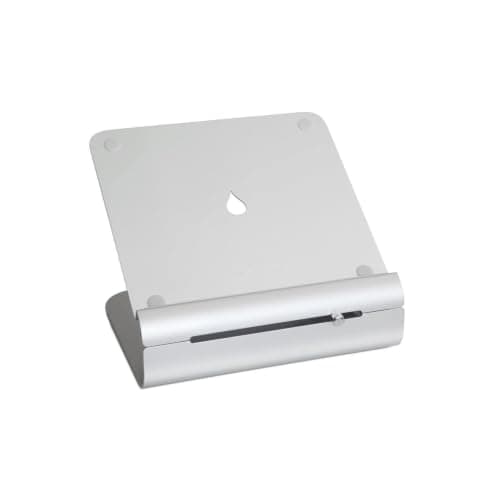
Rain Design Rain Design mStand Laptop Stand
Rain Design mStand Laptop Stand

One piece of cast aluminum, no hinges to sag — the fixed-height stand that has been the reference for fifteen years.

A permanent desk setup with an external keyboard
7.6
$39.90Amazon
02
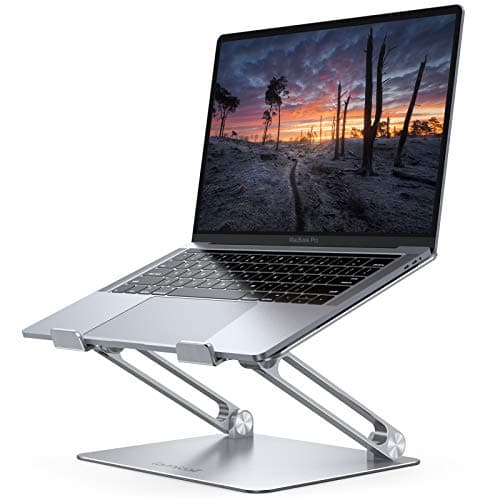
Rain Design Rain Design iLevel2 Adjustable-Height Laptop Stand
Rain Design iLevel2 Adjustable-Height Laptop Stand

The mStand with a slider — the same inert aluminum build, with the height adjustment that makes it fit an actual person.

Getting the screen to your eye level rather than the designer's
8.4
$55.48Amazon
03
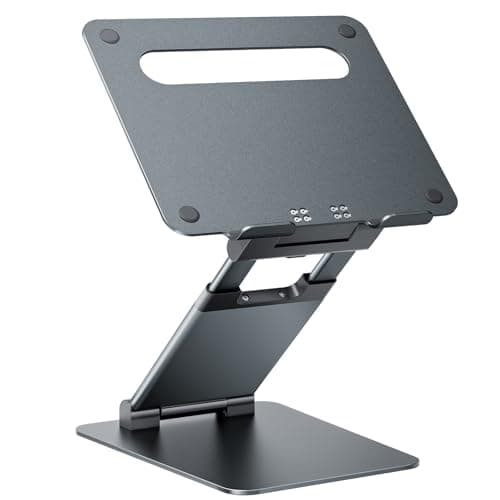
Nulaxy Nulaxy Pull-Out Height-Adjustable Laptop Stand
Nulaxy Pull-Out Height-Adjustable Laptop Stand

The tallest adjustment range for the money — a telescoping riser that gets a laptop screen genuinely high.

Tall users, and anyone who alternates sitting and standing
8.2
$46.99Amazon
04
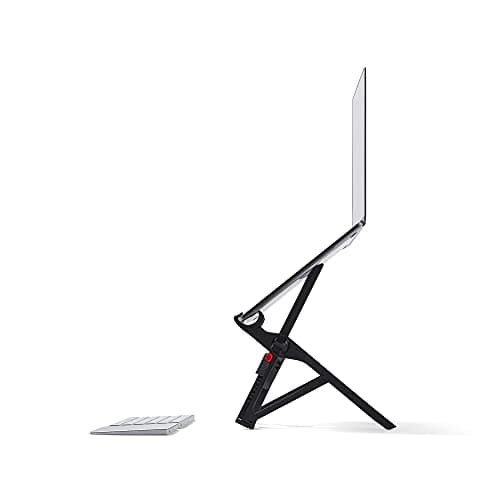
Roost Roost V3 Portable Laptop Stand
Roost V3 Portable Laptop Stand

The one that folds to the size of a pen case — the stand for people whose desk changes every week.

Travel, hot-desking and working away from home
8.0
$89.95Amazon
05
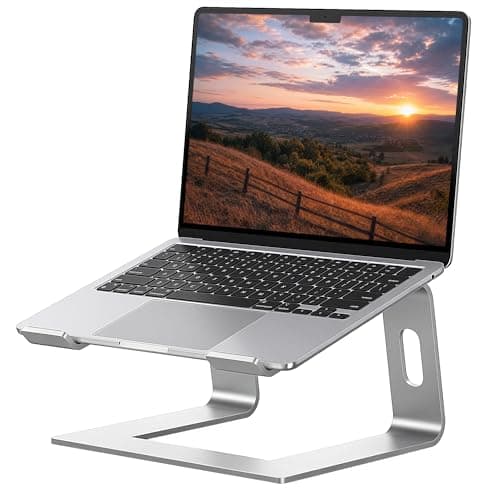
Lamicall Lamicall Aluminum Laptop Stand
Lamicall Aluminum Laptop Stand

The neck fix for laptop users — raise the screen, add a separate keyboard, and the forward head posture goes away.

Anyone working all day on a laptop
8.2
$35.99Amazon
06
SOUNDANCE SOUNDANCE Aluminum Laptop Stand
SOUNDANCE Aluminum Laptop Stand

Under twenty dollars of solid aluminum — the cheapest way to stop looking down at a laptop all day.

Fixing laptop neck posture for the least possible money
7.2
$17.99Amazon

#ad · Live prices from the Amazon Product API, as of Sep 6, 2026. Where we have no verified live price, we show none — we would rather leave a gap than print a number that has rotted.

In detail

The picks, in full

01
Rain Design Rain Design mStand Laptop Stand

A permanent desk setup with an external keyboard

Rain Design mStand Laptop Stand

Single-piece cast aluminumFixed ~6 in riseCable channelFits most 13–17 in laptops

Certification & materials

Solid anodized aluminum with a rubber pad. There is no foam, laminate or composite in it, so there is nothing to off-gas — a genuinely inert desk object, which is rare enough to be worth saying.

7.6/10

One piece of cast aluminum, no hinges to sag — the fixed-height stand that has been the reference for fifteen years.

Posture benefit
8
Adjustability
3
Materials & certs
10
Build
10
Value
7

Pros

  • No hinges, no adjustment, nothing to loosen — it is the same height in year ten
  • Aluminum sinks heat away from the laptop base instead of trapping it
  • The rise lands close to eye level for most seated users of average height

Cons

  • Fixed height: if it is wrong for you, it stays wrong
  • Costs several times what a folding aluminum riser costs

Don't buy this if…

you are notably tall or short, or you use the same stand at a sitting and a standing height. Buy the adjustable one.

$39.90View on Amazon

Price as of Sep 6, 2026. Prices change — Amazon's is the one that counts.

#ad · we may earn a commission from this link to Rain Design mStand Laptop Stand

02
Rain Design Rain Design iLevel2 Adjustable-Height Laptop Stand

Getting the screen to your eye level rather than the designer's

Rain Design iLevel2 Adjustable-Height Laptop Stand

Aluminum constructionSliding height adjustmentCable routingVentilated base

Certification & materials

Anodized aluminum with rubber contact pads. No foam, no composite, nothing that emits. Rain Design publishes no third-party certificate and does not need one for a solid metal object.

8.4/10

The mStand with a slider — the same inert aluminum build, with the height adjustment that makes it fit an actual person.

Posture benefit
9
Adjustability
8
Materials & certs
10
Build
9
Value
6

Pros

  • Height slider means you can actually put the top of the screen at eye level, which is the whole ergonomic point
  • Same inert aluminum construction as the mStand
  • Cable channel keeps the desk surface clear

Cons

  • The adjustment mechanism is the one moving part, and it is the one thing that can wear
  • The most expensive stand in this roundup

Don't buy this if…

the mStand's fixed height already lands right for you. You would be paying for a slider you never move.

$55.48View on Amazon

Price as of Sep 6, 2026. Prices change — Amazon's is the one that counts.

#ad · we may earn a commission from this link to Rain Design iLevel2 Adjustable-Height Laptop Stand

03
Nulaxy Nulaxy Pull-Out Height-Adjustable Laptop Stand

Tall users, and anyone who alternates sitting and standing

Nulaxy Pull-Out Height-Adjustable Laptop Stand

Telescoping height adjustmentAluminum alloyNulaxy rates 22 lbVentilated platform

Certification & materials

Aluminum alloy with silicone pads. Metal and silicone rather than foam or composite — nothing to emit.

8.2/10

The tallest adjustment range for the money — a telescoping riser that gets a laptop screen genuinely high.

Posture benefit
9
Adjustability
9
Materials & certs
8
Build
6
Value
9

Pros

  • Range covers both a seated and a standing screen height, which most stands do not
  • Load rating is high enough for a 17-inch laptop with a docking brick on top
  • Much cheaper than the premium adjustable stands

Cons

  • More wobble at full extension than a fixed stand
  • Finish and tolerances are a clear step below Rain Design

Don't buy this if…

you type directly on the laptop. Any tall stand only works with a separate keyboard.

$46.99View on Amazon

Price as of Sep 6, 2026. Prices change — Amazon's is the one that counts.

#ad · we may earn a commission from this link to Nulaxy Pull-Out Height-Adjustable Laptop Stand

04
Roost Roost V3 Portable Laptop Stand

Travel, hot-desking and working away from home

Roost V3 Portable Laptop Stand

Folds flat, very lightMultiple height positionsGlass-filled nylon buildHolds most laptops

Certification & materials

Glass-filled nylon rather than metal. It is an inert engineering plastic with no foam or composite panel; Roost publishes no third-party emissions certificate and there is no meaningful emissions pathway in a solid molded part.

8.0/10

The one that folds to the size of a pen case — the stand for people whose desk changes every week.

Posture benefit
9
Adjustability
9
Materials & certs
8
Build
8
Value
6

Pros

  • Folds to almost nothing, which is the entire reason it exists and it does it better than anything else
  • Genuinely tall at maximum extension — it clears eye level for most people
  • Multiple positions, so the same stand works sitting and standing

Cons

  • Feels precarious the first few times even though it is stable in use
  • Premium price for a piece of folded plastic, however clever

Don't buy this if…

the laptop never leaves the desk. A solid aluminum stand is stabler and cheaper for a fixed setup.

$89.95View on Amazon

Price as of Sep 6, 2026. Prices change — Amazon's is the one that counts.

#ad · we may earn a commission from this link to Roost V3 Portable Laptop Stand

05
Lamicall Lamicall Aluminum Laptop Stand

Anyone working all day on a laptop

Lamicall Aluminum Laptop Stand

Aluminum constructionRaises screen heightVentilated designFits 10–17 in laptops

Certification & materials

Solid aluminum, so there is no foam, laminate or composite in it and no off-gassing question — a genuinely inert desk accessory.

8.2/10

The neck fix for laptop users — raise the screen, add a separate keyboard, and the forward head posture goes away.

Posture benefit
9
Adjustability
6
Materials & certs
9
Build
8
Value
9

Pros

  • Raising the screen is the single biggest ergonomic change a laptop user can make
  • Aluminum instead of plastic means it is inert and it does not flex under a heavy laptop
  • Vents the underside, which most laptops appreciate

Cons

  • It only works if you add a separate keyboard and mouse — otherwise you have raised the keyboard too
  • Not height-adjustable in fine increments

Don't buy this if…

you will not add an external keyboard. Raising the whole laptop moves your hands up with the screen and solves nothing.

$35.99View on Amazon

Price as of Sep 6, 2026. Prices change — Amazon's is the one that counts.

#ad · we may earn a commission from this link to Lamicall Aluminum Laptop Stand

06
SOUNDANCE SOUNDANCE Aluminum Laptop Stand

Fixing laptop neck posture for the least possible money

SOUNDANCE Aluminum Laptop Stand

Aluminum constructionFixed riseOpen ventilated designFits 10–17 in laptops

Certification & materials

Solid aluminum with rubber pads and no foam or composite content. No certificate is published and none is needed for a metal riser.

7.2/10

Under twenty dollars of solid aluminum — the cheapest way to stop looking down at a laptop all day.

Posture benefit
7
Adjustability
3
Materials & certs
9
Build
7
Value
10

Pros

  • Aluminum, not plastic, at a price where you would expect plastic
  • Fully open underneath, so the laptop runs cooler than on a desk
  • Nothing to break — there are no moving parts

Cons

  • Fixed and fairly modest rise; tall users will still be looking down
  • Edges are less finished than the premium stands

Don't buy this if…

you are over about six feet. The rise is not enough to matter for you — get the telescoping one.

$17.99View on Amazon

Price as of Sep 6, 2026. Prices change — Amazon's is the one that counts.

#ad · we may earn a commission from this link to SOUNDANCE Aluminum Laptop Stand

How we picked

We do not run a testing lab

We compiled specs from manufacturer manuals, verified every certification claim in the certifying body's own registry (UL SPOT for GREENGUARD, BIFMA, CARB), did the cost-to-own math, and read the aggregated owner reviews, then scored each product against a published rubric. The scores are judgments from documented research — they are not measurements we took, because we do not have a lab and we are not going to pretend we do.

Questions

Frequently asked

Do laptop stands help with neck pain?
They address the cause of the most common laptop posture problem: a screen far below eye level, which pulls the head forward and down. Raising it to eye level removes that geometry. The critical condition is adding a separate keyboard and mouse — a raised laptop you still type on moves your hands up with the screen and helps nothing.
How high should a laptop stand be?
High enough that the top of the screen sits at or just below eye level when you are seated correctly, at roughly arm's length. Most fixed stands give five to seven inches of rise, which suits average height at a standard desk. Measure your own gap first; if it is larger, buy an adjustable stand.
Is an aluminum laptop stand better than plastic?
For a permanent desk setup, generally yes — it does not flex under a heavy laptop, it draws heat away from the base, and it is an inert material with nothing to off-gas. Engineering plastics earn their place where folding size matters, which is why the best portable stand on this page is nylon rather than metal.
Do I need a separate keyboard with a laptop stand?
Yes. It is not optional. Raising the laptop raises the keyboard with it, putting your hands at chest height with your shoulders shrugged. The stand and the external keyboard are one purchase in two boxes.
Laptop stand or external monitor?
If the laptop lives on one desk, an external monitor on an arm is the better setup — a larger screen, at a properly adjustable height, with the laptop closed or serving as a second display. A stand is for people who need the laptop screen itself, or who move between desks.

Keep reading

Receipts

Sources

We do not run a testing lab, and we do not pretend to. We verify certifications in the certifying body's own registry, compile specs from manufacturer manuals, and cite health claims to recognized authorities — by name, with a link. Where we could not verify something, we say so on the page rather than quietly leaving it out. Read our full method.