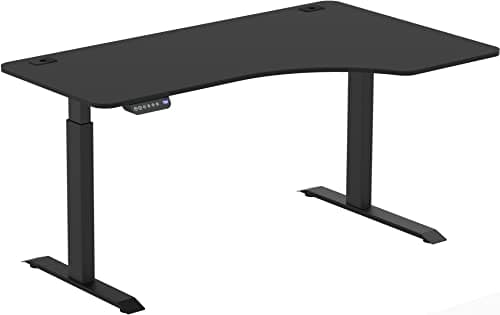
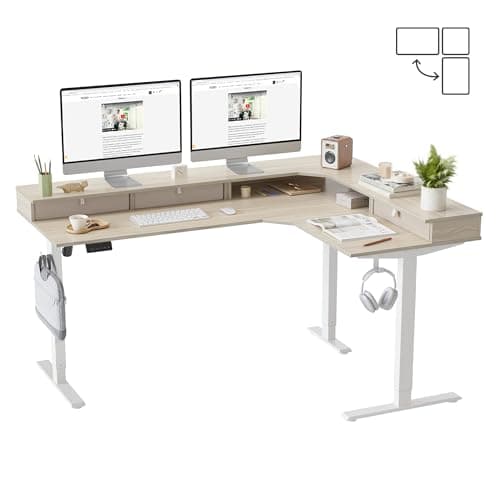
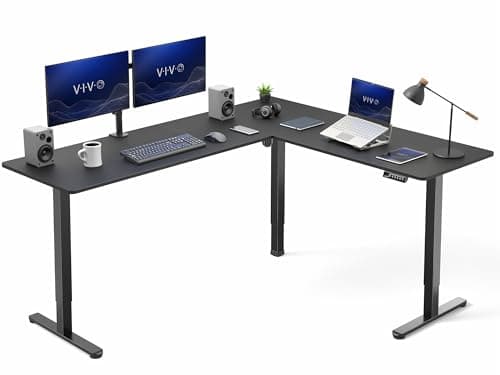
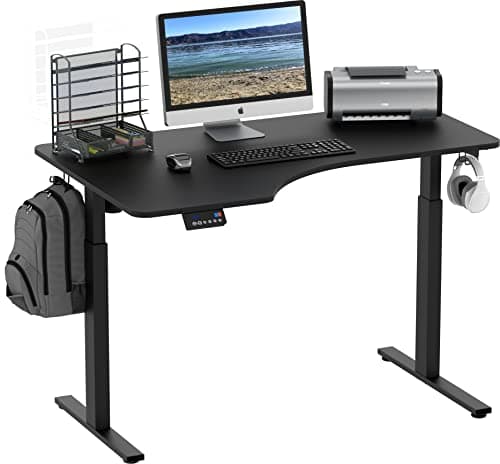
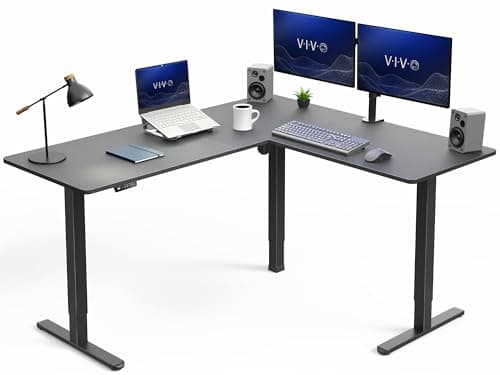
Buy the VIVO 63×55 corner desk. It has three legs — one under each end and one under the corner — and on an L-shaped sit-stand desk that third leg is not a luxury, it is the whole product. A two-leg L is a diving board with a monitor on the end of it, and it behaves like one at standing height. Everything else on this page is ranked by how honestly it deals with the same geometry problem.
Why leg count is the specification that matters
A straight desk is a simple beam: two legs, load between them, and the frame's job is to resist twisting. An L-shape is two beams joined at ninety degrees, and the join is the point furthest from any support on a two-leg design. Raise it to standing height, where the legs are at maximum extension and minimum overlap, and the corner is where every bit of accumulated flex shows up.
Three-leg desks put a column directly under that corner. The difference is not subtle and it is not a matter of build quality — it is a difference in what the structure is being asked to do. If you take one thing from this page, take that: count the legs in the product photo before you read anything else.
The same physics is behind the fixes in our wobble guide, and it is why an L-shaped desk deserves more frame than a straight desk of the same nominal price.
Reversible, left-facing, right-facing — check before you order
This is the most common ordering mistake in the category. Three different things are sold under the same heading:
- Reversible: the top can be assembled with the return on either side. This is what you want unless you are certain of your room, and it is what the VIVO and FEZIBO desks here offer.
- Left-facing / right-facing: fixed at the factory. Cheaper, and completely useless if you guess wrong. The budget SHW here is a fixed left-facing corner and the listing says so.
- Two separate surfaces:some "L-shaped" desks are a main desk and a bolt-on return, which is the most flexible option but usually the least rigid at the joint.
Measure the room before you buy, including the door swing and where the power outlet is. A corner desk that has to sit two feet off the wall to reach a socket has lost most of the reason you bought a corner desk.
One brand worth knowing about here is Eureka, which builds more corner and studio layouts than anyone else we track — including 61-inch L-shapes with the keyboard tray and monitor shelf already attached. It publishes no emissions certificate for any desk, so it does not appear on our certified lists; our Eureka Ergonomic review sets out what it does and does not document, and which one to buy if the layout is what you are after.
The materials question, at L-shaped scale
An L-shaped desk is roughly half again the panel area of a straight desk, sometimes double. If composite wood emissions are on your mind at all — and if you are reading this site, they are — then this is the format where the question is largest, because the amount of material is largest.
No L-shaped desk we could find publishes a GREENGUARD certificate or a CARB Phase 2 document with a live Amazon offer behind it. That leaves three honest positions: buy one and run a proper 72-hour break-in, buy a certified straight desk and accept the smaller footprint, or build the L yourself from a three-leg frame and two solid tops — the route our frames roundup covers, and the only one that removes the composite entirely.
Who should not buy an L-shaped standing desk
Three groups, plainly:
- Anyone who moves house regularly. These are the hardest desks to disassemble, transport and re-level. A straight desk survives a move; an L-shape often does not survive two.
- Anyone whose real problem is desk depth, not width.If you want more room for a monitor at a proper viewing distance, a deeper straight desk solves that better and costs less. OSHA's workstation guidance is about distance and eye height, not surface area.
- Anyone in a genuinely small room. A corner desk fills a corner and then claims both adjacent walls. Our small-space roundup exists for exactly this case, and a compact straight desk plus a monitor arm usually beats an L.
Who should: anyone running a genuine two-zone workflow — screens on one wing, physical work, paperwork or a second machine on the other. That is the use case an L-shape is actually good at, and it is worth the assembly.
What an L-shape is not good at is two people, and it gets bought for that constantly. The corner gives you two work positions, but the surface still rises and falls as one piece, so both people share one height — the way around that is in standing desks for two people.
Measuring for a corner desk
- Measure both wall runs, not the diagonal. The listed size — 63×55, say — is the two outer edges. Add clearance at each end for cables and a chair.
- Check the corner is square. Older houses often are not, and an L-shaped desk that has to sit an inch off one wall loses that inch of room.
- Find the outlet before you commit. A powered corner desk needs mains at one specific leg, and a trailing extension across a doorway is not an answer.
- Plan the monitor mount now. A corner desk with two screens on the corner is the classic setup and it needs a dual monitor arm with a clampable edge in the right place.
How we ranked these
The scored criteria here are stability, adjustment, materials and certifications, usable workspace, and value. Workspace replaces the storage metric we use on the drawer desks, because surface area is the reason this format exists. Scores are judgments from published specs, manufacturer documentation and aggregated owner reports — not measurements. We explain the rubric on our methodology page, including what we do not do.