Skip to content
Riser & Rail

04 — Accessories

The Best Ergonomic Gifts for Desk Workers

The rule for gifting ergonomics: buy something that fits any desk and fixes one specific thing. Never buy someone a chair.

By Stephen V.Updated How we research
#ad

We earn a commission when you buy through our Amazon links, at no extra cost to you. It never affects our rankings, and we say so when the cheaper — or the direct-only — product is the better buy. How this works.

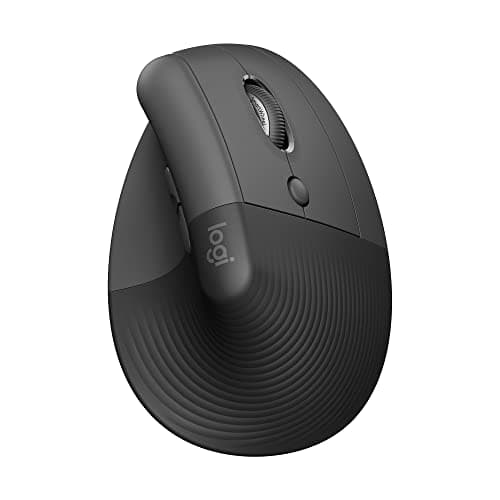
The safest good gift here is the Logitech Lift vertical mouse. It fits every desk, needs no measuring, works with any computer, and it fixes a real thing — the forearm rotation that makes a normal mouse ache after a few hours. If you know they work on a laptop all day, buy the stand instead; that is the single biggest posture change a laptop user can make.

The rule: fits any desk, fixes one thing

Ergonomics gifts fail for a predictable reason — they need fitting. A chair needs their body measurements. A monitor arm needs their desk thickness and their monitor's mount pattern. A standing desk needs their room. Buy any of those blind and you have given someone a return to process.

What works is the opposite: a self-contained object that sits on or under a desk, needs no assembly decisions, and addresses one identifiable complaint. Everything on this page passes that test, and each one is here because of a specific ache it targets.

Match the gift to the complaint

  • "My wrist aches from the mouse." A vertical mouse. It holds the forearm in a handshake position instead of rotating it flat, which is the posture that accumulates over a working day. Our ergonomic mouse roundup has the full ranking, including trackballs like the Logitech ERGO M575 Trackball for people with no desk space.
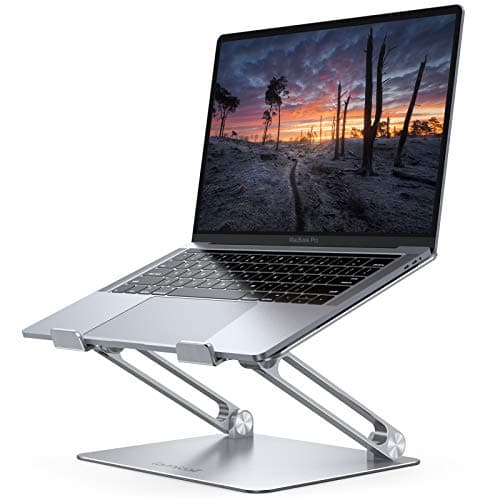
  • "My neck hurts." Almost always a screen-height problem. A laptop stand plus an external keyboard is the fix, and the stand is the giftable half.
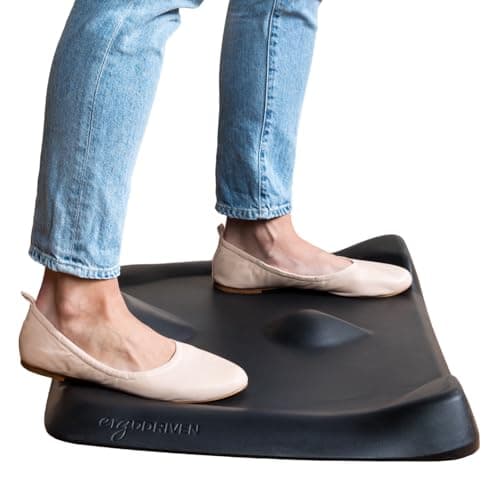
  • "My feet and legs hurt when I stand." A mat. The sculpted Topo Mini is the one that keeps people moving rather than just cushioning them.
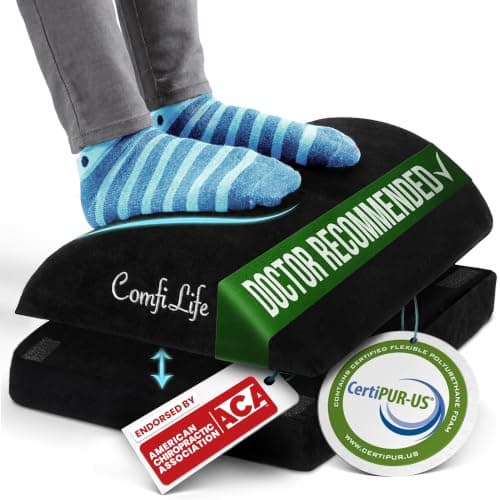
  • "My feet dangle" or "my lower back aches when seated." A footrest. This is the most under-bought item in ergonomics and one of the cheapest.
  • "I want to give something that looks like a real upgrade." A monitor arm — with one caveat below.

The monitor arm caveat

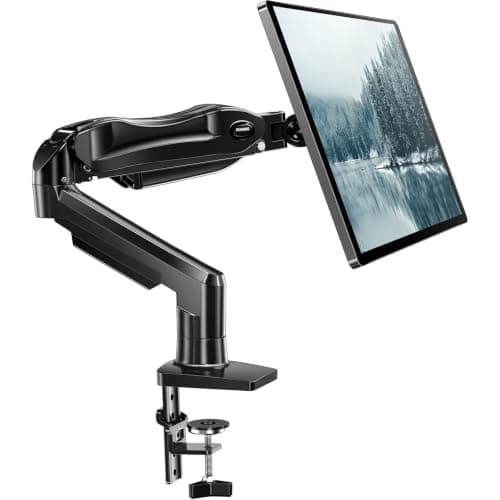
A monitor arm is the best gift on this list in terms of impact: it gets the screen to eye level, frees desk space, and makes any desk feel considered. But it is the one item that needs compatibility checking — desk thickness for the clamp, and a VESA mount pattern on the back of the monitor, which some consumer screens lack. If you can confirm both, buy it. If you cannot, buy something from the list above and keep the arm for a birthday when you can ask.

The wrist rest, used correctly

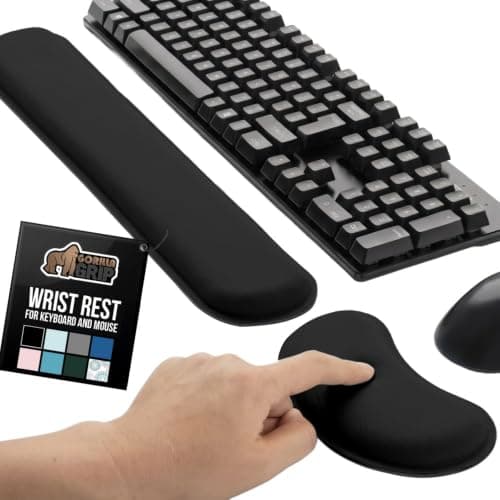
We include a wrist rest with a health warning, because more than half of people use them wrongly. A wrist rest is for the pauses between typing — a place to set the heel of your hand while you think. Resting your wrists on it while typing presses directly on the carpal tunnel and anchors your hands so you deviate sideways to reach keys. Gifted with that one sentence attached, it is a genuinely useful few dollars.

What not to buy someone

  1. A chair. Fit is personal, returns are a pain, and it is the item most likely to be wrong.
  2. A standing desk. Needs their room, their height and their assembly time. Gifting the intention is fine; gifting the object usually is not.
  3. A split keyboard. Wonderful for the right person, and a two-week typing-speed penalty for everyone else. Only buy one for someone who has asked.
  4. Anything with a medical claim. Posture correctors, magnetic braces, copper sleeves. If someone has pain, the useful gift is a well-set-up desk, not a device.

If you want to give the whole setup

The best version of this gift is not a bigger object — it is a mat, a footrest and half an hour helping them set their desk and monitor to the right heights. Our height calculator and posture guide take ten minutes to work through together, and they will notice the difference more than they will notice anything you wrapped.

The short answer

Quick picks

#ProductBest forScorePrice
01
Logitech Logitech Lift Vertical Ergonomic Mouse
Logitech Lift Vertical Ergonomic Mouse

The MX Vertical's smaller sibling — the same handshake angle in a body that fits small and medium hands.

Small-to-medium hands, or anyone the MX Vertical is too big for
8.2
$63.99Amazon
02
Lamicall Lamicall Aluminum Laptop Stand
Lamicall Aluminum Laptop Stand

The neck fix for laptop users — raise the screen, add a separate keyboard, and the forward head posture goes away.

Anyone working all day on a laptop
8.2
$35.99Amazon
03
Ergodriven Ergodriven Topo Mini Anti-Fatigue Mat
Ergodriven Topo Mini Anti-Fatigue Mat

The one that's actually designed for a desk — sculpted terrain that keeps your feet moving, not a flat kitchen pad.

Most standing-desk users
8.0
$79.00Amazon
04
ComfiLife ComfiLife Adjustable Under-Desk Foot Rest
ComfiLife Adjustable Under-Desk Foot Rest

The cheapest fix for the most common desk problem: a chair set correctly for your arms leaves your feet dangling.

Shorter sitters and desks that cannot go lower
7.4
$39.99Amazon
05
HUANUO HUANUO Single Monitor Mount
HUANUO Single Monitor Mount

The value arm that gets your screen to eye level without the Ergotron price.

Most single-monitor setups on a budget
8.0
$47.99Amazon
06
Gorilla Grip Gorilla Grip Memory Foam Keyboard Wrist Rest
Gorilla Grip Memory Foam Keyboard Wrist Rest

A rest for the pauses, not the typing — used correctly it is the cheapest wrist upgrade on a desk.

Resting the heel of the hand between bursts of typing
6.4
$12.99Amazon

#ad · Live prices from the Amazon Product API, as of Sep 6, 2026. Where we have no verified live price, we show none — we would rather leave a gap than print a number that has rotted.

In detail

The picks, in full

01
Logitech Logitech Lift Vertical Ergonomic Mouse

Small-to-medium hands, or anyone the MX Vertical is too big for

Logitech Lift Vertical Ergonomic Mouse

57° vertical angleQuiet clicksLogitech rates 2-year batteryBluetooth + dongle

Certification & materials

Not applicable — judged on wrist posture and build, not materials certification.

8.2/10

The MX Vertical's smaller sibling — the same handshake angle in a body that fits small and medium hands.

Ergonomics
9
Comfort
9
Precision
7
Software
8
Value
8

Pros

  • The comfort of a vertical grip sized for smaller hands
  • Very quiet clicks and an enormous battery life

Cons

  • Not for large hands — the bigger MX Vertical fits those better
  • Lower max DPI than the MX Vertical

Don't buy this if…

you have large hands — you'll want the full-size MX Vertical, which is built for a bigger grip.

$63.99View on Amazon

$79.9920% off

Price as of Sep 6, 2026. Prices change — Amazon's is the one that counts.

#ad · we may earn a commission from this link to Logitech Lift Vertical Ergonomic Mouse

02
Lamicall Lamicall Aluminum Laptop Stand

Anyone working all day on a laptop

Lamicall Aluminum Laptop Stand

Aluminum constructionRaises screen heightVentilated designFits 10–17 in laptops

Certification & materials

Solid aluminum, so there is no foam, laminate or composite in it and no off-gassing question — a genuinely inert desk accessory.

8.2/10

The neck fix for laptop users — raise the screen, add a separate keyboard, and the forward head posture goes away.

Posture benefit
9
Adjustability
6
Materials & certs
9
Build
8
Value
9

Pros

  • Raising the screen is the single biggest ergonomic change a laptop user can make
  • Aluminum instead of plastic means it is inert and it does not flex under a heavy laptop
  • Vents the underside, which most laptops appreciate

Cons

  • It only works if you add a separate keyboard and mouse — otherwise you have raised the keyboard too
  • Not height-adjustable in fine increments

Don't buy this if…

you will not add an external keyboard. Raising the whole laptop moves your hands up with the screen and solves nothing.

$35.99View on Amazon

Price as of Sep 6, 2026. Prices change — Amazon's is the one that counts.

#ad · we may earn a commission from this link to Lamicall Aluminum Laptop Stand

03
Ergodriven Ergodriven Topo Mini Anti-Fatigue Mat

Most standing-desk users

Ergodriven Topo Mini Anti-Fatigue Mat

Sculpted terrainPolyurethane foamNot-flat designBeveled edges

Certification & materials

Polyurethane (PU) foam, not PVC — PU avoids the plasticizers and chlorine chemistry PVC is criticized for. Ergodriven markets it as non-toxic; no formal third-party certificate is published, but the PU material is the lower-concern choice for a mat.

8.0/10

The one that's actually designed for a desk — sculpted terrain that keeps your feet moving, not a flat kitchen pad.

Cushioning
8
Edge & safety
8
Materials
9
Durability
8
Value
7

Pros

  • The raised contours prompt small posture changes, which is the actual mechanism behind reduced standing fatigue
  • Firm PU foam holds its shape instead of bottoming out like cheap gel
  • Purpose-built for a desk footprint rather than a kitchen

Cons

  • The sculpted surface is love-it-or-hate-it — some people want a plain flat cushion
  • Costs more than a basic rectangular mat

Don't buy this if…

you want a large flat surface to shift a chair around on. The Topo's whole point is the terrain, and a flat mat is better for a roll-around setup.

$79.00View on Amazon

Price as of Sep 6, 2026. Prices change — Amazon's is the one that counts.

#ad · we may earn a commission from this link to Ergodriven Topo Mini Anti-Fatigue Mat

04
ComfiLife ComfiLife Adjustable Under-Desk Foot Rest

Shorter sitters and desks that cannot go lower

ComfiLife Adjustable Under-Desk Foot Rest

Memory foamAdjustable heightNon-slip baseWashable cover

Certification & materials

No foam certification published. Polyurethane memory foam — air it out of the packaging before use.

7.4/10

The cheapest fix for the most common desk problem: a chair set correctly for your arms leaves your feet dangling.

Posture benefit
8
Adjustability
7
Materials & certs
5
Build
8
Value
9

Pros

  • Restores the 90-degree knee angle that a too-high desk takes away, which is where lower-back fatigue starts
  • Also fixes the side effect of a seat cushion, which raises you and strands your feet

Cons

  • No foam certification published
  • It has to be repositioned when you push the chair back

Don't buy this if…

your feet already rest flat. A footrest you do not need just moves your knees into a worse angle.

$39.99View on Amazon

$59.9533% off

Price as of Sep 6, 2026. Prices change — Amazon's is the one that counts.

#ad · we may earn a commission from this link to ComfiLife Adjustable Under-Desk Foot Rest

05
HUANUO HUANUO Single Monitor Mount

Most single-monitor setups on a budget

HUANUO Single Monitor Mount

Fits 13–32"Gas-spring liftFull articulationC-clamp + grommet

Certification & materials

Not applicable — judged on stability, range and build, not materials certification.

8.0/10

The value arm that gets your screen to eye level without the Ergotron price.

Stability
8
Adjustment range
8
Build
7
Ease of install
8
Value
9

Pros

  • Does the important job — screen to eye level — for a fraction of the premium arms
  • Gas-spring lift is smooth and holds position well for the price

Cons

  • The lift can need re-tensioning over time, unlike the Ergotron's constant-force system
  • Shorter warranty and less refined motion

Don't buy this if…

you'll reposition the screen constantly all day for years — the Ergotron's motion holds up better under heavy long-term use.

$47.99View on Amazon

Price as of Sep 6, 2026. Prices change — Amazon's is the one that counts.

#ad · we may earn a commission from this link to HUANUO Single Monitor Mount

06
Gorilla Grip Gorilla Grip Memory Foam Keyboard Wrist Rest

Resting the heel of the hand between bursts of typing

Gorilla Grip Memory Foam Keyboard Wrist Rest

Memory foamNon-slip baseKeyboard lengthFabric cover

Certification & materials

No foam certification published. Memory foam is polyurethane; unwrap it and let it air before daily use.

6.4/10

A rest for the pauses, not the typing — used correctly it is the cheapest wrist upgrade on a desk.

Posture benefit
6
Adjustability
4
Materials & certs
5
Build
8
Value
9

Pros

  • Supports the heel of the hand during pauses, which is what a wrist rest is actually for
  • Non-slip base means it stays where you put it instead of creeping forward

Cons

  • Resting your wrists ON it while typing compresses the carpal tunnel — the wrong technique makes things worse
  • No foam certification published

Don't buy this if…

you already have wrist pain and no diagnosis. A rest is not a treatment — see a clinician and fix your keyboard height first.

$12.99View on Amazon

$19.9935% off

Price as of Sep 6, 2026. Prices change — Amazon's is the one that counts.

#ad · we may earn a commission from this link to Gorilla Grip Memory Foam Keyboard Wrist Rest

How to choose an ergonomic gift

Buy for a complaint you have actually heard

Wrist, neck, feet, lower back. Each has a different answer, and guessing wastes the gift.

Avoid anything that needs their measurements

Chairs and desks need fitting. Mice, mats, stands and footrests do not.

Check compatibility before buying a monitor arm

Desk thickness for the clamp, VESA pattern on the monitor. Two facts, and without them it is a gamble.

Prefer wireless and universal

A gift that needs a specific port or a driver is a gift that sits in a drawer.

Include the one-sentence instruction

Especially for a wrist rest: it is for the pauses, not for typing on. That sentence is the difference between help and harm.

How we picked

We do not run a testing lab

We compiled specs from manufacturer manuals, verified every certification claim in the certifying body's own registry (UL SPOT for GREENGUARD, BIFMA, CARB), did the cost-to-own math, and read the aggregated owner reviews, then scored each product against a published rubric. The scores are judgments from documented research — they are not measurements we took, because we do not have a lab and we are not going to pretend we do.
Questions

Frequently asked

What is a good ergonomic gift for someone who works from home?
A vertical mouse is the safest genuinely useful choice — it fits any desk, needs no measuring, and targets a real complaint. A laptop stand is the best pick if you know they work on a laptop all day.
Is a monitor arm a good gift?
It is the highest-impact item here, but it needs two compatibility facts first: the thickness of their desk for the clamp and whether their monitor has a VESA mount. If you cannot confirm both, pick something else.
Should I buy someone an ergonomic chair as a gift?
No. Chair fit depends on their body dimensions and personal preference, and it is the single most likely ergonomic purchase to be returned.
Are wrist rests actually good for you?
Only when used for the pauses between typing. Resting your wrists on one while typing presses on the carpal tunnel and encourages sideways wrist deviation. Gift it with that instruction attached.

Keep reading

Receipts

Sources

We do not run a testing lab, and we do not pretend to. We verify certifications in the certifying body's own registry, compile specs from manufacturer manuals, and cite health claims to recognized authorities — by name, with a link. Where we could not verify something, we say so on the page rather than quietly leaving it out. Read our full method.