Skip to content
Riser & Rail

04 — Accessories

The Best Monitor Arms Under $50

An arm this cheap still fixes the one thing that matters: screen height. What it gives up is how pleasant the screen is to move afterwards.

By Stephen V.Updated How we research
#ad

We earn a commission when you buy through our Amazon links, at no extra cost to you. It never affects our rankings, and we say so when the cheaper — or the direct-only — product is the better buy. How this works.

Under fifty dollars, buy the VIVO single arm. It is the only arm in this band whose published range reaches 38 inches rather than stopping at 32, which makes it the one cheap arm that will take a 34-inch ultrawide — and its bolt-set height is a fair trade if you set a screen once and leave it. If you move your screen daily, buy the HUANUO single instead: a gas-spring lift at a few dollars more is the upgrade in this band that changes how the arm feels every day. The budget pick is the Amazon Basics single, which is close to the lowest price a genuinely articulating arm goes for. Two of the five picks here are dual arms, which is the surprise of this band.

Every arm below carried a live price under $50 at the last price check; the figure and the date it was read render beside each pick rather than being typed into this page.

Who each pick is for

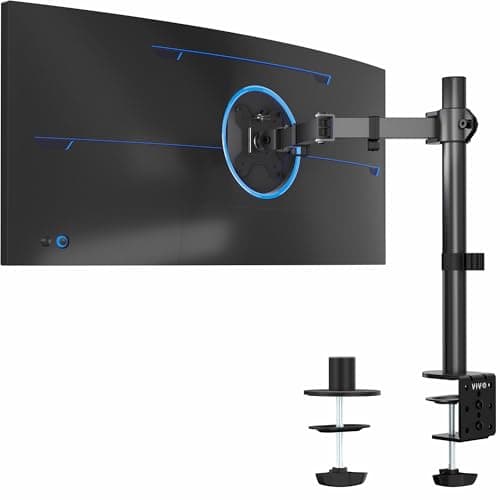
  • VIVO single arm — ultrawide monitors on a budget: a published 13-38 in range where the rest of the band stops at 32.
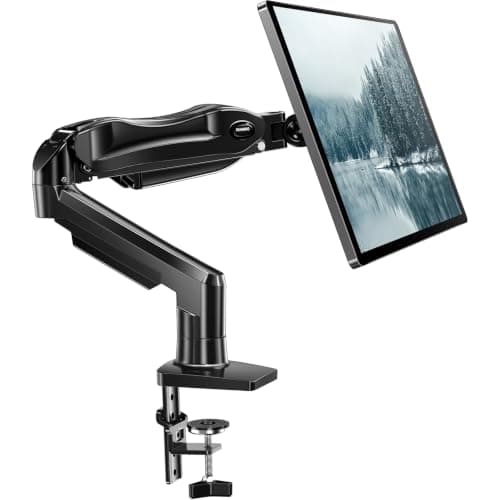
  • HUANUO single mount — most single-monitor setups: a gas-spring lift and full articulation at the cheap end.
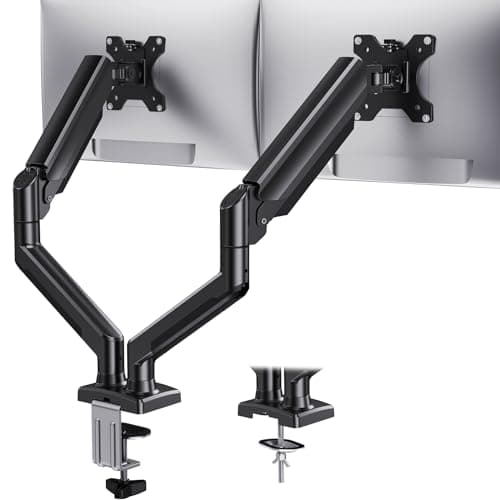
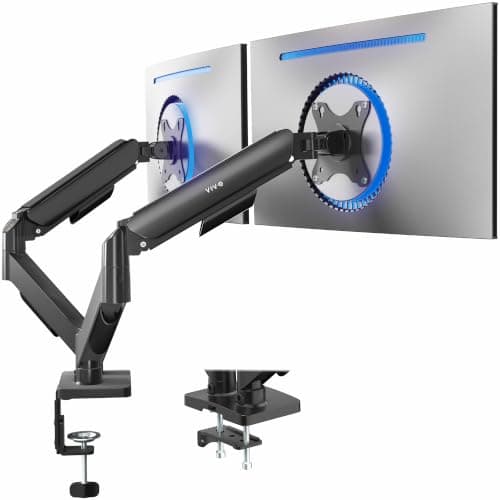
  • VIVO dual arm — most two-screen home offices: full articulation for two screens with mechanical-spring arms.
  • HUANUO budget dual mount — the cheapest route to two screens at eye level, with a published 22 lb per-arm rating.
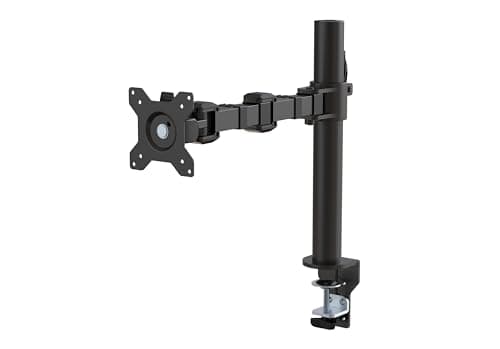
  • Amazon Basics single stand (budget pick) — the lowest price that still articulates rather than just propping a screen up.

The one thing a $35 arm does as well as a $190 one

It gets the screen to the right height, and that is the entire health argument for a monitor arm. OSHA's workstation guidance and the American Optometric Association both put the screen slightly below eye level at roughly arm's length; Cornell adds the part people miss, which is that if you recline the screen has to come up with you. A cheap arm meets those targets exactly as well as an expensive one, because the geometry does not care what the clamp cost. If your neck hurts because you are looking down at a laptop, a sub-$50 arm plus a separate keyboard is a genuine fix and not a compromise — our monitor height guide has the numbers to aim at.

That is worth saying plainly, because the premium end of this category is sold on motion quality and it is easy to conclude that a cheap arm does not work. It works. It is just less nice.

What you actually give up

How the height is set

This is the real split in the band. The VIVO single arm sets its height with a bolt — you choose a height on assembly and it stays there. The HUANUO single and the Amazon Basics use a gas spring, so the screen moves under hand pressure. Bolt-set is not a defect if you have one seated position; it becomes one the moment you put the arm on a sit-stand desk, because a sit-stand desk needs two correct screen heights and a bolt gives you one.

How long the motion lasts

A gas spring holds position by gas pressure, and gas springs lose tension slowly over years — a heavily loaded one sooner. A cheap mechanical spring is set-and-forget by design. Neither is the constant-force mechanical mechanism in the Ergotron LX, which holds by spring geometry rather than pressure and is the engineering reason that arm carries a ten-year warranty while nothing in this band publishes one at all. Our own row for the HUANUO says it: if you will reposition the screen all day for years, the Ergotron's motion holds up better.

Published ratings

Mostly absent, and that is the honest weakness of the band. HUANUO publishes 22 lb per arm on its budget dual and WALI publishes the same figure on its dual stand; the single arms here publish a screen-size range and, in most cases, no weight figure at all. Treat a missing weight rating as unknown rather than generous. If your panel is big or heavy, the arithmetic is on monitor arms for ultrawide and heavy monitors, which is written entirely about the arms that publish both halves of the rating — and the only arm on this page that belongs in that conversation is the VIVO single, on reach rather than on weight.

Certification, which does not apply

Worth one line because this site usually leads with it: a powder-coated steel arm raises no indoor-air question, so none of these products publishes an emissions certificate and none should. What is missing here is load testing, not a materials document. None of these arms publishes a third-party test of any kind, including VIVO's dual, whose row records exactly that.

Two screens for under fifty dollars

The genuinely useful discovery in this band is that dual arms are in it. The HUANUO budget dual mount and the VIVO dual arm both land under $50, both articulate on all three axes, and both publish a screen-size ceiling of 32 inches. For two ordinary 24 or 27-inch panels that is a complete solution at the price of one cheap single arm, and it clears both monitor stands off the desk at once.

The catch is the per-arm rating. Dual-arm ratings in this category are per arm and lower than single-arm ratings from the same maker, so two big panels are a worse fit on a dual arm than on two singles — the full version of that argument is on dual monitor arms, and for three screens the per-arm arithmetic gets worse again, which is triple monitor arms. If your two screens are 32 inches or under and not unusually heavy, a cheap dual arm is one of the better-value purchases on this entire site.

Before you order: three measurements

A cheap arm fails for the same reasons an expensive one does, and all three are checkable in two minutes.

The VESA pattern. Four threaded holes in a 75 by 75 or 100 by 100 mm square is the consumer standard; some larger panels use 200 by 100. No pattern means no arm, and a recessed pattern sometimes needs a spacer the arm does not include.

The desk edge.A C-clamp needs an accessible rear edge with clearance behind it; a grommet mount needs a hole. A full-width rear panel, a deep apron or a glass top is where clamp mounting goes wrong, and glass needs the desk maker's approval first.

The panel weight without its stand.Not shipping weight. This is the figure to hold against the arm's rating, and it is the one most listings bury. If the arm publishes no rating, buy more arm than you think you need or step up a band — the arms between $50 and $100 are covered in our main monitor arm ranking.

And then lower the keyboard. Screen up, keyboard down: doing only the first half moves the problem from your neck to your wrists, and the fix is a keyboard tray or a lower desk. We make the same point on arm versus stand, which is the page to read if you are not yet sure you need an arm at all.

The honest thing the next fifty dollars buys is not a better single arm — it is screen count on one base. Monitor arms under $100 covers the vertical stacking dual and the two triple mounts that fit inside that band and cannot fit inside this one, plus the first arms that publish a load floor as well as a ceiling.

The short answer

Quick picks

#ProductBest forScorePrice
01
VIVO VIVO Single Monitor Arm (13–38")
VIVO Single Monitor Arm (13–38")

The ultrawide-friendly budget arm — it reaches to 38 inches where most cheap arms stop at 32.

Ultrawide monitors on a budget
7.6
$34.99Amazon
02
HUANUO HUANUO Single Monitor Mount
HUANUO Single Monitor Mount

The value arm that gets your screen to eye level without the Ergotron price.

Most single-monitor setups on a budget
8.0
$38.99Amazon
03
VIVO VIVO Dual Monitor Arm (17–32 in, mechanical spring)
VIVO Dual Monitor Arm (17–32 in, mechanical spring)

The value default: full articulation for two screens at about a tenth of the Ergotron's price.

Most two-screen home offices
8.0
$43.99Amazon
04
HUANUO HUANUO Dual Monitor Mount (up to 32 in, 22 lb per arm)
HUANUO Dual Monitor Mount (up to 32 in, 22 lb per arm)

The entry price for getting both screens off the desk and up to eye level.

The cheapest route to two screens at eye level
7.4
$41.99Amazon
05
Amazon Basics Amazon Basics Single Monitor Stand
Amazon Basics Single Monitor Stand

The no-frills floor option — a real articulating arm at close to the lowest price a working arm goes for.

The lowest price that still articulates
7.4
$23.93Amazon

#ad · Live prices from the Amazon Product API, as of November 23, 2026. Where we have no verified live price, we show none — we would rather leave a gap than print a number that has rotted.

In detail

The picks, in full

01
VIVO VIVO Single Monitor Arm (13–38")

Ultrawide monitors on a budget

VIVO Single Monitor Arm (13–38")

Fits 13–38"Height/tilt/swivelC-clamp + grommetCable management

Certification & materials

Not applicable — judged on stability, range and build, not materials certification.

7.6/10

The ultrawide-friendly budget arm — it reaches to 38 inches where most cheap arms stop at 32.

Stability
8
Adjustment range
7
Build
7
Ease of install
7
Value
9

Pros

  • Handles ultrawide panels that many budget arms can't
  • Cheap and widely compatible

Cons

  • Manual bolt-set height, not a smooth gas spring
  • Basic motion and build

Don't buy this if…

…you want to raise and lower the screen frequently — a bolt-set height arm is set-and-forget, not fluid like a gas-spring or Ergotron.

$34.99View on Amazon

Price as of November 23, 2026. Prices change — Amazon's is the one that counts.

#ad · we may earn a commission from this link to VIVO Single Monitor Arm (13–38")

02
HUANUO HUANUO Single Monitor Mount

Most single-monitor setups on a budget

HUANUO Single Monitor Mount

Fits 13–32"Gas-spring liftFull articulationC-clamp + grommet

Certification & materials

Not applicable — judged on stability, range and build, not materials certification.

8.0/10

The value arm that gets your screen to eye level without the Ergotron price.

Stability
8
Adjustment range
8
Build
7
Ease of install
8
Value
9

Pros

  • Does the important job — screen to eye level — for a fraction of the premium arms
  • Gas-spring lift is smooth and holds position well for the price

Cons

  • The lift can need re-tensioning over time, unlike the Ergotron's constant-force system
  • Shorter warranty and less refined motion

Don't buy this if…

…you'll reposition the screen constantly all day for years — the Ergotron's motion holds up better under heavy long-term use.

$38.99View on Amazon

$47.9919% off

Price as of November 23, 2026. Prices change — Amazon's is the one that counts.

#ad · we may earn a commission from this link to HUANUO Single Monitor Mount

03
VIVO VIVO Dual Monitor Arm (17–32 in, mechanical spring)

Most two-screen home offices

VIVO Dual Monitor Arm (17–32 in, mechanical spring)

VIVO states 17–32 in screensMechanical spring armsFull tilt, swivel and rotationClamp or grommet

Certification & materials

Steel construction, powder-coated. No certification of any kind is published, including load testing.

8.0/10

The value default: full articulation for two screens at about a tenth of the Ergotron's price.

Screen positioning
8
Stability
7
Build
7
Desk compatibility
8
Value
10

Pros

  • Full articulation — height, tilt, swivel and portrait rotation — at a genuinely low price
  • Handles the 27 to 32 inch panels most people now own
  • Enormous installed base, so mounting problems are well documented

Cons

  • Mechanical springs need re-tensioning with an Allen key when a monitor changes
  • Sags sooner than a gas-spring arm under a heavy screen

Don't buy this if…

…your monitors are near the top of the weight range. This is where mechanical arms start creeping downward.

$43.99View on Amazon

$59.9927% off

Price as of November 23, 2026. Prices change — Amazon's is the one that counts.

#ad · we may earn a commission from this link to VIVO Dual Monitor Arm (17–32 in, mechanical spring)

04
HUANUO HUANUO Dual Monitor Mount (up to 32 in, 22 lb per arm)

The cheapest route to two screens at eye level

HUANUO Dual Monitor Mount (up to 32 in, 22 lb per arm)

HUANUO states up to 32 in screensHUANUO rates 22 lb per armTilt, swivel, rotateClamp or grommet

Certification & materials

Steel with a powder-coat finish; no published certification.

7.4/10

The entry price for getting both screens off the desk and up to eye level.

Screen positioning
7
Stability
6
Build
6
Desk compatibility
8
Value
10

Pros

  • Costs less than a single monitor riser and does far more
  • The load rating covers most 32-inch panels, which is unusual this cheap
  • Getting screens to eye level is the highest-value ergonomic change most desks need

Cons

  • Adjustment is stiffer and less precise than gas-spring arms
  • Some desk edges need the included reinforcement plate to avoid marking

Don't buy this if…

…you reposition screens daily. Cheap mechanical arms are made for set-and-forget.

$41.99View on Amazon

$49.9916% off

Price as of November 23, 2026. Prices change — Amazon's is the one that counts.

#ad · we may earn a commission from this link to HUANUO Dual Monitor Mount (up to 32 in, 22 lb per arm)

05
Amazon Basics Amazon Basics Single Monitor Stand

The lowest price that still articulates

Amazon Basics Single Monitor Stand

Fits up to 32"Gas-spring liftFull articulationCable channel

Certification & materials

Not applicable — judged on stability, range and build, not materials certification.

7.4/10

The no-frills floor option — a real articulating arm at close to the lowest price a working arm goes for.

Stability
7
Adjustment range
7
Build
6
Ease of install
8
Value
9

Pros

  • Cheapest gas-spring arm here from a brand with an easy return path
  • Cable management channel keeps the desk tidy

Cons

  • Motion and hold aren't as refined as the HUANUO or Ergotron
  • Basic warranty and finish

Don't buy this if…

…you want the smoothest possible motion — spend a little more on the HUANUO, or a lot more on the Ergotron, for a better-holding arm.

$23.93View on Amazon

$29.9920% off

Price as of November 23, 2026. Prices change — Amazon's is the one that counts.

#ad · we may earn a commission from this link to Amazon Basics Single Monitor Stand

Before you buy

Buying an arm at the cheap end

1. Decide whether the screen needs to move

One seated position means bolt-set height is fine and the VIVO's longer reach is free value. A sit-stand desk needs a gas spring.

2. Check the published size ceiling

Most arms in this band stop at 32 inches. The VIVO single publishes 13-38 in, which is the only reason an ultrawide belongs on a cheap arm.

3. Treat a missing weight rating as unknown

HUANUO publishes 22 lb per arm on its dual; most singles here publish nothing. An unrated arm under a heavy panel is the one failure that takes the monitor with it.

4. Confirm VESA and the desk edge before ordering

75x75, 100x100 or 200x100, centered and reachable. Clampable rear edge or a grommet hole. Glass only with the desk maker's approval.

5. Consider a dual arm even for one screen today

Two of the picks here are duals at the same money as a single. If a second screen is likely within a year, buy the dual now.

6. Then lower the keyboard

Raising a screen without lowering the keyboard trades neck strain for wrist strain. Fix both or you have fixed neither.
Side by side

Compare the five on the factors that decide it

All five carried a live price under $50 at the last price check. The 'Rated for' column is the honest weakness of this band — it is blank more often than it is filled, and a blank means unknown.

ChairLumbarAdjustmentsCertificationRated forPrice
Published 13-38 in range — the only arm here that passes 32 inHeight, tilt and swivel; bolt-set height, so set-and-forgetNot applicable — a steel arm raises no indoor-air question. No load test publishedNo published weight rating found; treat as unknown$34.99Check price on Amazon
Fits 13-32 inGas-spring lift with full articulation; C-clamp or grommetNot applicable. No third-party load testing publishedNo published weight rating found for this single mount$38.99Check price on Amazon
VIVO states 17-32 in per screenMechanical-spring arms; full tilt, swivel and rotation; clamp or grommetPowder-coated steel. No certification of any kind is published, including load testingNo per-arm figure published; mechanical arms creep downward near their limit$43.99Check price on Amazon
HUANUO states up to 32 in per screenTilt, swivel, rotate; clamp or grommet; built for set-and-forgetSteel with powder coat; no published certificationHUANUO rates 22 lb per arm — the only published figure in this band$41.99Check price on Amazon
Fits up to 32 inGas-spring lift, full articulation, cable channelNot applicable — judged on stability, range and buildNo published weight rating found; motion is the trade at this price$23.93Check price on Amazon

#ad · we may earn a commission · Live prices from the Amazon Product API, as of November 23, 2026. Where we have no verified live price we show none.

How we picked

We do not run a testing lab

We compiled specs from manufacturer manuals, verified every certification claim in the certifying body's own registry (UL SPOT for GREENGUARD, BIFMA, CARB), did the cost-to-own math, and read the aggregated owner reviews, then scored each product against a published rubric. The scores are judgments from documented research — they are not measurements we took, because we do not have a lab and we are not going to pretend we do.

Questions

Frequently asked

What is the best monitor arm under $50?
The VIVO single arm, because its published range reaches 38 inches where almost everything else in the band stops at 32 — which makes it the one cheap arm that suits a 34-inch ultrawide. Its height is bolt-set rather than freely adjustable, so if you move the screen daily the HUANUO single's gas spring is the better buy. The budget pick is the Amazon Basics single.
Is a cheap monitor arm safe for my monitor?
A rated arm under a panel inside its rating is fine. The risk in this band is that most arms publish no weight rating at all — only HUANUO's budget dual publishes a figure, at 22 lb per arm. Find your panel's weight without its stand on the monitor's spec sheet, and if the arm states no rating, buy more arm than you think you need.
Can you get a dual monitor arm for under $50?
Yes — two of the five picks here are duals. The HUANUO budget dual mount and the VIVO dual arm both land under fifty dollars, both articulate fully and both publish a 32-inch per-screen ceiling. For two ordinary 24 or 27-inch panels that is a complete solution at the price of one cheap single arm.
What does a $190 monitor arm do that a $35 one does not?
Not screen height — the geometry is the same. What it buys is motion that lasts: the Ergotron LX uses a constant-force mechanical spring that holds by geometry rather than gas pressure, publishes both a size and a weight rating, and carries a ten-year warranty. Nothing in this band publishes a warranty at all. If you reposition a screen all day for years, that is the difference.
Will a cheap monitor arm work on a standing desk?
Only if the height is freely adjustable. A sit-stand desk needs two correct screen heights and a bolt-set arm gives you one, so on a standing desk choose a gas-spring arm — the HUANUO or the Amazon Basics here. Clamp it to the desktop rather than to anything that stays still, so the screen travels with the desk.
Do monitor arms need a certification?
Not for materials — a powder-coated steel arm raises no indoor-air question, which is why none of these publishes an emissions certificate and none should. What is genuinely missing is load testing: no arm in this band publishes a third-party test of any kind, and most publish no weight rating either.

Keep reading

Receipts

Sources

We do not run a testing lab, and we do not pretend to. We verify certifications in the certifying body's own registry, compile specs from manufacturer manuals, and cite health claims to recognized authorities — by name, with a link. Where we could not verify something, we say so on the page rather than quietly leaving it out. Read our full method.