If your neck started hurting after you got a standing desk, the cause is almost certainly that the desk raised your hands but not your screen by the right amount — so you are now looking down further than you were before. Set the top of the screen at or just below eye level at both heights, and the problem usually disappears.
The specific thing that goes wrong
A sit-stand desk raises the whole surface, screen included, so in principle the geometry should be preserved. In practice it is not, for two reasons.
First, most people set the desk height by their hands and never re-check the screen. Your elbow height and your eye height do not rise by identical amounts between sitting and standing — eye height changes more — so a screen that was correct seated sits low standing. Second, a lot of people are working on a laptop, where the screen is physically attached to the keyboard. A laptop on a raised desk is a guaranteed neck problem, because putting the keyboard at elbow height puts the screen roughly a foot and a half below where it should be.
The consequence is forward head posture: the head tips down and drifts forward of the shoulders, and the muscles at the back of the neck and across the top of the shoulders hold it there isometrically for hours. That sustained static load is exactly the pattern NIOSH's ergonomics material identifies as a musculoskeletal risk factor, and it is what the ache between your shoulder blades at 4pm actually is.
The three measurements, in order
- Screen height. Top of the display at or just slightly below eye level. If you wear progressive lenses, lower — you will otherwise tip your head back to find the reading zone, which is the same problem inverted. Check it standing and sitting.
- Screen distance.Roughly an arm's length. Too close and you crane forward to read; the American Optometric Association's material on computer vision syndrome covers the eye-strain side of the same measurement, and eye strain and neck strain usually arrive together.
- Screen angle. Tilted back very slightly, five to ten degrees, so the whole surface faces your eyes. A screen tilted forward makes you drop your chin.
These are the same numbers Mayo Clinic and OSHA's workstation eTool use, and they are the entire fix in most cases. Nothing on this list is about standing.
Why a monitor arm, and not a stack of books
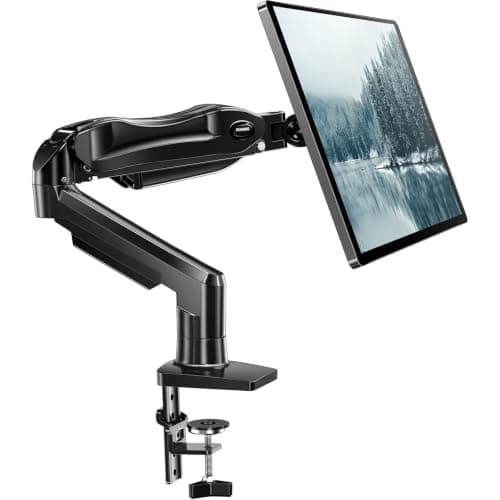
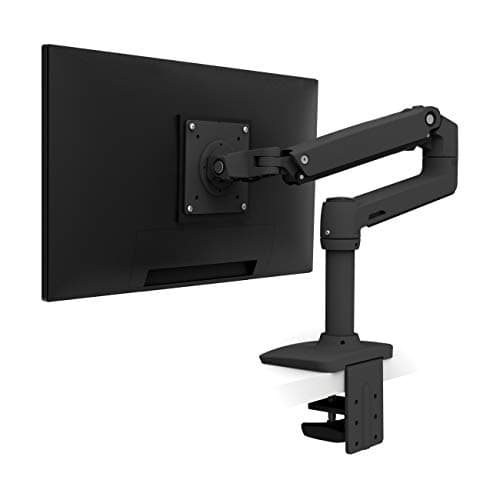
Books work, and if you have books, use them today. But an arm does three things a stack cannot: it holds the exact height rather than the nearest book-thickness, it lets you set distance and tilt independently of height, and it frees the desk surface underneath. On a sit-stand desk the third matters more than people expect, because the tidier the surface, the less likely you are to leave the desk at one height because raising it would knock something over.
Check the VESA pattern on the back of the monitor first. If you run two screens, position matters as much as height and that is its own topic — dual monitor ergonomics covers where to put the second one, and dual monitor arms has the hardware.
The laptop problem, stated plainly
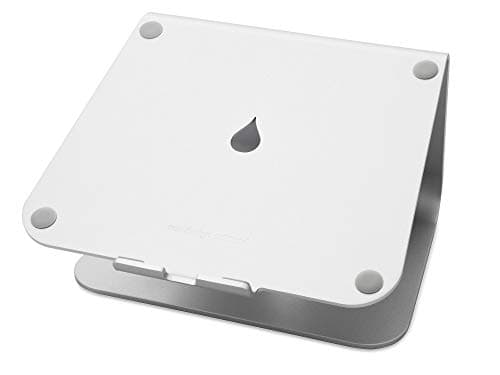
A laptop cannot be ergonomic on its own, at any desk height. The screen and the keyboard are fixed 8 inches apart, and correct positions for them are roughly 18 inches apart. You have to separate them, which means either a laptop stand plus an external keyboard and mouse, or a docking setup with an external monitor.
A stand alone, without an external keyboard, makes things worse rather than better — it fixes the neck and wrecks the wrists. Buy them together or not at all. Our picks are at best laptop stands and best ergonomic keyboards.
What else causes it
- The desk is too high. Reaching up raises your shoulders, and shrugged shoulders held for an hour produce upper-trapezius pain that reads as neck pain. Run the height calculator and do the elbow test.
- Cradling a phone. Obvious, universal, and the single worst thing on this list per minute. Use a headset.
- Standing still too long. The neck complaint that appears in week one of owning a standing desk is often a dose problem — see how long to stand.
- Glasses. Progressive and bifocal lenses change where your head has to be to read a screen. If you have new lenses and new neck pain, that is likely the connection, and the fix is usually a lower screen.
- A chair with no support above the shoulder blades. If you recline to think, a mid-back chair leaves your head unsupported and your neck holding it — which is why a headrest that actually adjusts is worth something. The chairs that do it are in best office chairs for neck pain, and they come after the screen fix, not before it.
When to see someone
Neck pain with numbness, tingling or weakness in an arm or hand, pain following an injury, or pain that does not improve after a couple of weeks of correcting the setup, is a reason to see a clinician. OrthoInfo is a reasonable orientation to what neck pain can be; it is not a substitute for an examination. This page is general information, not medical advice.