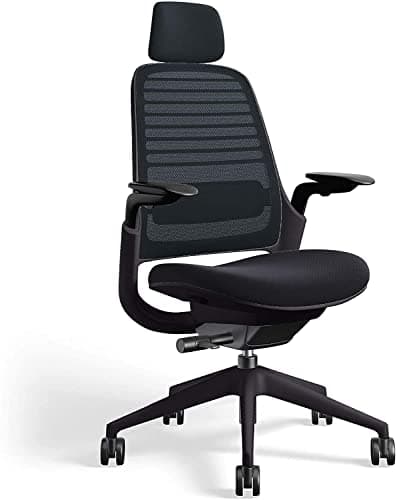
Buy the Steelcase Series 1 with the headrest already fitted. It is the only chair on this site whose headrest has a published travel figure — Steelcase states 3.25 in of vertical adjustment — on a chair whose own certification record is the most complete we rank. The budget pick is the SIHOO Doro C300, whose headrest moves in height, depth and rotation without tools, and which is the cheaper of the two picks here that currently has a buyable offer at all. Before you buy either, read the next paragraph, because a headrest is the single most commonly mis-bought feature in office seating.
Who each pick is for
- Steelcase Series 1 with headrest — people who recline to work and want their head supported when they do, with the paperwork to match.
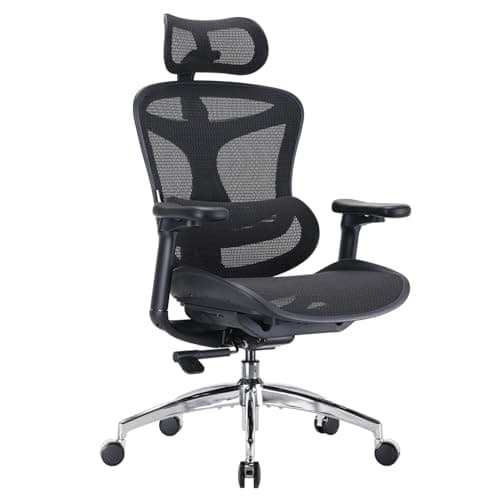
- SIHOO Doro C300 (budget pick) — a three-way adjustable headrest on a mesh-seat chair at a mid-budget price.
- Ticova high-back — the high-back recliner option; note that it currently returns no buyable offer, so the buy button falls back to a tagged search.
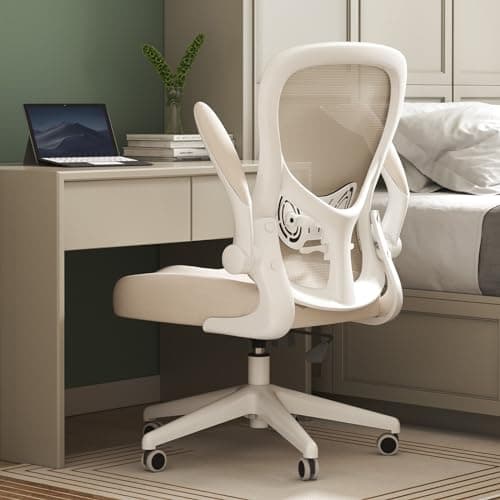
- Hbada P1 — the floor of the category, listed for completeness; also price-less at the last check.
A headrest is for reclining, not for typing
This is the part the category gets wrong. When you sit upright to type, your head is balanced over your spine and there is nothing behind it to rest on — a headrest in that posture is something to bump the back of your head on. A headrest earns its money in a reclined posture, where the weight of your head would otherwise be held by the muscles at the back of your neck. Steelcase says exactly this about its own part, and our registry row for the fitted build records it: the headrest is designed for reclined postures.
So the honest first question is not which headrest, it is whether you recline. If you spend your day upright at a keyboard and your neck still hurts, the cause is almost always screen height, not head support, and a headrest will not touch it. The fix is on how high your monitor should be and, if a riser cannot get there, a monitor arm. We say the same thing on chairs for neck pain, which is the page to read if pain rather than posture is what brought you here.
The spec that separates them: published travel
Once you know you recline, the question becomes whether the headrest can reach the back of your head. Head height above the seat varies by several inches across adults, and a headrest with a short range or no range at all will land on the base of your skull or between your shoulder blades. This is where the category almost completely fails to publish anything.
Steelcase publishes 3.25 in of vertical adjustment for the Series 1 headrest, per its own specification guide, and the listing prints the rest of the chair's numbers alongside it: seat height 16.5-21.5 in, seat depth 15.5-17.75 in, seat width 19.5 in, back width 17.25 in and a 400 lb weight limit. SIHOO publishes no travel figure but does describe three axes — height, depth and rotation — which is more than most. The Ticova and the Hbada state an adjustable headrest and no numbers. Treat an unpublished range as unknown rather than generous.
There is one cost to a headrest nobody mentions: height. With the headrest fitted, the Series 1 stands 42.5-50 in tall. If your desk sits under a shelf, a cabinet or a sloped ceiling, measure that before you order, because a chair that cannot pass under the obstruction is a returned chair.
What the makers document, and what they do not
The certification picture here mirrors the rest of the seating hub. The Series 1 headrest build shares the Series 1 style number, so it shares the published position: BIFMA LEVEL 3, CAL 117 and SCS Indoor Advantage Gold on the cut sheet, a published Environmental Product Declaration, and a dated compliance certificate to ANSI/BIFMA X5.1 and X5.11 at 400 lb. Steelcase publishes no separate certificate for the headrest pad itself, which is a 3D Microknit pad on a plastic stalk per the specification guide — worth knowing, and worth not over-reading.
SIHOO, Ticova and Hbada publish no third-party emissions documentation for these chairs at all. SIHOO's "certified by BIFMA and TUV" line names no certificate number and no registry; Ticova and Hbada state nothing. For a buyer who filters on materials that is the deciding fact, and it is the reason the ranking here is not simply cheapest-first. Our GREENGUARD explainer and BIFMA explainer cover how to check a claim rather than trust a badge.
Two honest alternatives to buying a headrest chair
First: buy the headrest separately. Steelcase sells the Series 1 headrest as a field-installable part, which is why the fitted build exists at all — if you already own a Series 1, you do not need a new chair. Second: do not buy one. If your recline happens for ten minutes after lunch rather than for hours, the money is better spent on the lumbar mechanism you use all day — see the chairs ranked on lumbar adjustment — or on the screen height that is the real cause of most desk neck pain.
If the budget is the constraint rather than the posture, the best office chairs under $500 is the page to read next; two of the chairs on it are from the same Doro family as the budget pick here. This page is general product information, not medical advice.
Before you buy
The headrest checklist
1. Decide whether you actually recline
Watch yourself for a day. If you type upright, a headrest is dead weight and the money belongs in the lumbar mechanism or the monitor height.
2. Look for a published travel figure
Inches of vertical adjustment, stated by the maker. Steelcase prints 3.25 in for the Series 1 part. An unpublished range is an unknown range.
3. Count the axes
Height alone, or height plus depth plus rotation. Depth is what stops a headrest pushing your chin to your chest when you recline.
4. Measure the clearance above your desk chair
A fitted headrest adds real height — the Series 1 build stands 42.5-50 in. Shelves, cabinets and sloped ceilings are where this goes wrong.
5. Check whether the headrest is retrofittable
If you already own the chair, a field-installed part is cheaper than a new chair. Steelcase sells the Series 1 headrest on its own.
6. Fix the screen height anyway
A headrest supports a reclined head. It does not raise a monitor that sits too low, which is the more common cause of neck pain at a desk.