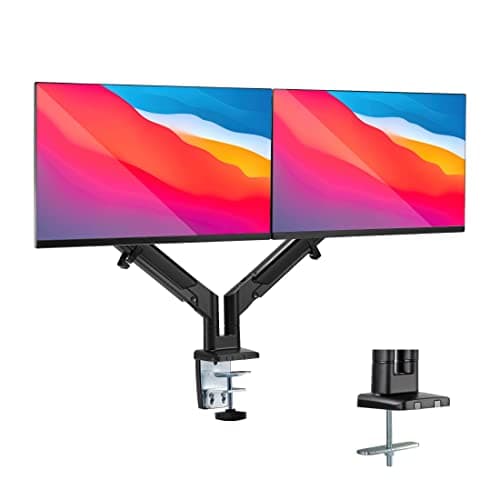
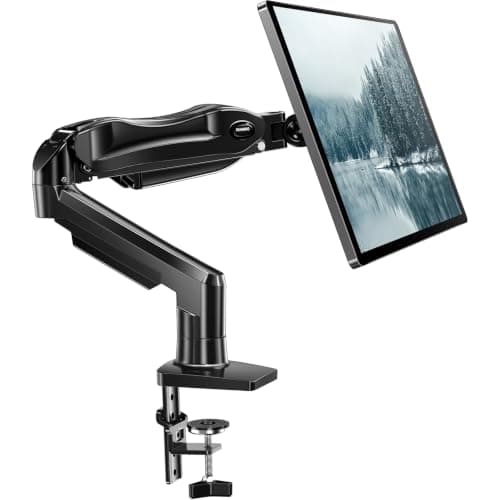
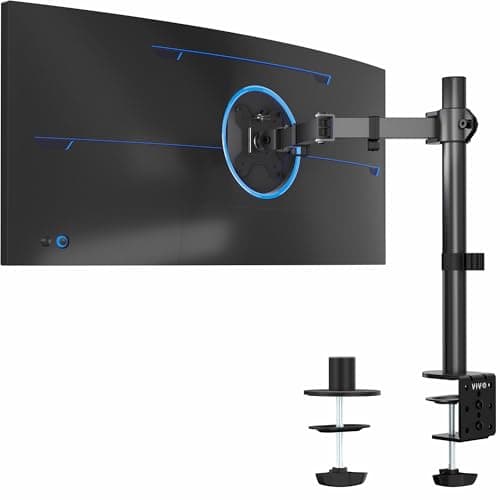
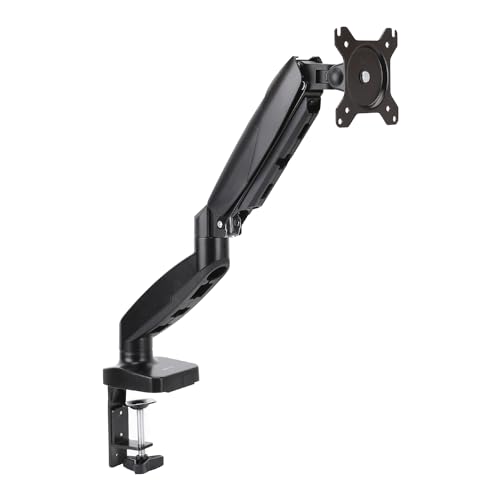
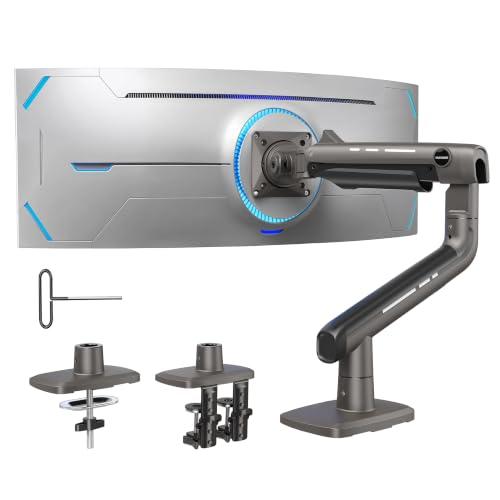
Buy the HUANUO TitanLift. It is the one arm here that does not beat the Ergotron LX on price alone — it beats it on the two published numbers that decide whether an arm works at all, rating 44 lb against the LX's 25 and screens to 49 inches against the LX's 34, at roughly half the price. For two screens, the Mount-It! gas-spring dual does the Ergotron LX Pro Dual's job for about a third of what that arm costs. If you simply want the cheapest arm that moves like an Ergotron rather than like a stand, the HUANUO single is a gas-spring lift for under forty dollars. The VIVO single is the one to buy if your screen is between 34 and 38 inches, which is wider than the LX itself is rated for. The budget pick is the Amazon Basics gas-spring arm, which is a real spring lift at close to the floor price for one. Every price here is read from the Amazon Creators API and stamped with the date it was read. Nothing on this page was load-tested by us, because we do not run a lab — what we do instead is read what each maker publishes, and say so when they publish nothing.
Worth saying at the top, because this page exists to help you decide and not to talk you out of something: the Ergotron LX is the arm we rank first on our main monitor arm page, and it has earned that. This page is for the reader who has looked at the price and wants to know precisely what they would be giving up.
What Ergotron is known for, in four parts
Ergotron's own listing for the LX publishes four things, and almost everything written about the brand is really about one of them.
1. The constant-force lift.Ergotron's lift is a coil-spring mechanism that applies the same counterbalance across its whole travel, which is what makes the screen move with one finger and stay where you leave it. The practical consequence is not how it feels on day one — plenty of gas springs feel good on day one — but that it does not drift as the spring ages. This is the strength the brand is genuinely built on.
2. A specific and conservative rating. Up to 34 inches diagonal and 7 to 25 pounds. Note the lower bound: Ergotron publishes a minimum weight as well as a maximum, because a counterbalanced arm with too light a screen on it will not stay down. Very few arms publish both numbers.
3. Thirteen inches of lift, to 17.3 inches above the desk. That is the measurement that actually decides whether the screen reaches eye level on a standing desk, and it is a number most listings leave out entirely.
4. A 10-year warranty. On a mechanism you will move thousands of times. This is the part of the Ergotron proposition that nothing on this page matches, and we will come back to it.
Which of the four you can buy cheaper
The rating: easily, and this is the surprise
The LX's 34 in / 25 lb window is the single most common reason to look elsewhere, because a 38 or 49 inch ultrawide is simply outside it. The HUANUO TitanLift publishes 17 to 49 inches and 6.6 to 44 pounds — a higher ceiling on both axes than the LX, at roughly half the price — and it is the only arm in our registry whose listing names its own test protocol (a 50,000-cycle motion test and a 3x load test). That is a manufacturer claim rather than a third-party certificate, and we flag it as such in the pick, but it is a more specific claim than any other arm here makes. The VIVO single covers the gap differently and more cheaply: 13 to 38 inches, which takes a 34-inch ultrawide that the LX is only just rated for.
The lift mechanism: close, with a caveat about years rather than weeks
A gas spring and a constant-force coil spring feel similar in a showroom and diverge over time. Gas springs lose pressure; the symptom is a screen that creeps downward and a tension bolt you retighten every few months. Four of the five picks here are gas springs, and all four will move one-handed on arrival. Whether they still do in year six is the question nobody can answer for you, which is exactly what the 10-year warranty is a proxy for. The honest framing: a gas spring buys you the feel of an Ergotron for a fraction of the money, and buys you none of the certainty.
Height travel: yes, if you read the number
The TitanLift publishes 19.6 inches of height adjustment measured from the desk to the VESA center, which is more than the LX's 17.3 inches above the worksurface. Most of the cheap arms here publish no lift figure at all, which is the single biggest information gap in the budget end of this category. If your desk is a sit-stand desk, that number is the one that decides whether the arm works at standing height, so treat its absence as a warning rather than a detail.
The warranty: nowhere. Not close.
This is the finding of the page and it should change how you read everything above it. Of the five arms here, not one publishes a ten-year term. The TitanLift's feature bullets give no warranty term at all. Amazon Basics publishes none in its bullets either. Mount-It! and the two budget arms are in the same position — the warranty, where it exists, is a seller-level return policy rather than a decade of mechanism coverage. If you are buying an arm for a desk you intend to keep for a decade and you want someone on the hook for the spring, the Ergotron is not a premium you are paying for nothing. It is the only product in this comparison that sells you that specific thing.
Who each alternative is for
The HUANUO TitanLift is for a screen the LX cannot hold.A 38, 40, 45 or 49 inch ultrawide, or any panel over 25 pounds, is simply outside Ergotron's published window for this arm, and that is the clearest reason to buy something else: not price, but fit. Read the desk restrictions before you buy, though — HUANUO's own listing says wood desks only, 0.8 to 3.5 inches thick, with no cross-beam or panel under the mount point. The Ergotron clamp is more forgiving about what it will grip.
The Mount-It! gas-spring dual is for two screens on one budget. The Ergotron LX Pro Dual is the reference product for a permanent two-screen install and it is priced like one. The Mount-It! is a low-profile gas-spring dual for roughly a third of that, rated by its maker for 17 to 32 inch screens, with clamp and grommet mounting both in the box. It is the pick for someone who moves their screens between sitting and standing rather than setting them once. The full two-screen set is ranked on our dual monitor arm page.
The HUANUO single is for the cheapest honest version of the idea. A gas-spring lift, full articulation, 13 to 32 inch screens, clamp and grommet both included, for under forty dollars. It is the arm we point most people at when the Ergotron price is the whole objection, and it is the arm on this page most likely to need its tension retightened in a couple of years.
The VIVO single is for a 34 to 38 inch screen on a small budget. Its published range reaches 38 inches where most cheap arms stop at 32, which makes it the one inexpensive arm that will take a wide ultrawide. The trade is the mechanism: height is bolt-set rather than spring-lifted, so you position the screen once with an Allen key and leave it. If you set a screen and never touch it, that is not a compromise at all — it is a cheaper, more stable way to do the same job.
The Amazon Basics gas-spring arm is the budget pick. A real spring lift at close to the lowest price one exists for, with the widest tilt range in this group (-90 to +85) and the widest desk-thickness window of any arm here, including the Ergotron: it mounts to desks from 0.39 to 4 inches thick, where the LX clamp tops out at 2.4. Its ceiling is the catch — 27 inch screens and 15.4 pounds, which rules out most 32 inch panels and every ultrawide. Amazon also warns in its own bullets that the joints ship pre-tightened and must be adjusted before use, so out of the box it will feel wrong.
When the answer is still the Ergotron
Four situations, stated plainly, because a page like this is worthless if it only argues one way.
When the desk is not yours. An arm specified for an office, a lab or a shared workstation is going to be adjusted by people who did not read the manual and will not retighten a tension bolt. A decade of mechanism coverage is the entire point in that setting, and no arm here offers it.
When the screen is at the bottom of its weight class. Ergotron publishes a 7 pound minimum. A counterbalanced arm needs enough load to stay put, and a very light panel on an over-sprung arm floats upward. The Amazon Basics arm is the only alternative here that publishes a load floor (4.4 lb); the rest publish only a maximum, which means a light screen is a gamble.
When you need a published lift figure and the alternatives do not give one. On a sit-stand desk the arm has to reach eye level standing up. The TitanLift publishes its travel; most of the budget arms do not. If you cannot get the number, you cannot plan the setup — and our monitor height guide is the measurement you need to check it against.
When the arm is the cheapest part of the setup. If the screen on it cost four figures, the difference between the LX and the arm below it is a rounding error against the thing it is holding. Buy the mechanism with the warranty.
What we are not telling you
We have not load-tested any of these arms, held a screen on one for six years, or measured a spring's decay. Nobody publishing a page like this has. Every number above is read from a live manufacturer listing on the date in the price stamp, and the two claims that matter most — how an arm behaves in year six, and whether a 44 pound rating is real — cannot be verified from a listing by anyone. What can be verified is which maker was willing to publish a number at all, and that is the axis this page ranks on, because across this whole category it correlates better with the product than the marketing copy does.
The other thing worth being honest about: an arm is not the ergonomic intervention people think it is. It is a positioning tool. What fixes neck strain is the screen being at the right height and distance — OSHA's workstation guidance and Mayo Clinic's both describe the same target, and NIOSH's musculoskeletal work is about sustained awkward posture rather than hardware. A twenty-dollar riser that gets the screen to the right height beats a two-hundred dollar arm that you set wrong. The arm's advantage is that it lets you change the position easily, which matters most on a desk that moves. If yours does not move, read monitor arm versus monitor stand before you spend anything.
How to replace an arm you were about to buy
1. Write down your screen's diagonal and weight first
Both numbers, from the manufacturer's spec page rather than from memory, and the weight without the stand attached — that is the figure the arm has to carry. Half the bad arm purchases in this category are a screen outside the published window, and you cannot know that until you have the two numbers written down.
2. Check the VESA pattern before anything else
Every arm here supports VESA 75x75 or 100x100 mm, which covers most monitors up to around 32 inches. Larger and curved panels sometimes use 200x100 or need an adapter plate, and some have a recessed mount that needs spacers. The VESA standard itself is public; your monitor's spec sheet names its pattern.
3. Measure the desk, in two places
The thickness at the back edge where the clamp goes, and whether there is a frame rail, a cable tray or a drawer behind it. Clamp windows vary more than people expect: 0.4 to 2.4 inches on the Ergotron LX, 0.39 to 4 inches on the Amazon Basics arm, 0.8 to 3.5 inches and wood only on the TitanLift. A sit-stand desk frame often puts a crossbar exactly where the clamp wants to be.
4. Decide whether you want the screen to move
If you reposition the screen daily — sitting to standing, shared desk, laptop plus monitor — buy a spring. If you set it once at the right height and never touch it, a bolt-set arm is cheaper, stiffer and has nothing to lose pressure. This one question separates the HUANUO and Amazon Basics picks from the VIVO.
5. Compare warranty length, not warranty wording
"Lifetime support", "quality guaranteed" and "30-day returns" are not warranty terms. A term is a number of years on the mechanism. If a listing does not state one, treat the warranty as the platform return window and buy accordingly — which is a perfectly sound way to buy a forty-dollar arm and a poor way to buy a four-hundred-dollar one.
6. Budget for the height, not just the arm
Set the top of the screen at or slightly below eye level, roughly an arm's length away, and check that at standing height too if your desk rises. If the arm cannot reach, no amount of articulation helps. Our monitor height guide has the measurement, and dual monitor ergonomics has the version for two screens, which is a different and harder problem.