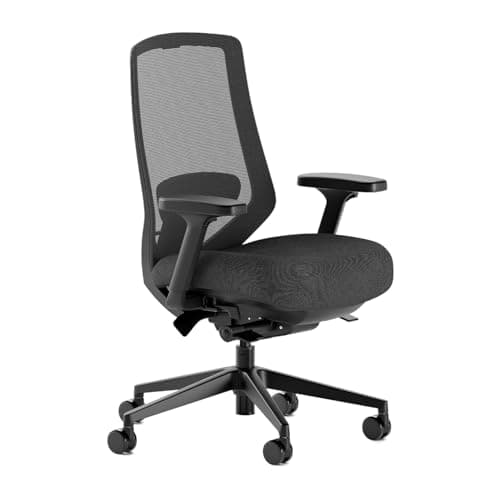
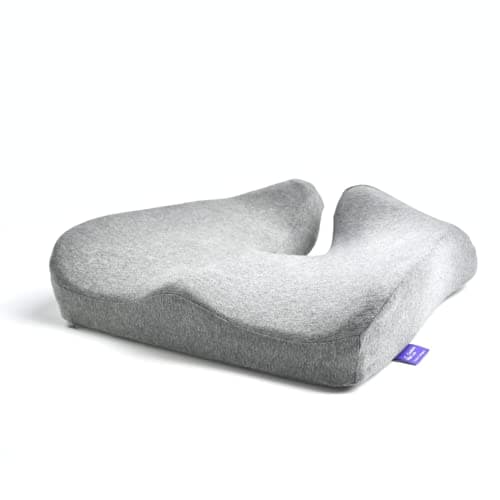
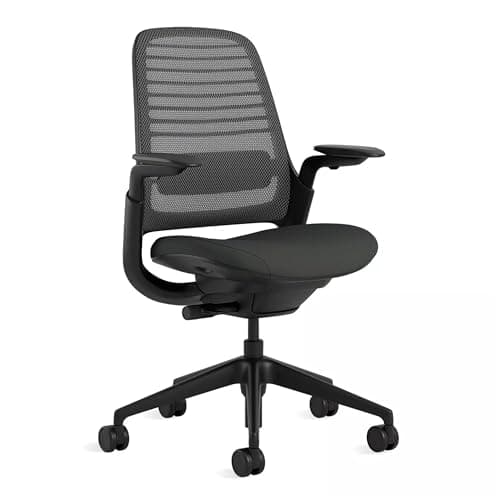
Buy the Steelcase Series 1. Hip pain in a chair is overwhelmingly a hip-angle and pressure-distribution problem, and the Series 1 is the chair here that adjusts both axes with published numbers: 15.5 to 17.75 inches of seat depth, 16.5 to 21.5 inches of seat height, a flat 19.5-inch pan and a weight-activated tilt, rated by Steelcase to 400 lb with a 12-year warranty. If you already own a chair you cannot replace, the Cushion Lab contoured cushion is the one upgrade that offloads the sit bones rather than just adding height. The thing nobody tells you: a softer seat usually makes hip pain worse, not better.
Why a soft cushion is the wrong first move
Sitting loads your hip in two separate ways. The first is pressure under the ischial tuberosities — the sit bones — which is a materials question. The second is the angle your hip is held at for hours, which is a geometry question. A plush cushion addresses the first badly, by letting you sink until the pelvis rolls backwards, and makes the second worse, because a rolled pelvis closes the hip angle and loads the front of the joint.
That is why the picks below start with adjustment and not padding. AAOS's hip-pain overview is a useful reality check here: pain at the front, at the side and deep in the joint have different origins, and "my chair hurts my hip" can be any of them. A chair cannot diagnose. What a chair can do is stop holding you at one fixed angle all day.
The two adjustments that change your hip angle
Seat depth, first
If the pan is longer than your thigh, the front edge presses behind your knee and you slide forward to escape it, which drops your lumbar support and rolls your pelvis back. Most chairs cannot fix this because most chairs have a fixed pan. Steelcase publishes an adjustment range; Branch lists seat depth among the Pro's fourteen adjustment points. Set it so two to three fingers fit between the seat edge and the back of your knee — the same check OSHA's workstation guidance and Mayo Clinic's ergonomics guide describe.
Seat height and tilt, second
A hip held at exactly 90 degrees for eight hours is the complaint. Raising the seat slightly so the knees sit a little below the hips opens the angle and unloads the hip flexors; a forward seat tilt does the same thing more directly. If raising the seat lifts your feet off the floor, that is what a footrest is for — see under-desk footrests. And the single most effective version of "change the angle" is to stop sitting periodically, which is the whole argument for a sit-stand desk.
What to look for, in order
| Feature | Why it matters for a hip | Who publishes a number |
|---|
| Seat depth adjustment | Stops the front edge loading the knee and rolling the pelvis back | Steelcase: 15.5-17.75 in. Branch: listed among 14 adjustments on the Pro |
| Seat height range | Lets you put the knees below the hips and open the angle | Steelcase: 16.5-21.5 in |
| Flat, unbolstered pan | Lets you shift and change loading instead of being held still | Steelcase: 19.5 in seat width published |
| Tilt with tension control | Moving between angles is the intervention; one angle is the problem | Steelcase weight-activated tilt; Branch Pro tilt lock and tension |
| Dense, contoured cushion | Offloads the sit bones without letting the pelvis sink | Cushion Lab contoured high-density foam |
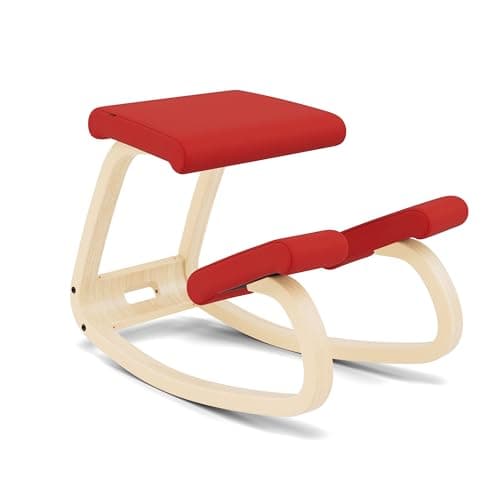
| Open hip angle by design | A kneeling chair sets the thigh below horizontal and opens the joint | Varier Variable Balans, bentwood rocking runners |
The kneeling-chair case, and its limit
A kneeling chair is the only seat here that opens the hip angle by construction rather than by adjustment, which is exactly what a tight, sore hip flexor wants. It is also the one with no back support at all, which is why we rank it fourth and not first: it is the second chair you alternate into for an hour, not the chair you sit in from nine to five. Our kneeling-chair page covers the full range, including the cheaper copies and where they go wrong.
The same alternation logic is why the evidence base for desk pain keeps pointing at changing posture rather than buying one perfect posture. Dick and Waters' review names sit-stand workstations, chairs and floor mats among the interventions with supporting evidence — note the plural.
If the pain is somewhere else too
Hip pain rarely travels alone. If it runs down the back of the leg, read chairs for sciatica instead — that is a nerve pattern and it has a different answer. If the ache is in your lower back as much as your hip, our back-pain seating page is the better start, and lumbar support covers the add-on route. If the hip only hurts when you stand at a raised desk, that is a different mechanism entirely and it is covered in standing-desk hip pain.
Setting a chair up for a sore hip, in five steps
1. Set the seat height first, from your elbows
Forearms roughly level with the desk, shoulders down. Everything else is adjusted around this, and it is the one measurement a desk cannot fix later.
2. Then open the knee-to-hip relationship
Raise the seat a little further so your knees sit slightly below your hips, or tilt the pan forward if the chair allows it. Add a footrest if your feet lose the floor.
3. Set seat depth with the two-finger check
Two to three fingers of clearance between the front edge of the seat and the back of your knee. If the chair has no depth adjustment, a dense cushion that moves you forward is the workaround.
4. Unlock the tilt
Then set the tension so you can rock without effort. A locked-upright chair holds one hip angle all day, which is the thing you are trying to stop.
5. Change position on a timer
No seat fixes eight static hours. Alternate sitting, standing and perching — our how long to stand page has the ratios we use.