Skip to content
Riser & Rail

06 — Guides

What Size Standing Desk Do You Need?

Width is a furniture decision. Depth is an ergonomics decision — and 24 inches, the industry's favorite number, is the one that quietly puts your screen too close.

By Stephen V.Updated How we research
#ad

We earn a commission when you buy through our Amazon links, at no extra cost to you. It never affects our rankings, and we say so when the cheaper — or the direct-only — product is the better buy. How this works.

Get the depth right and the width will look after itself. A screen needs to sit roughly an arm's length away, which a 24-inch-deep desk cannot deliver once a monitor stand takes up the first few inches — so 30 inches of depth is the number to aim for and 24 is the compromise. For width, 42 to 48 inches suits one monitor, 60 inches suits two, and under 40 inches is a genuine constraint rather than a cozy choice.

Start with depth, because it is the ergonomics half

Cornell's ergonomics guidance puts the monitor about an arm's length away, with your eyes level with a point two to three inches below the top of the casing and the center of the screen roughly 17 to 18 degrees below horizontal. Every part of that is a depth requirement. You cannot sit a 27-inch monitor at arm's length on a desk that is 24 inches deep, because the monitor foot alone eats four to six inches before the panel even starts, and then your keyboard needs somewhere to live in front of it.

What happens instead is that people pull the keyboard to the front edge, lose their forearm support, and sit closer to the screen than they should — which is the setup behind a lot of eye strain and the forward head posture our neck pain guide deals with. The desk did not cause it. The depth did.

So the depth ladder is short and worth memorizing. 30 inches is comfortable: monitor at a proper distance, keyboard with forearm room in front of it. 24 inches is the category default and it works if you mount the screen on a monitor arm, which reclaims the entire footprint the stand was using and pushes the panel back over the rear edge. That combination — shallow desk plus arm — is genuinely fine, and cheaper than buying a deeper desk. 21 inches, which some compact desks use, is too shallow for a full-size monitor at any sensible distance and should be treated as a laptop surface.

Then width, which is mostly about how many screens

  • 32 to 40 inches — a laptop, or a single monitor with nothing beside it. This is a small-room size, not a preference, and the trade-offs are in standing desks for small spaces.
  • 42 to 48 inches — the sweet spot for one monitor plus a keyboard, mouse and notebook. If you are buying one desk and do not know what you need, this is it.
  • 55 to 60 inches — two monitors side by side, or one ultrawide with room to work beside it. Below about 55 inches, two 27-inch screens force you to angle them so steeply that you end up twisting toward one — see dual monitor ergonomics and desks for two monitors.
  • 70 inches and up — three screens, or a desk doing double duty. Worth knowing that a wider top on the same two-leg frame has more unsupported span in the middle, so a wide desk with a thin top can flex; that is a frame and thickness question rather than a width one.

The constraint most people forget until delivery day

A sit-stand desk sweeps a volume, not a footprint. It rises through roughly 26 inches of travel, so anything above the desk — a windowsill, a shelf, a wall-mounted cabinet, a low ceiling slope — has to clear the top of the range, not the seated height. Measure from the floor to the obstruction and compare that with the desk's published maximum height before you order.

Also measure the doorway and the stairwell. A 60-inch or 71-inch desktop is a single rigid panel and it does not negotiate. And leave clearance behind the desk for the cable run and the power brick, which needs slack to travel the full height — the cable management page covers the tray-and-spine approach that keeps that tidy through the travel.

How the picks below map to the sizes

These four cover the range with published dimensions rather than guesses, and the ranking follows the depth argument above: the 42×30 UPLIFT is first because it is the size most people should buy, on the desktop line UPLIFT publishes its GREENGUARD Gold document for. The Vari Classic 60×30 is the two-monitor answer from the one brand with a per-SKU certification table you can read. The VIVO at 71×30 is the wide option at a budget price, with the honest caveat that its published 176 lb rating is the lowest of the three. The HUANUO 32×21 is included to show what the small end actually is — a laptop desk with two drawers, not a scaled-down workstation.

The short answer

Quick picks

#ProductBest forScorePrice
01
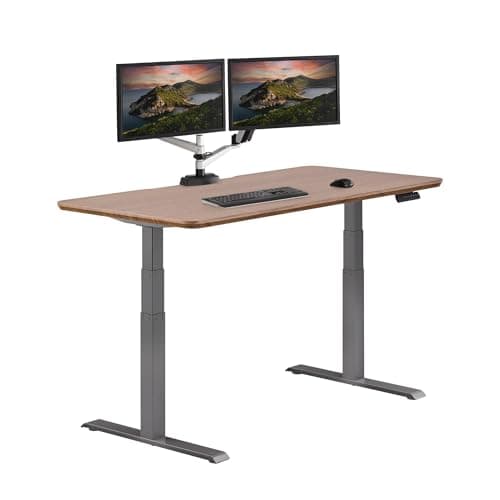
UPLIFT Desk UPLIFT Desk V3 Laminate Standing Desk (42×30)
UPLIFT Desk V3 Laminate Standing Desk (42×30)

The same frame, the same certified desktop line, in the smallest top UPLIFT sells — the cheapest way into this brand.

A small room or a corner setup where a 60-inch top will not fit
8.8
$648.00Amazon
02
Vari Vari Classic Electric Standing Desk (60×30)
Vari Classic Electric Standing Desk (60×30)

The one desk here whose maker publishes a per-product certification table you can open and read.

The buyer who wants the certificate, not the claim
8.4
$829.00Amazon
03
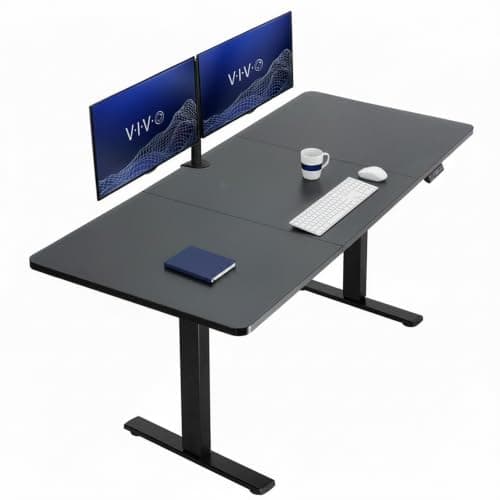
VIVO VIVO Electric Standing Desk (71×30)
VIVO Electric Standing Desk (71×30)

The big surface for the money — 71 inches wide, which is a lot of desk for a dual-monitor setup.

Wide dual-monitor workstations
7.0
$267.74Amazon
04
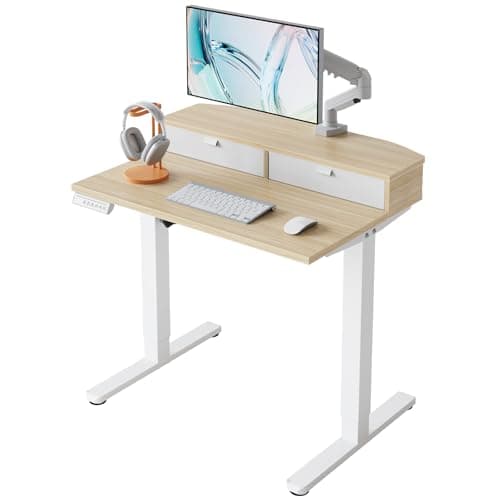
HUANUO HUANUO 32″ Electric Standing Desk with Drawers
HUANUO 32″ Electric Standing Desk with Drawers

The smallest honest electric desk here — 32 inches wide, with drawers, for a room with no spare wall.

The tightest spaces and laptop-only setups
6.4
$94.99Amazon

#ad · Live prices from the Amazon Product API, as of Sep 17, 2026. Where we have no verified live price, we show none — we would rather leave a gap than print a number that has rotted.

In detail

The picks, in full

01
UPLIFT Desk UPLIFT Desk V3 Laminate Standing Desk (42×30)

A small room or a corner setup where a 60-inch top will not fit

UPLIFT Desk V3 Laminate Standing Desk (42×30)

42×30 in top1 in laminate topUPLIFT rates 355 lb15-year warranty

Certification & materials

Same laminate line and therefore the same published GREENGUARD Gold document as the 60×30, over the same 45 lb density E-1 rated core. UPLIFT does not print a per-SKU certificate number, so verify the current certificate at UL SPOT. The ANSI/BIFMA X5.5-2021 line is UPLIFT's own compliance statement rather than a certification mark.

8.8/10

The same frame, the same certified desktop line, in the smallest top UPLIFT sells — the cheapest way into this brand.

Stability
9
Adjustment
9
Materials & certs
9
Build & motor
9
Value
8

Pros

  • Cheapest entry to the certified desktop line without dropping to an undocumented brand
  • Identical frame, capacity and 15-year warranty as the larger sizes — you lose surface area, not engineering
  • 42×30 fits rooms where the 60-inch tops on this page physically will not

Cons

  • 42 inches is tight for a dual-monitor setup once a keyboard and a laptop are on the desk
  • Still a particleboard core, and still a line-level certificate rather than a SKU-level one

Don't buy this if…

you run two monitors. Go up to the 60-inch top, or read our two-monitor page first — the depth and width numbers there are the ones that decide this.

$648.00View on Amazon

Price as of Sep 17, 2026. Prices change — Amazon's is the one that counts.

#ad · we may earn a commission from this link to UPLIFT Desk V3 Laminate Standing Desk (42×30)

02
Vari Vari Classic Electric Standing Desk (60×30)

The buyer who wants the certificate, not the claim

Vari Classic Electric Standing Desk (60×30)

60×30 in topElectric dual-columnPer-SKU cert tableShips largely assembled

Certification & materials

Vari's own published certification table lists the Electric Standing Desk 60×30 with GREENGUARD certification and ANSI/BIFMA certification, and Vari states it was the first company to have sit-stand office products receive the UL BIFMA Performance Certification mark (August 2017). The table is per-SKU — open vari.com/certifications.html and confirm the row for your exact size and finish before you buy.

8.4/10

The one desk here whose maker publishes a per-product certification table you can open and read.

Stability
9
Adjustment
8
Materials & certs
10
Build & motor
9
Value
6

Pros

  • The certification position is published as a per-product table, not a vague sustainability page
  • ANSI/BIFMA certification means the frame was tested for strength and stability, not just rated by the seller
  • Arrives largely assembled, which removes the worst part of owning a standing desk

Cons

  • Costs several times what a budget dual-motor desk costs
  • The certification is per-SKU, so a different size or finish may not be on the table

Don't buy this if…

price is the deciding factor. This is the documented-certification pick; if you only need a stable desk, the FlexiSpot E6 does that job for a fraction of the money.

$829.00View on Amazon

Price as of Sep 17, 2026. Prices change — Amazon's is the one that counts.

#ad · we may earn a commission from this link to Vari Classic Electric Standing Desk (60×30)

03
VIVO VIVO Electric Standing Desk (71×30)

Wide dual-monitor workstations

VIVO Electric Standing Desk (71×30)

71×30 inDual motorVIVO rates 176 lbMemory presets

Certification & materials

No GREENGUARD/BIFMA/CARB certificate published for this model. Laminate top over engineered wood — uncertified on emissions.

7.0/10

The big surface for the money — 71 inches wide, which is a lot of desk for a dual-monitor setup.

Stability
7
Adjustment
8
Materials & certs
5
Build & motor
7
Value
8

Pros

  • 71 inches is genuinely large — room for two monitors and a laptop without cramping
  • Dual motor keeps a wide top steadier than a single motor would at this size

Cons

  • A wide top amplifies any wobble; keep it against a wall if you type hard
  • No published emissions certificate

Don't buy this if…

your room is small — 71 inches dominates a space, and a 48-inch desk will serve a single screen better.

$267.74View on Amazon

$299.9911% off

Price as of Sep 17, 2026. Prices change — Amazon's is the one that counts.

#ad · we may earn a commission from this link to VIVO Electric Standing Desk (71×30)

04
HUANUO HUANUO 32″ Electric Standing Desk with Drawers

The tightest spaces and laptop-only setups

HUANUO 32″ Electric Standing Desk with Drawers

32×21 in topElectric height adjustTwo drawersC-clamp compatible

Certification & materials

No GREENGUARD, BIFMA or CARB certificate published for this model. Composite top with no emissions documentation — uncertified.

6.4/10

The smallest honest electric desk here — 32 inches wide, with drawers, for a room with no spare wall.

Stability
6
Adjustment
7
Materials & certs
5
Build & motor
6
Value
8

Pros

  • Fits where nothing else does — a 32-inch top is closer to a nightstand footprint than a desk
  • Drawers built in, so the small surface does not become the storage

Cons

  • Realistically a laptop desk: there is no room for a monitor arm and a keyboard tray both
  • No published certification of any kind

Don't buy this if…

you have room for a 48-inch desk. Buy the space if you have it — a cramped surface undoes a lot of the ergonomics you are paying for.

$94.99View on Amazon

$139.9932% off

Price as of Sep 17, 2026. Prices change — Amazon's is the one that counts.

#ad · we may earn a commission from this link to HUANUO 32″ Electric Standing Desk with Drawers

Sizing a desk in five measurements

1. Measure your monitor stand, not your monitor

The number that matters is how far back the panel sits once the foot is on the desk. Measure from the front of the stand to the screen surface, add that to your intended keyboard space, and see whether it fits the depth you are considering.

2. Check the arm's-length test with your actual arm

Sit at your current desk, extend your arm, and note where your fingertips land relative to the screen. If they reach past it, the screen is too close — and a deeper desk or a monitor arm is the fix, not a bigger screen.

3. Measure the height of everything above the desk

Windowsills and shelves are what stop a sit-stand desk reaching standing height. Compare the obstruction height with the published maximum, and remember the desktop thickness sits on top of the frame range.

4. Decide depth before width, then buy the width you can fit

Depth is ergonomics and hard to work around; width is furniture and easy to compromise on. If the room forces a choice, keep the depth and lose the width — or keep the shallow desk and add a monitor arm.

5. Check the top is certified for the size you chose

Certification is granted per product, so a brand's GREENGUARD or ANSI/BIFMA document may cover the 60-inch laminate and not the 42-inch bamboo. Ask about the exact size and finish in your cart, then verify it at UL SPOT yourself.
How we picked

We do not run a testing lab

We compiled specs from manufacturer manuals, verified every certification claim in the certifying body's own registry (UL SPOT for GREENGUARD, BIFMA, CARB), did the cost-to-own math, and read the aggregated owner reviews, then scored each product against a published rubric. The scores are judgments from documented research — they are not measurements we took, because we do not have a lab and we are not going to pretend we do.

Small things, same day

Desk-day essentials under $40

None of these will change which desk you should buy. They are the cheap, unglamorous parts that decide whether the desk you do buy is pleasant to use on a Tuesday — and, where the material is the whole point of the thing, we have said what it is and what it is not certified to.

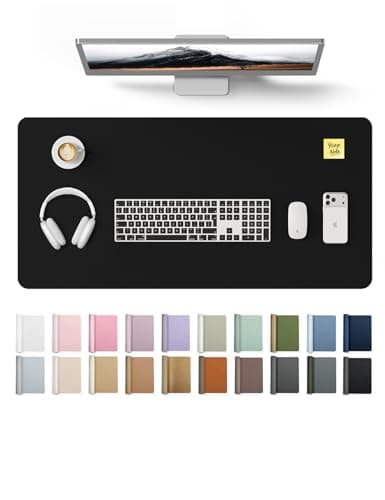
  • YSAGi PU Leather Desk Pad (31.5 × 15.8 in)

    YSAGi PU Leather Desk Pad (31.5 × 15.8 in)

    The cheapest way to stop a laminate top getting scratched, and it gives the mouse one consistent surface at both sitting and standing height.

    Materials YSAGi lists it as PU — polyurethane, the same polymer we prefer over PVC on the mats side, and for the same reason: no plasticizer question. No emissions certificate is published for it, and at this price we would not expect one.

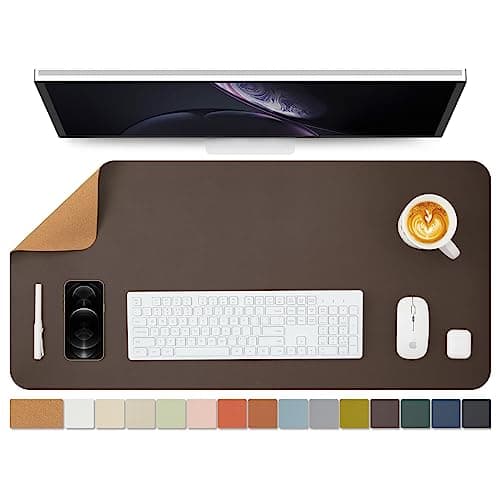
  • Cork Desk Mat, dual-sided (36 × 17 in)

    Cork Desk Mat, dual-sided (36 × 17 in)

    The natural-material option if a polymer sheet on your desk is exactly the thing you are trying to avoid. Wide enough that keyboard and mouse both sit on it.

    Materials Sold as a dual-sided cork mat — cork is bark rather than a polymer sheet, which is the whole reason to pick it here. The seller does not publish what the backing or the second face is made of, and there is no emissions certificate, so treat it as uncertified like the rest of this list.

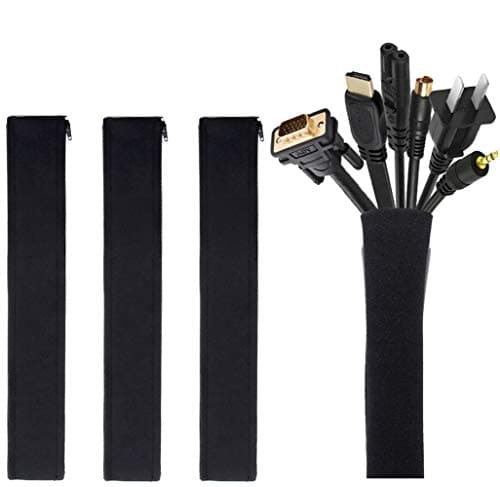
  • JOTO Cable Management Sleeve (4-pack, 19-20 in)

    JOTO Cable Management Sleeve (4-pack, 19-20 in)

    A sit-stand desk drags its entire cable loom up and down twenty times a day. Sleeving the run is the single cheapest thing that stops a cable snagging mid-travel.

    Materials No certification is published, and none would mean anything on a cable wrap. This one is on the list for what it prevents, not for what it is made of.

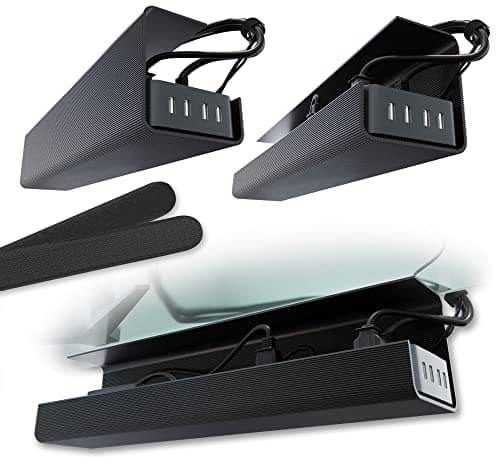
  • Scanfield No-Screw Under-Desk Cable Tray (17 in, 2-pack)

    Scanfield No-Screw Under-Desk Cable Tray (17 in, 2-pack)

    Gets the power strip and the laptop brick off the floor and onto the underside of the top, so the whole lot travels with the desk instead of tugging at it.

    Materials No certification is published and none applies to a tray. The reason it is this one: the no-screw mount means nothing gets drilled into a desktop you may have chosen precisely because it is intact and certified.

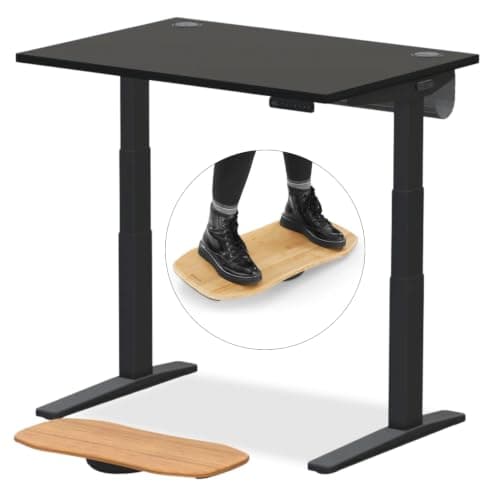
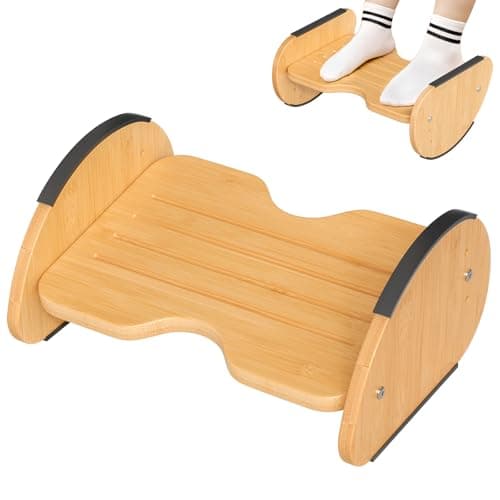
  • Amazer Bamboo 2-in-1 Reversible Rocking Footrest

    Amazer Bamboo 2-in-1 Reversible Rocking Footrest

    Rock it while you sit, flip it to a fixed angle while you stand. Movement is the entire point of alternating, and this is the cheapest way to add some.

    Materials Bamboo. Bamboo panel is normally laminated with an adhesive, and Amazer publishes no formaldehyde or emissions certificate for this model — we are not going to imply it has one.

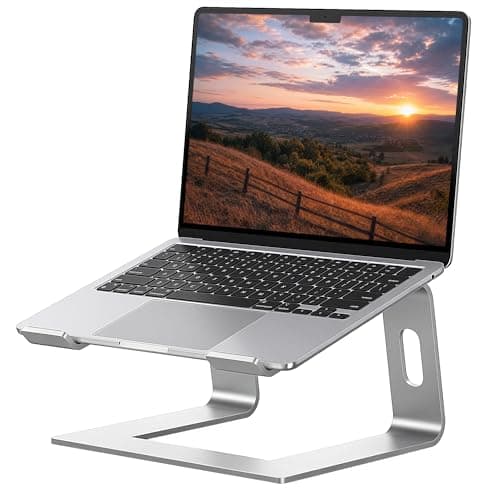
  • SOUNDANCE Aluminum Laptop Stand (10-15.6 in)

    SOUNDANCE Aluminum Laptop Stand (10-15.6 in)

    If you work off a laptop, no amount of desk height fixes a screen sitting in your lap. This lifts it toward eye level for under twenty dollars.

    Materials Solid aluminum — no composite panel, no adhesive, nothing to off-gas. That is the honest appeal of a metal accessory on a site like this, and it needs no certificate to be true.

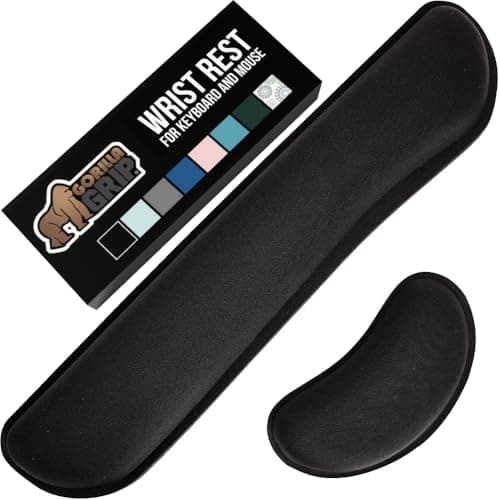
  • Gorilla Grip Memory Foam Wrist Rest (keyboard + mouse, 2-piece)

    Gorilla Grip Memory Foam Wrist Rest (keyboard + mouse, 2-piece)

    Standing does not fix wrist extension; keeping the wrist neutral does. Two pieces, so the mouse hand gets one as well.

    Materials Memory foam under a fabric cover. No emissions or content certificate is published — memory foam is polyurethane foam, and if that is a hard line for you, skip this one rather than talk yourself into it.

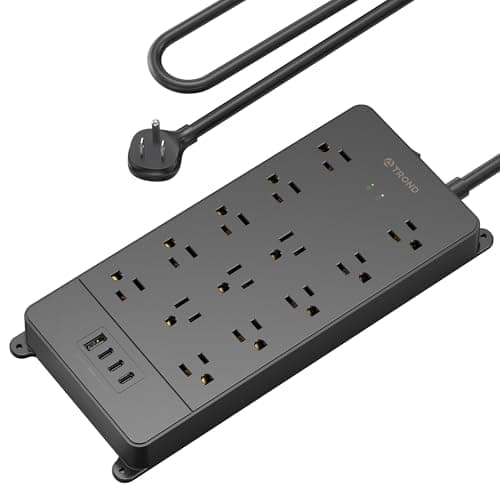
  • TROND Surge Protector Power Strip (4000 J, ETL Listed)

    TROND Surge Protector Power Strip (4000 J, ETL Listed)

    A powered desk, two monitors and a laptop brick all end up on one strip that travels with the top. Worth thirty dollars for that not to be the cheapest part of the setup.

    Materials ETL Listed — a real third-party safety listing from Intertek, and the only genuine certification in this list. You can look it up in Intertek's public directory the same way we tell you to check a GREENGUARD claim at UL SPOT.

Questions

Frequently asked

What size standing desk do I need for two monitors?
About 60 inches wide and 30 inches deep for two 27-inch screens. Below roughly 55 inches you have to angle them inward far enough that you twist toward one, which becomes a one-sided neck complaint. See desks for two monitors.
Is a 24-inch deep desk deep enough?
Only with a monitor arm. A stand-mounted monitor uses the first four to six inches of depth, which leaves too little room to get the screen an arm's length away and still have forearm space. Add an arm, or buy 30 inches of depth.
Is 48 inches wide big enough for a standing desk?
For one monitor, comfortably — it is the size most single-screen setups should buy. For two large monitors it is tight, and you will end up angling them more steeply than is ideal.
Does desk width affect stability?
Indirectly. A wider top on the same two-leg frame has more unsupported span in the middle, so a wide desk with a thin top can flex. That is a frame and thickness question — see how to fix a wobbly standing desk.
What desk depth do I need for a laptop only?
A 21 to 24 inch depth is workable for a laptop, because the screen sits at the back of the keyboard rather than on a stand. It stops working the moment you add an external monitor, and a laptop at laptop height is its own neck problem — see laptop stands.

Keep reading

Receipts

Sources

We do not run a testing lab, and we do not pretend to. We verify certifications in the certifying body's own registry, compile specs from manufacturer manuals, and cite health claims to recognized authorities — by name, with a link. Where we could not verify something, we say so on the page rather than quietly leaving it out. Read our full method.