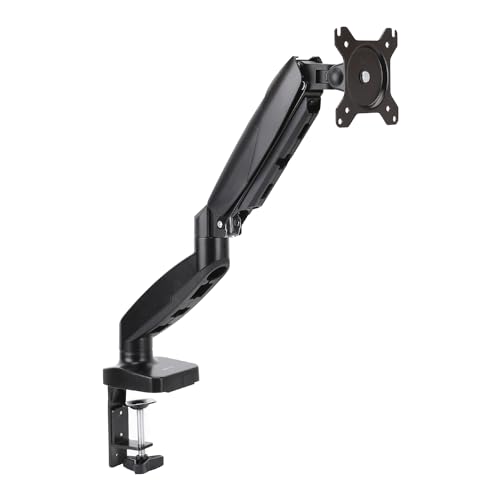
For a single screen under $100, buy the Amazon Basics gas-spring arm. It is the best-documented mount in the band: it publishes a load windowrather than a maximum — 4.4 to 15.4 lb — which is the figure that actually matters on a gas spring, because an arm with too light a screen on it will not stay down. It has the widest tilt range in our registry (−90 to +85), ships both C-clamp and grommet mounts for desks 0.39 to 4 inches thick, and includes VESA spacer guidance. If you have two screens and a narrow desk, the HUANUO stacking mount puts the second one above the first instead of beside it. For three screens, the MOUNTUP triple publishes a per-arm range and takes 32-inch panels. The budget pick is the Amazon Basics single stand, the cheapest arm here that still articulates. Every price is read from the Amazon Creators API and stamped with the date it was read.
This is not the sub-$50 page with two more arms added. That page is five single and budget-dual arms and its thesis is what a cheap arm gives up. The honest difference the second fifty dollars buys is screen count on one base: a vertical stacking dual and two triple mounts all fit inside this band, and none of them fits inside that one. Only one pick appears on both pages.
What the $50-to-$100 band actually adds
A second or third screen without a second base. Three arms on one clamp is structurally very different from three separate mounts, and at this price it is the only way to get three screens off the desk at all. It also concentrates the whole load on one desk edge, which is the catch.
A load floor, not just a ceiling.Two of the five publish a minimum — 4.4 lb on both the Amazon Basics gas arm and the MOUNTUP triple. This is the spec nobody reads and everybody should: a gas-spring or pneumatic arm tensioned for a 15 lb monitor will slowly rise with a 4 lb portable panel on it, and no amount of tightening fixes a screen that is too light for the spring.
Both mounting bases in the box.A C-clamp grips the desk edge; a grommet mount goes through a hole in the top. Which one you need depends on your desk's thickness and whether you are allowed to drill it. The arms in this band generally ship both, and the thickness window is wider at the cheap end than at the heavy-duty end.
What it does not add is capacity. Nothing here holds a 32-inch ultrawide with confidence; the single-arm ceiling in this band is 15.4 lb. Heavy and ultrawide panels are a different purchase, and monitor arms for ultrawide and heavy monitors is where they live.
And none of it is certified.There is no third-party load standard for a monitor arm, no indoor-air question the way there is with a composite desktop or a foam seat, and none of these makers claims one. What exists is VESA, which standardises the 75 by 75 and 100 by 100 mm hole patterns on the back of your screen — check yours before you buy anything.
Who each pick is for
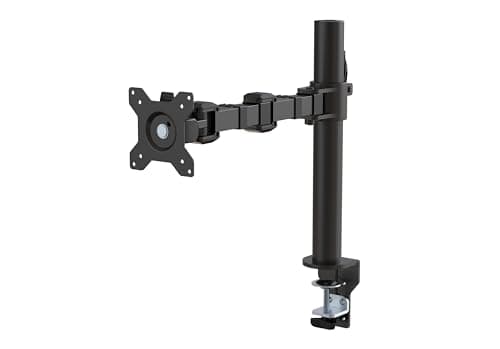
- Amazon Basics gas-spring single arm— the default for one screen. A real gas spring near the floor price for one, a published 4.4 to 15.4 lb window, 15 to 27 inch screens, 20.5 inches of extension, tilt −90 to +85, swivel ±90, 360-degree rotate, both bases supplied.
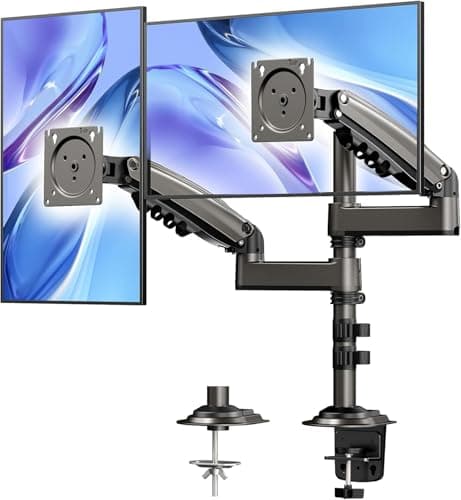
- HUANUO vertical stacking dual mount— the narrow-desk answer. 17 to 32 inch screens stacked rather than side by side, which halves the desk-edge footprint. Buy it for a primary screen plus a reference screen, with the primary on the bottom.
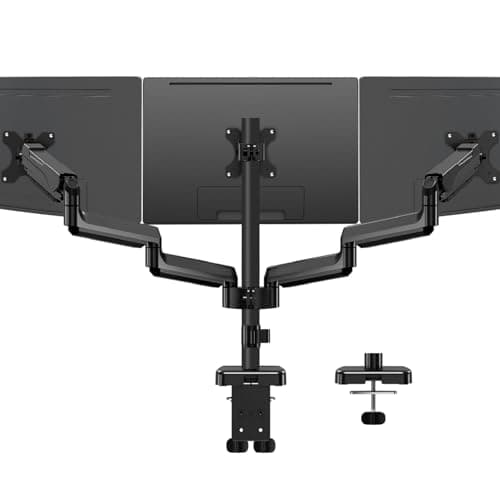
- MOUNTUP triple mount— three screens, documented. 4.4 to 19.8 lb per arm published, 17 to 32 inch panels, full motion with a 90-degree tilt ceiling, clamp and grommet bases in the box. Buy it for a 27-inch triple setup on a desk you would rather not drill.
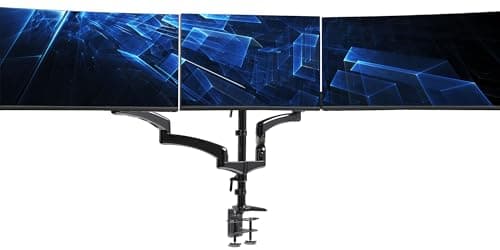
- VIVO triple pneumatic mount— the only gas-spring triple in the band, so a screen moves under hand pressure instead of needing an Allen key. Buy it if you actually reposition three screens, particularly on a sit-stand desk.
- Amazon Basics single monitor stand (budget pick)— the floor. A real articulating gas-spring arm fitting up to 32 inches, with a cable channel, at close to the lowest price a working arm goes for.
The honest trade in each one
The Amazon Basics gas arm is a 24-to-27-inch arm in practice. Its 15.4 lb ceiling is the lowest of the gas-spring arms we rank and rules out most 32-inch panels and every ultrawide. Amazon Basics also warns that the joints ship pre-tightened and need adjusting before use, so out of the box it will feel stiff and wrong. No warranty term and no test protocol of any kind is published.
A stacked upper screen sits above eye level, which is a neck compromise and the reason this is a primary-plus-reference mount rather than a two-equal-screens one. It also gives you less independent movement than two separate arms. Keep the screen you look at on the bottom and read monitor height before you commit.
The MOUNTUP's 4.4 lb minimum is a real constraint.A very light 17-inch or portable panel may not be heavy enough to keep an arm from drifting up. Its 17-inch lower bound also rules out the small vertical third screen some setups want, and no VESA pattern is printed in the title — confirm 75 or 100 mm on your own monitors first.
The VIVO triple publishes no per-arm weight capacity at all— not in the title, not in Amazon's detail table. That is the single number a triple install turns on, and with pneumatic arms you have to tension them to the screen weight, so you are tensioning blind. A C-clamp also puts three screens' worth of load on one desk edge; check your desk's rated capacity first, which is the subject of standing desk weight capacity.
The budget stand's motion is not refined. It articulates and it holds, but not as smoothly as the HUANUO or the Ergotron, and the warranty and finish are basic.
What we would actually do
Count your screens, then buy accordingly — that is genuinely the whole decision in this band. One screen: the Amazon Basics gas arm, because it is the only arm here that tells you both ends of its load window. Two screens on a narrow desk: the HUANUO stack. Three: the MOUNTUP, for the published per-arm figure, unless you move them often enough to want the VIVO's gas springs and can live without a capacity number.
Whatever you buy, the point of an arm is not tidiness. It is that a screen on an arm can go to the height your neck wants rather than the height the box happens to be, and that it frees the desk underneath — which is worth more on a small desk than four extra inches of top. Monitor arm versus monitor stand is the decision before this one, and dual monitor ergonomics is how to place two screens once they are off the desk. If the budget will not stretch, monitor arms under $50 is the tier below; if the screen is heavy or ultrawide, nothing on this page is the answer and the Ergotron alternatives page is where to go next.
Before you buy
How to buy a monitor arm under $100
1. Weigh the monitor, do not guess it
The weight is on the manufacturer's spec page, usually without the stand. That is the figure the arm carries. A 27-inch panel is often 9 to 13 lb, which is comfortably inside this band; a 32-inch is frequently outside it.
2. Check the load MINIMUM as well as the maximum
Gas-spring and pneumatic arms need a minimum load to stay put. If your screen is lighter than the published floor, the arm will drift upward and no tension setting fixes it.
3. Confirm your VESA pattern
Look for four holes in a 75 by 75 or 100 by 100 mm square on the back of the screen. Some panels need an adapter plate and a few need spacers to clear a curved back.
4. Measure your desk thickness, and decide clamp or grommet
A C-clamp has a published thickness window — the arms here go from about 0.39 to 4 inches, which is wider than the heavy-duty mounts allow. A grommet mount needs a hole and permission to drill.
5. On a sit-stand desk, check the desk's own capacity
Three screens on one clamp is a concentrated load on one edge of a moving desk. Published desk capacities are manufacturer figures, so stay well under them.
6. Set the screen height from your eyes, not from the arm's range
Top of the screen at or slightly below eye level, roughly arm's length away, which is what OSHA's workstation guidance assumes. An arm with 13 inches of lift is only useful if you actually use it to get there.