Skip to content
Riser & Rail

06 — Guides

Putting a Standing Desk on Carpet

Carpet does not make a desk unstable. It hides the thing that does — and it makes an anti-fatigue mat the wrong purchase.

By Stephen V.Updated How we research
#ad

We earn a commission when you buy through our Amazon links, at no extra cost to you. It never affects our rankings, and we say so when the cheaper — or the direct-only — product is the better buy. How this works.

Work through it in this order: level the feet on the carpet with a spirit level, re-torque every frame bolt in a cross pattern, move the heavy load toward the legs rather than the middle, and only then consider the desk itself. Carpet is almost never the root cause — it is what stops you noticing that one foot is a few millimetres short. And you do not need an anti-fatigue mat on carpet.

What carpet actually changes

Three things, and only one of them is the desk's fault.

It hides an un-leveled foot. On tile you feel a short leg immediately — the desk rocks on three points. On carpet the pile takes up the difference, so the desk feels planted when you set it up at seated height. Then you raise it. A frame is a lever: a couple of millimetres of play at the foot becomes visible sway at 46 inches, and it shows up as wobble that seems to appear out of nowhere at standing height.

It compresses unevenly under load. Carpet and underlay have compliance — they deflect and recover. Put the weight of a desk on four small feet and the pile compresses under each one, but not identically: a foot near a seam, over a board joint, or under the corner carrying the monitors sinks further. That differential settling is slow, which is why a desk can be steady on day one and annoying two weeks later.

It changes what you feel underfoot. This is the part that makes a mat unnecessary, and we will come back to it.

The fix order

  1. Level the feet at standing height, on the carpet, with the load on. Not on the box, not empty, not at seated height. Raise the desk, put the monitors where they will live, then adjust the leveling feet until a spirit level reads true across both axes. Most desks ship with these and most people never touch them.
  2. Re-torque the frame in a cross pattern. Frame fasteners settle over the first weeks of travel, and a loose bolt reads as wobble. Go around the whole frame with the supplied wrench, tightening opposite corners alternately. This alone resolves a large share of wobble complaints — the full sequence is in how to fix a wobbly standing desk.
  3. Move the mass toward the legs. Weight in the unsupported middle of the span amplifies flex. Monitors over or near the leg columns, not centered between them.
  4. Spread the load under the feet if the pile is deep. On thick carpet with a soft underlay, a rigid panel under each foot — or one board spanning both feet of a leg — stops the foot sinking into the pile and gives the leveling adjustment something firm to work against. This is the one carpet-specific intervention that is genuinely worth doing, and it is a hardware store purchase rather than a desk accessory.
  5. Then look at the frame. If the desk is still moving at height after all of that, the spec that fixes it is leg stages. Three-stage legs keep more overlapping steel at any given height than two-stage legs, which is why they flex less at full extension — and why both picks below are three-stage.

Why you should not buy an anti-fatigue mat for carpet

This is the most common wasted purchase in this scenario, and we would rather say so than sell you one. An anti-fatigue mat works by adding compliance to a hard floor: it gives your foot something to deform into, which encourages the small postural shifts that keep blood moving and stop one muscle group holding a static load. Carpet with underlay already has compliance. Laying three-quarters of an inch of polyurethane foam on top of it adds little, and it introduces the one genuine hazard mats carry — an edge to catch your toe on. Our own mats hub says the same thing: on carpet, grip is a non-issue and the case for a mat is much weaker.

The exception is the sculpted or active mat category, where the point is not cushioning but varied terrain that prompts you to change position. Those still do something on carpet, because the mechanism is geometry rather than softness. If you want the reasoning behind mats generally, it is in do you need an anti-fatigue mat and how thick an anti-fatigue mat should be.

Two things carpet genuinely does not affect

Casters. Desk casters and carpet are a poor combination — a caster designed to roll needs a hard floor, and on pile it either digs in or wanders. If you need to move the desk, plan to lift it rather than roll it, and level the feet again afterwards.

The emissions question. A new desk off-gasses at the same rate regardless of what it is standing on, and a carpeted room is often a less ventilated room. Ventilate through the first weeks — the curve is in the first 72 hours of off-gassing.

We do not rank a carpet-specific product below, because none of the desk accessories in our catalog is one — there are no leveling shims, casters or floor panels in it, and we are not going to invent a pick to fill the slot. What we do rank is the specification that fixes wobble at height once the free fixes are exhausted.
The short answer

Quick picks

#ProductBest forScorePrice
01
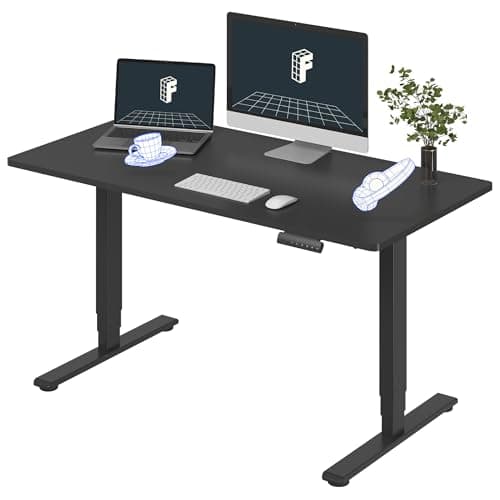
FlexiSpot FlexiSpot E6 Electric Standing Desk
FlexiSpot E6 Electric Standing Desk

The sensible default electric desk: dual-motor stability at a price that undercuts the premium brands.

Most people who just want a solid electric desk
7.6
$319.99Amazon
02
UPLIFT Desk UPLIFT Desk V3 Laminate Standing Desk (60×30)
UPLIFT Desk V3 Laminate Standing Desk (60×30)

The one desk on this site whose desktop line the maker publishes a GREENGUARD Gold document for — and it costs less than the same desk in bamboo.

The buyer whose deciding factor is a certificate on the surface they actually receive
8.6
$808.00Amazon

#ad · Live prices from the Amazon Product API, as of Sep 17, 2026. Where we have no verified live price, we show none — we would rather leave a gap than print a number that has rotted.

In detail

The picks, in full

01
FlexiSpot FlexiSpot E6 Electric Standing Desk

Most people who just want a solid electric desk

FlexiSpot E6 Electric Standing Desk

Dual motor3-stage legsFlexiSpot rates 220 lbMemory presets

Certification & materials

No GREENGUARD or BIFMA registration is published for this model. The top is laminate over engineered wood, and FlexiSpot does not publish a CARB Phase 2 / formaldehyde certificate for it — treat it as uncertified on emissions and give it its first-week off-gassing period in a ventilated room.

7.6/10

The sensible default electric desk: dual-motor stability at a price that undercuts the premium brands.

Stability
8
Adjustment
8
Materials & certs
5
Build & motor
8
Value
9

Pros

  • Dual motors and 3-stage legs make it noticeably steadier at full height than single-motor budget desks
  • Memory presets mean it actually gets adjusted, which is the entire health benefit
  • Widely available with a large owner base, so problems and fixes are well documented

Cons

  • Laminate-over-engineered-wood top with no published emissions certificate
  • The included top is the weakest part; many owners pair the frame with a better surface

Don't buy this if…

a verified low-emission certificate is your hard requirement — this desk doesn't carry one. Look at UPLIFT's V3 laminate line instead — that is the desktop UPLIFT publishes its GREENGUARD Gold document for — and accept the higher price.

$319.99View on Amazon

$369.9914% off

Price as of Sep 17, 2026. Prices change — Amazon's is the one that counts.

#ad · we may earn a commission from this link to FlexiSpot E6 Electric Standing Desk

02
UPLIFT Desk UPLIFT Desk V3 Laminate Standing Desk (60×30)

The buyer whose deciding factor is a certificate on the surface they actually receive

UPLIFT Desk V3 Laminate Standing Desk (60×30)

1 in laminate topUPLIFT states 22.6–48.7 in travelUPLIFT rates 355 lb15-year warranty

Certification & materials

UPLIFT publishes a "Greenguard-Gold Certified Laminates" document stating that all of its laminate desktops are GREENGUARD Gold certified, over a 45 lb density E-1 rated particleboard core wrapped in thermally-fused melamine with 3 mm PVC edge banding. The document names the testing standards (ASTM D-5116 and D-6670, ISO 16000) but does not print a per-SKU certificate number, and the Amazon listing itself carries no GREENGUARD wording — so confirm the current certificate at UL SPOT before you treat it as settled. Separately, UPLIFT states the frame meets ANSI/BIFMA X5.5-2021; that is UPLIFT's own compliance statement, not a third-party BIFMA certification mark.

8.6/10

The one desk on this site whose desktop line the maker publishes a GREENGUARD Gold document for — and it costs less than the same desk in bamboo.

Stability
9
Adjustment
9
Materials & certs
9
Build & motor
9
Value
7

Pros

  • The desktop line has a published GREENGUARD Gold document behind it — a checkable claim rather than an adjective
  • 355 lb rated capacity and 26 inches of travel, from a low seated height to a genuinely tall standing one
  • 15-year warranty covering desktop, frame, motors and electronics — the longest in this category

Cons

  • It is still a particleboard core. Certified low-emission is not the same thing as composite-free
  • The published certificate document covers the laminate line, not a numbered SKU, so the last verification step is yours
  • No drawer, no integrated power, no app — you are paying for documentation and build, not features

Don't buy this if…

you want to avoid engineered wood altogether rather than buy a low-emission version of it. A bare frame under a solid top is the composite-free route, and it usually costs less than this.

$808.00View on Amazon

Price as of Sep 17, 2026. Prices change — Amazon's is the one that counts.

#ad · we may earn a commission from this link to UPLIFT Desk V3 Laminate Standing Desk (60×30)

How we picked

We do not run a testing lab

We compiled specs from manufacturer manuals, verified every certification claim in the certifying body's own registry (UL SPOT for GREENGUARD, BIFMA, CARB), did the cost-to-own math, and read the aggregated owner reviews, then scored each product against a published rubric. The scores are judgments from documented research — they are not measurements we took, because we do not have a lab and we are not going to pretend we do.

Small things, same day

Desk-day essentials under $40

None of these will change which desk you should buy. They are the cheap, unglamorous parts that decide whether the desk you do buy is pleasant to use on a Tuesday — and, where the material is the whole point of the thing, we have said what it is and what it is not certified to.

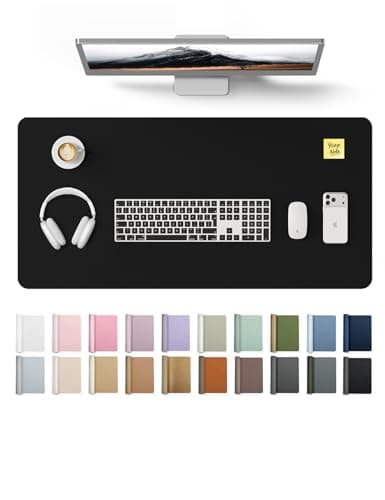
  • YSAGi PU Leather Desk Pad (31.5 × 15.8 in)

    YSAGi PU Leather Desk Pad (31.5 × 15.8 in)

    The cheapest way to stop a laminate top getting scratched, and it gives the mouse one consistent surface at both sitting and standing height.

    Materials YSAGi lists it as PU — polyurethane, the same polymer we prefer over PVC on the mats side, and for the same reason: no plasticizer question. No emissions certificate is published for it, and at this price we would not expect one.

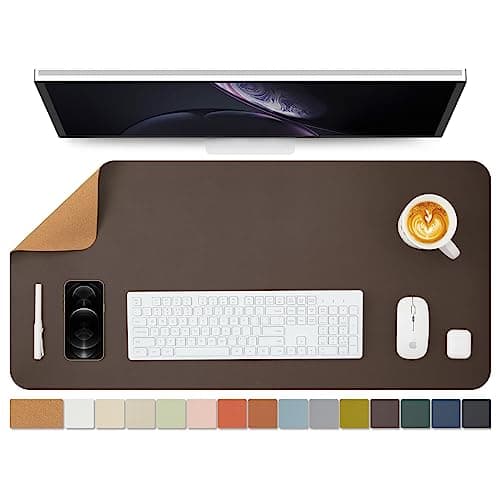
  • Cork Desk Mat, dual-sided (36 × 17 in)

    Cork Desk Mat, dual-sided (36 × 17 in)

    The natural-material option if a polymer sheet on your desk is exactly the thing you are trying to avoid. Wide enough that keyboard and mouse both sit on it.

    Materials Sold as a dual-sided cork mat — cork is bark rather than a polymer sheet, which is the whole reason to pick it here. The seller does not publish what the backing or the second face is made of, and there is no emissions certificate, so treat it as uncertified like the rest of this list.

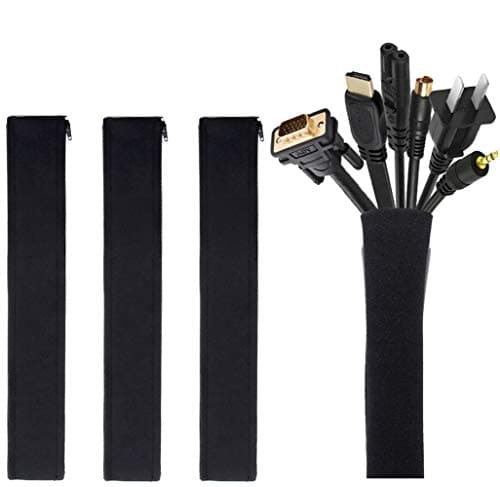
  • JOTO Cable Management Sleeve (4-pack, 19-20 in)

    JOTO Cable Management Sleeve (4-pack, 19-20 in)

    A sit-stand desk drags its entire cable loom up and down twenty times a day. Sleeving the run is the single cheapest thing that stops a cable snagging mid-travel.

    Materials No certification is published, and none would mean anything on a cable wrap. This one is on the list for what it prevents, not for what it is made of.

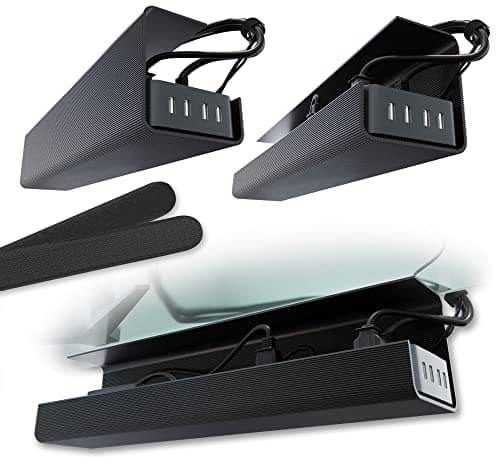
  • Scanfield No-Screw Under-Desk Cable Tray (17 in, 2-pack)

    Scanfield No-Screw Under-Desk Cable Tray (17 in, 2-pack)

    Gets the power strip and the laptop brick off the floor and onto the underside of the top, so the whole lot travels with the desk instead of tugging at it.

    Materials No certification is published and none applies to a tray. The reason it is this one: the no-screw mount means nothing gets drilled into a desktop you may have chosen precisely because it is intact and certified.

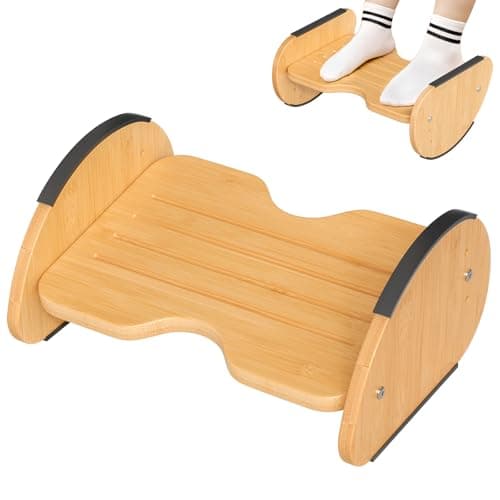
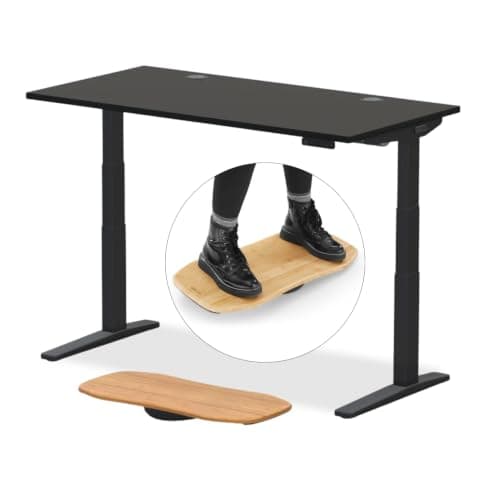
  • Amazer Bamboo 2-in-1 Reversible Rocking Footrest

    Amazer Bamboo 2-in-1 Reversible Rocking Footrest

    Rock it while you sit, flip it to a fixed angle while you stand. Movement is the entire point of alternating, and this is the cheapest way to add some.

    Materials Bamboo. Bamboo panel is normally laminated with an adhesive, and Amazer publishes no formaldehyde or emissions certificate for this model — we are not going to imply it has one.

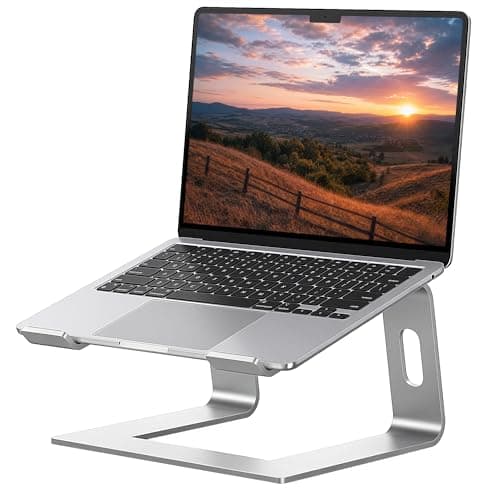
  • SOUNDANCE Aluminum Laptop Stand (10-15.6 in)

    SOUNDANCE Aluminum Laptop Stand (10-15.6 in)

    If you work off a laptop, no amount of desk height fixes a screen sitting in your lap. This lifts it toward eye level for under twenty dollars.

    Materials Solid aluminum — no composite panel, no adhesive, nothing to off-gas. That is the honest appeal of a metal accessory on a site like this, and it needs no certificate to be true.

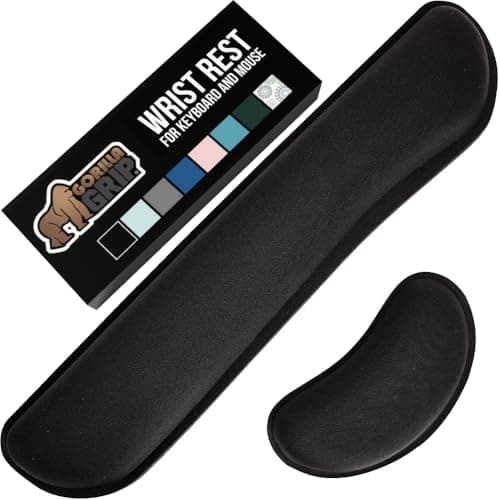
  • Gorilla Grip Memory Foam Wrist Rest (keyboard + mouse, 2-piece)

    Gorilla Grip Memory Foam Wrist Rest (keyboard + mouse, 2-piece)

    Standing does not fix wrist extension; keeping the wrist neutral does. Two pieces, so the mouse hand gets one as well.

    Materials Memory foam under a fabric cover. No emissions or content certificate is published — memory foam is polyurethane foam, and if that is a hard line for you, skip this one rather than talk yourself into it.

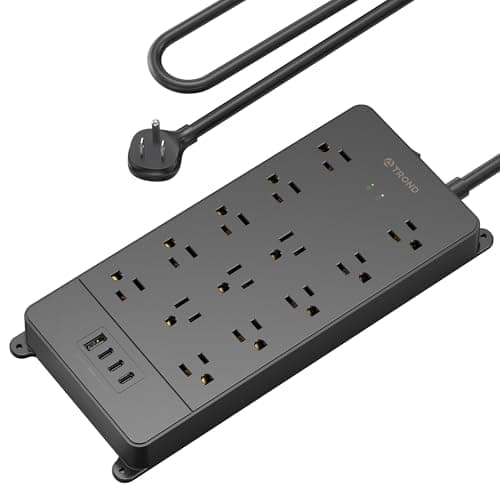
  • TROND Surge Protector Power Strip (4000 J, ETL Listed)

    TROND Surge Protector Power Strip (4000 J, ETL Listed)

    A powered desk, two monitors and a laptop brick all end up on one strip that travels with the top. Worth thirty dollars for that not to be the cheapest part of the setup.

    Materials ETL Listed — a real third-party safety listing from Intertek, and the only genuine certification in this list. You can look it up in Intertek's public directory the same way we tell you to check a GREENGUARD claim at UL SPOT.

Questions

Frequently asked

Why does my standing desk wobble on carpet?
Usually because the pile hides an un-leveled foot. Carpet takes up the difference at seated height, and then the frame amplifies that play into visible sway at standing height. Level the feet at full height with the load on, then re-torque the frame bolts.
Do I need an anti-fatigue mat if I have carpet?
Generally no. A mat works by adding compliance to a hard floor, and carpet with underlay already has compliance. You gain little and add an edge to trip on. A sculpted or active mat still does something, because its mechanism is varied terrain rather than cushioning.
Should I put a board under a standing desk on carpet?
On deep pile with a soft underlay, yes — a rigid panel under each foot stops it sinking and gives the leveling adjustment something firm to bear on. It is the one carpet-specific fix worth doing, and it is a hardware store item rather than a desk accessory.
Can you use standing desk casters on carpet?
Poorly. Casters need a hard floor to roll properly; on pile they dig in or wander, and they take away the leveling adjustment that carpet makes essential. Lift the desk to move it and re-level afterwards.
Does carpet make a standing desk less stable at full height?
It makes an existing instability harder to spot and slower to appear, because the pile settles unevenly under each foot over days or weeks. The underlying stability comes from leg stage count, load placement and level feet.

Keep reading

Receipts

Sources

We do not run a testing lab, and we do not pretend to. We verify certifications in the certifying body's own registry, compile specs from manufacturer manuals, and cite health claims to recognized authorities — by name, with a link. Where we could not verify something, we say so on the page rather than quietly leaving it out. Read our full method.