Skip to content
Riser & Rail

01 — Standing Desks

The Best Standing Desk Frames

A steel frame has nothing to off-gas. Buy the base, put a solid top on it, and the entire emissions argument disappears — for less than a certified desk costs.

By Stephen V.Updated How we research
#ad

We earn a commission when you buy through our Amazon links, at no extra cost to you. It never affects our rankings, and we say so when the cheaper — or the direct-only — product is the better buy. How this works.

Buy the FlexiSpot E6 frame. It is the base under the electric desk we already recommend to most people, minus the laminate top that is the only part of a standing desk with a material question attached to it. Put a solid wood, bamboo or butcher-block surface on it and you own a desk with no composite core, no adhesive resin and nothing to break in. That is not a marketing angle — it is arithmetic about what a desk is made of.

Why a frame is the answer to a materials question

Almost everything written about standing-desk emissions is written about the desktop, and it should be. A sit-stand desk is a powder-coated steel frame and a wooden surface. Steel is inert. The composite core of a laminate top is bound with a formaldehyde-based resin, which is why the formaldehyde question exists at all, why the EPA regulates composite wood under TSCA Title VI, and why CARB Phase 2 limits are the number every serious desk brand quotes.

Separate the two purchases and the problem separates with them. A frame with no top is a certified-material desk waiting for a surface you choose — and solid pine, bamboo, or a butcher-block slab from a hardware store are all cheap, widely available and made of wood rather than wood fiber glued together. This is the route we would take ourselves, and it is why this page exists alongside the GREENGUARD-certified desks roundup: one page buys the certificate, this one sidesteps the need for it.

What actually separates a good frame from a bad one

Frames look identical in listings and are not. Four things decide how one behaves:

  1. Motor count. A dual-motor frame drives each leg independently. A single-motor frame drives both through a cross-shaft, which is slower, noisier, and more prone to racking under an unevenly loaded top. Every frame in the top half of this list is dual-motor.
  2. Stage count. Two-stage legs have one telescoping section, three-stage legs have two. Three stages give a wider height range and a shorter collapsed leg, so the desk goes lower for short users and higher for tall ones. Three-stage also means more overlapping steel at any given height, which is why it is stabler at standing height, not just taller.
  3. Span adjustment. The frame has to fit the top you have. The VIVO dual frame spans 40 to 85 inches, which is unusually wide; most frames want a 48 to 72 inch top.
  4. Controller. Presets are not a luxury feature. A desk without memory heights is a desk that stops being adjusted after week three, and an unadjusted sit-stand desk is just a desk.

Choosing the top — the part this page is really about

Four surfaces, in ascending order of what they cost you and descending order of how much you have to think about emissions:

  • Solid hardwood or butcher block.No composite core at all. A hardware-store butcher-block counter section is the classic answer: heavy, beautiful, and it needs oiling rather than a certificate. Weight is the catch — check the frame's load rating, and this is where the E6 Max frame earns its price.
  • Bamboo. A solid grass, not an MDF panel, and the material behind the non-toxic desk picks. Lighter than hardwood and usually pre-finished.
  • Solid pine or fir. The cheap version of the same idea. Softer, dents more easily, and needs finishing — but a glued-panel pine top costs less than a laminate one and has no composite core.
  • A certified laminate top. If you want laminate, buy one with a certificate. UPLIFT publishes that its laminate desktops are GREENGUARD Gold over an E-1 rated core and sells tops separately. That is a documented option, and it is direct-only rather than available through a live Amazon offer.

One practical warning: a glued panel is not the same as a solid board, and "solid wood" on a listing sometimes means a veneer over MDF. If the seller will not say what the core is, assume it is composite. The reading discipline is the same one we apply to mats in PFAS and PVC in anti-fatigue mats: a specific, falsifiable material claim beats a reassuring adjective every time.

Where a frame build stops making sense

Honest accounting: a frame plus a good top usually costs more than a bundled desk of the same size, not less. You are buying materials and control, not savings. The exception is the bottom of the market — the VIVO single-motor frame under a $60 pine top is genuinely the cheapest composite-free sit-stand desk that exists, and it undercuts every certified desk on the market by a wide margin.

The other case against: drilling. Most frames need pilot holes in the underside of the top. If you do not own a drill and a tape measure, or you are in a rental where a cordless drill is a problem, buy a bundled desk. Our main standing desk roundup and the budget picks both cover complete desks that arrive with the holes already there.

Manual frames: still the right answer sometimes

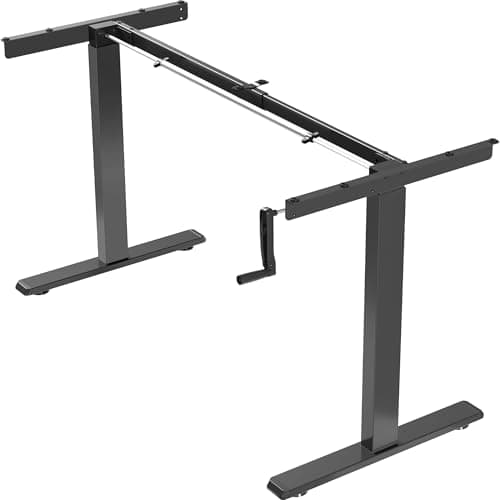
Two hand-crank frames are on this list on purpose. A crank frame has no motor, no controller and no electronics to fail, which means the two most common standing-desk faults — a desk that stops going up and a controller that loses its presets — cannot happen to it. It also costs a third of what an electric frame costs and needs no outlet, which matters more than it sounds in a room with one socket behind a bookcase.

The cost is friction: about twenty to thirty crank turns per transition. Every honest owner review says the same thing — you will change height less often than you promised yourself. If the whole health benefit of the desk depends on alternating, and it does, that friction is a real argument for paying for motors.

The short answer

Quick picks

#ProductBest forScorePrice
01
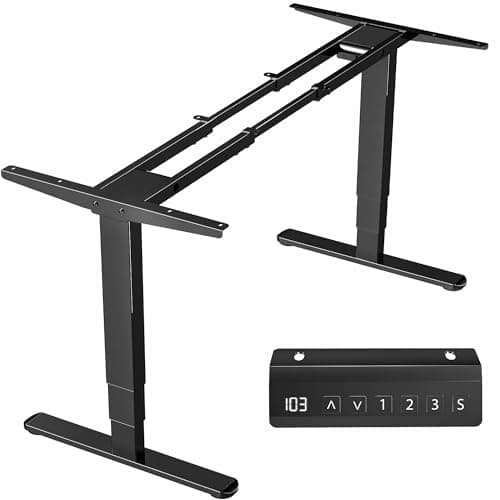
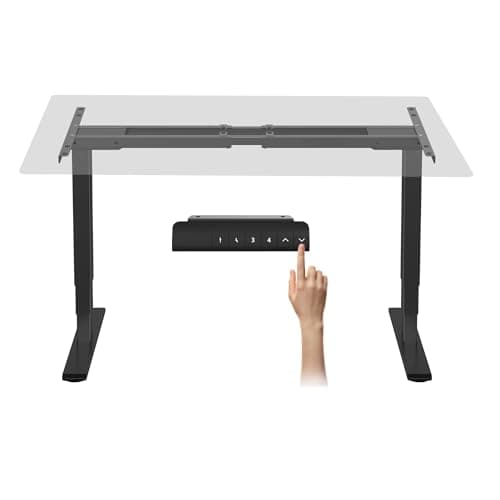
FlexiSpot FlexiSpot E6 Dual-Motor Standing Desk Frame (frame only)
FlexiSpot E6 Dual-Motor Standing Desk Frame (frame only)

The frame under the desk we already recommend, sold without the laminate top that is the only part with an emissions question.

Pairing a proven dual-motor base with a solid-wood or bamboo top
8.4
$180.49Amazon
02
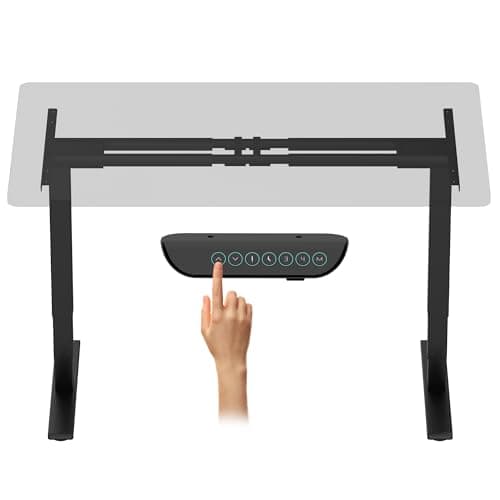
VIVO VIVO Electric Dual-Motor Standing Desk Frame (40–85 in tops)
VIVO Electric Dual-Motor Standing Desk Frame (40–85 in tops)

The widest span here — the frame to buy when the top you already own is longer than a normal desk.

Reusing an existing long desktop or door slab
8.0
$249.99Amazon
03
FlexiSpot FlexiSpot E6 Max Dual-Motor Standing Desk Frame (frame only)
FlexiSpot E6 Max Dual-Motor Standing Desk Frame (frame only)

The heavy-duty frame — the one to buy if the top you have in mind is a slab of solid hardwood.

Heavy solid-wood tops and multi-monitor loads
8.6
$256.49Amazon
04
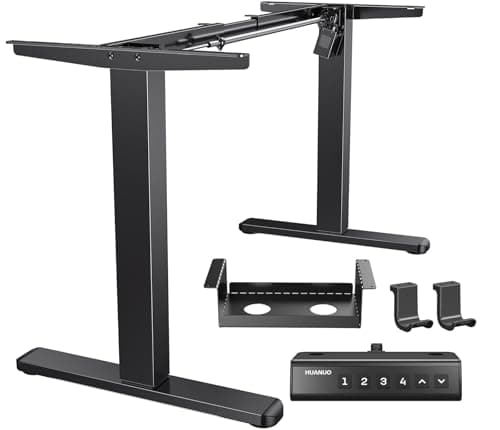
HUANUO HUANUO Brushless-Motor Standing Desk Frame (up to 75×35 in tops)
HUANUO Brushless-Motor Standing Desk Frame (up to 75×35 in tops)

The quiet one — a brushless motor is the upgrade you notice in a room where someone else is sleeping.

Shared rooms and late-night height changes
7.6
$159.99Amazon
05
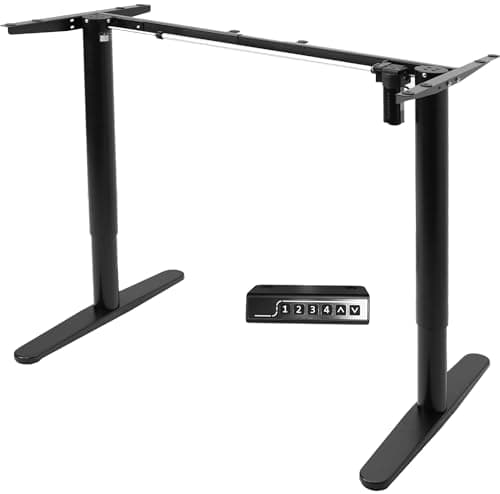
VIVO VIVO Electric Single-Motor Standing Desk Frame (41–74 in tops)
VIVO Electric Single-Motor Standing Desk Frame (41–74 in tops)

The cheapest honest route into a certified-material workstation: a budget frame under a solid wood top.

The lowest-cost path to a composite-free desk
7.0
$99.99Amazon
06
Fle
FlexiSpot EN1 Standing Desk Frame (no top)

Buy the frame, keep your top — the cheapest route to a standing desk that adds no new composite slab to the room.

Reusing an existing desktop, or fitting your own solid-wood top
7.0
Check price →
07
VIVO VIVO Manual Hand-Crank Standing Desk Frame
VIVO Manual Hand-Crank Standing Desk Frame

The crank frame that proves the point: no motor, no electronics, no failure mode — and no excuse not to move it.

Garages, outbuildings and anyone who wants nothing to break
7.0
$139.99Amazon

#ad · Live prices from the Amazon Product API, as of Sep 6, 2026. Where we have no verified live price, we show none — we would rather leave a gap than print a number that has rotted.

In detail

The picks, in full

01
FlexiSpot FlexiSpot E6 Dual-Motor Standing Desk Frame (frame only)

Pairing a proven dual-motor base with a solid-wood or bamboo top

FlexiSpot E6 Dual-Motor Standing Desk Frame (frame only)

Dual motor3-stage legsMemory presetsFrame only — no desktop

Certification & materials

A steel frame has no composite core, no adhesive resin and no laminate, so the formaldehyde question that dominates desktop shopping simply does not apply to it. FlexiSpot publishes no GREENGUARD or BIFMA registration for this frame; the emissions advantage here comes from what you bolt on top, not from a certificate on the base.

8.4/10

The frame under the desk we already recommend, sold without the laminate top that is the only part with an emissions question.

Stability
9
Adjustment
9
Materials & certs
8
Build & motor
9
Value
7

Pros

  • Dual motors and 3-stage legs give the fastest, steadiest travel of any frame at this price
  • Buying the frame alone lets you put a solid wood or bamboo top on it and skip composite wood entirely
  • Memory presets, which is the difference between a desk that gets raised and one that never moves

Cons

  • You still have to source, finish and drill a desktop, which is real work
  • Frame-plus-good-top usually costs more than a bundled desk, not less

Don't buy this if…

you want to unbox one carton and be working in an hour. A frame is a project; the bundled FlexiSpot E6 is the same base with the decision made for you.

$180.49View on Amazon

$189.995% off

Price as of Sep 6, 2026. Prices change — Amazon's is the one that counts.

#ad · we may earn a commission from this link to FlexiSpot E6 Dual-Motor Standing Desk Frame (frame only)

02
VIVO VIVO Electric Dual-Motor Standing Desk Frame (40–85 in tops)

Reusing an existing long desktop or door slab

VIVO Electric Dual-Motor Standing Desk Frame (40–85 in tops)

VIVO states 40–85 in top rangeDual motor3-stage legsFrame only

Certification & materials

Powder-coated steel; nothing in the frame off-gasses. VIVO publishes no third-party emissions or BIFMA certification for it. As with every frame, the material question moves entirely to the top you choose.

8.0/10

The widest span here — the frame to buy when the top you already own is longer than a normal desk.

Stability
8
Adjustment
9
Materials & certs
7
Build & motor
8
Value
8

Pros

  • The 40–85 inch adjustment range fits tops that most frames cannot span
  • Dual motors keep a long, heavy top level instead of racking at one end
  • Widely stocked with well-documented replacement parts

Cons

  • No published certification of any kind, including load testing
  • The controller is basic next to FlexiSpot's

Don't buy this if…

you have a standard 48–60 inch top. You are paying for span you will never use.

$249.99View on Amazon

Price as of Sep 6, 2026. Prices change — Amazon's is the one that counts.

#ad · we may earn a commission from this link to VIVO Electric Dual-Motor Standing Desk Frame (40–85 in tops)

03
FlexiSpot FlexiSpot E6 Max Dual-Motor Standing Desk Frame (frame only)

Heavy solid-wood tops and multi-monitor loads

FlexiSpot E6 Max Dual-Motor Standing Desk Frame (frame only)

Dual motor3-stage legsHeavy-duty ratingFrame only — no desktop

Certification & materials

Steel and aluminum construction with a powder-coat finish; no composite panel, so no formaldehyde pathway. No GREENGUARD or BIFMA registration is published for the frame itself — buy it for the load rating, not for a certificate.

8.6/10

The heavy-duty frame — the one to buy if the top you have in mind is a slab of solid hardwood.

Stability
10
Adjustment
9
Materials & certs
8
Build & motor
9
Value
7

Pros

  • Rated well above the standard E6 frame, which matters the moment you put a butcher-block top on it
  • The extra capacity headroom keeps travel smooth instead of straining at full extension
  • Same 3-stage speed as the standard frame, so height changes stay quick

Cons

  • Overkill — and over-priced — for a 40 lb laminate top and one monitor
  • Heavier to maneuver during assembly; this is a two-person job

Don't buy this if…

your planned top weighs under about 50 lb. The standard E6 frame handles that comfortably for less money.

$256.49View on Amazon

$269.995% off

Price as of Sep 6, 2026. Prices change — Amazon's is the one that counts.

#ad · we may earn a commission from this link to FlexiSpot E6 Max Dual-Motor Standing Desk Frame (frame only)

04
HUANUO HUANUO Brushless-Motor Standing Desk Frame (up to 75×35 in tops)

Shared rooms and late-night height changes

HUANUO Brushless-Motor Standing Desk Frame (up to 75×35 in tops)

Brushless motorHUANUO states up to 75×35 in topsHeight memoryFrame only

Certification & materials

Steel frame with a powder-coat finish; no composite wood in the product. HUANUO publishes no third-party certification for the frame.

7.6/10

The quiet one — a brushless motor is the upgrade you notice in a room where someone else is sleeping.

Stability
7
Adjustment
8
Materials & certs
7
Build & motor
8
Value
8

Pros

  • Brushless motors run noticeably quieter than the brushed motors in most budget frames
  • Takes a genuinely large top for the price
  • Simple assembly with clear markings, which is not a given in this category

Cons

  • No published load certification, so the capacity figure is the seller's own
  • Less owner history than FlexiSpot or VIVO if something fails in year three

Don't buy this if…

motor noise was never the problem. A standard dual-motor frame from a longer-established brand is the safer buy.

$159.99View on Amazon

Price as of Sep 6, 2026. Prices change — Amazon's is the one that counts.

#ad · we may earn a commission from this link to HUANUO Brushless-Motor Standing Desk Frame (up to 75×35 in tops)

05
VIVO VIVO Electric Single-Motor Standing Desk Frame (41–74 in tops)

The lowest-cost path to a composite-free desk

VIVO Electric Single-Motor Standing Desk Frame (41–74 in tops)

Single motorVIVO states 41–74 in top rangeMemory height controllerFrame only

Certification & materials

Powder-coated steel frame, no composite panel, no adhesive. No certification is published. The reason it is in a low-emission roundup at all is subtractive — there is nothing in a steel frame to emit.

7.0/10

The cheapest honest route into a certified-material workstation: a budget frame under a solid wood top.

Stability
6
Adjustment
7
Materials & certs
7
Build & motor
6
Value
9

Pros

  • Costs about as much as a cheap converter, and gets you a real sit-stand desk
  • Memory presets on a frame at this price is unusual
  • Pairs with a $60 solid pine or butcher-block top for a genuinely composite-free desk

Cons

  • One motor means slower travel and more flex than a dual-motor base
  • Lower load rating — heavy multi-monitor rigs will find its limit

Don't buy this if…

you plan a heavy top or three monitors. Single-motor frames are the first thing to complain under load.

$99.99View on Amazon

Price as of Sep 6, 2026. Prices change — Amazon's is the one that counts.

#ad · we may earn a commission from this link to VIVO Electric Single-Motor Standing Desk Frame (41–74 in tops)

06

Reusing an existing desktop, or fitting your own solid-wood top

FlexiSpot EN1 Standing Desk Frame (no top)

Frame onlyElectric height adjustFits most rectangular topsSingle-motor class

Certification & materials

A steel frame, so the formaldehyde question does not apply to it at all — the emissions risk in a standing desk lives in the composite-wood top, and this product does not include one. FlexiSpot publishes no GREENGUARD or BIFMA registration for the frame itself.

7.0/10

Buy the frame, keep your top — the cheapest route to a standing desk that adds no new composite slab to the room.

Stability
6
Adjustment
6
Materials & certs
8
Build & motor
6
Value
9

Pros

  • Sidesteps the desktop-emissions problem entirely: pair it with a top you already own or a solid-wood slab
  • The cheapest way into powered height adjustment if you already have a table
  • Lets you spend the saved money on the surface instead of the mechanism

Cons

  • Single-motor class, so it is slower and flexes more than a dual-motor 3-stage frame
  • You have to drill and bolt a top on, which is a real afternoon of work

Don't buy this if…

you do not have a top and do not want a project. Add the cost of a decent surface and a complete desk is often cheaper.

Check price on Amazon →

We don't have a verified live price for this right now, so we aren't showing one.

#ad · we may earn a commission from this link to FlexiSpot EN1 Standing Desk Frame (no top)

07
VIVO VIVO Manual Hand-Crank Standing Desk Frame

Garages, outbuildings and anyone who wants nothing to break

VIVO Manual Hand-Crank Standing Desk Frame

Hand crankFrame onlyNo power requiredSteel construction

Certification & materials

Steel frame with no desktop included, so no composite-wood emissions question applies to the product itself. No GREENGUARD or BIFMA registration published.

7.0/10

The crank frame that proves the point: no motor, no electronics, no failure mode — and no excuse not to move it.

Stability
7
Adjustment
4
Materials & certs
8
Build & motor
8
Value
8

Pros

  • Nothing electronic to fail — the usual cause of a dead standing desk is a controller or motor, and there is not one
  • Works anywhere, including a shed or garage with no convenient outlet
  • Costs less than an equivalent powered frame

Cons

  • Cranking takes real seconds and real effort, which is exactly why manual owners adjust less often
  • No presets, so you re-find your height every single time

Don't buy this if…

you plan to alternate several times a day. The health benefit comes from switching often, and a crank quietly taxes every switch.

$139.99View on Amazon

Price as of Sep 6, 2026. Prices change — Amazon's is the one that counts.

#ad · we may earn a commission from this link to VIVO Manual Hand-Crank Standing Desk Frame

The build, step by step

  1. Pick the top first, then the frame.The top's weight and dimensions set the frame's required load rating and span, not the other way around.
  2. Work out your standing height before you drill. Our height calculatorgives you the target; OSHA's workstation guidance gives you the reasoning behind it.
  3. Assemble the frame upside down on the floor, then attach the top. Every frame manual says this and it is worth repeating: it is far easier to align brackets on an inverted frame than to lift a top onto a standing one.
  4. Pilot-drill, do not force screws. Splitting a solid top is the one mistake that cannot be undone.
  5. Level it, then re-level it after a week. New frames settle. This is the single most common cause of the wobble covered in our wobble guide.

Load ratings, read honestly

Every capacity figure on this page is the manufacturer's own. None of these frames carries an ANSI/BIFMA certification, which is the only load claim that has independent testing behind it — BIFMA is what a certified commercial desk is tested against, and it is why the certified desks in our certification matrixcost what they do. Treat a seller's number as a ceiling to stay well under rather than a target to hit, and remember the rated load includes the top itself. A 60-pound butcher block on a 220-pound frame leaves you 160 pounds, which is plenty; on a 154-pound single-motor frame it leaves you rather less.

How we picked

We do not run a testing lab

We compiled specs from manufacturer manuals, verified every certification claim in the certifying body's own registry (UL SPOT for GREENGUARD, BIFMA, CARB), did the cost-to-own math, and read the aggregated owner reviews, then scored each product against a published rubric. The scores are judgments from documented research — they are not measurements we took, because we do not have a lab and we are not going to pretend we do.

Small things, same day

Desk-day essentials under $40

None of these will change which desk you should buy. They are the cheap, unglamorous parts that decide whether the desk you do buy is pleasant to use on a Tuesday — and, where the material is the whole point of the thing, we have said what it is and what it is not certified to.

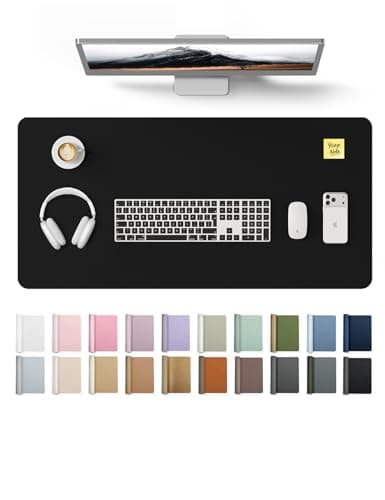
  • YSAGi PU Leather Desk Pad (31.5 × 15.8 in)

    YSAGi PU Leather Desk Pad (31.5 × 15.8 in)

    The cheapest way to stop a laminate top getting scratched, and it gives the mouse one consistent surface at both sitting and standing height.

    Materials YSAGi lists it as PU — polyurethane, the same polymer we prefer over PVC on the mats side, and for the same reason: no plasticizer question. No emissions certificate is published for it, and at this price we would not expect one.

  • Cork Desk Mat, dual-sided (36 × 17 in)

    Cork Desk Mat, dual-sided (36 × 17 in)

    The natural-material option if a polymer sheet on your desk is exactly the thing you are trying to avoid. Wide enough that keyboard and mouse both sit on it.

    Materials Sold as a dual-sided cork mat — cork is bark rather than a polymer sheet, which is the whole reason to pick it here. The seller does not publish what the backing or the second face is made of, and there is no emissions certificate, so treat it as uncertified like the rest of this list.

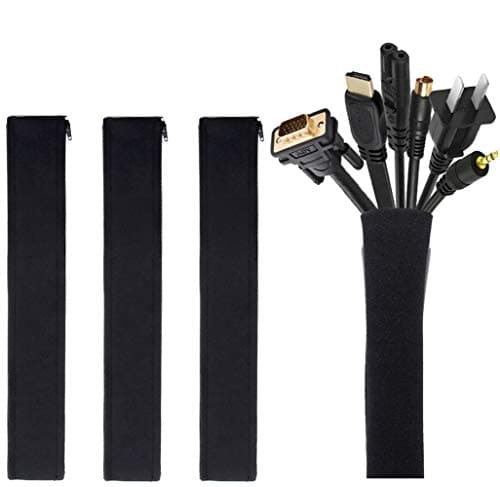
  • JOTO Cable Management Sleeve (4-pack, 19-20 in)

    JOTO Cable Management Sleeve (4-pack, 19-20 in)

    A sit-stand desk drags its entire cable loom up and down twenty times a day. Sleeving the run is the single cheapest thing that stops a cable snagging mid-travel.

    Materials No certification is published, and none would mean anything on a cable wrap. This one is on the list for what it prevents, not for what it is made of.

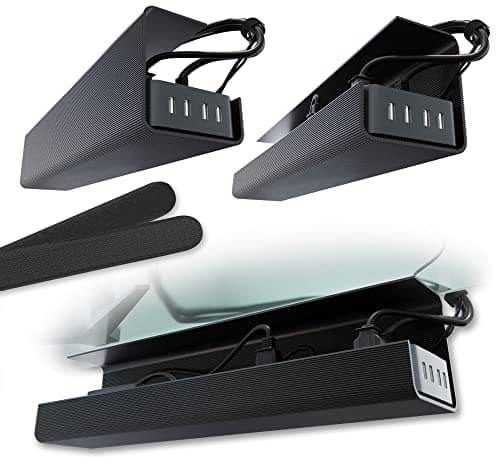
  • Scanfield No-Screw Under-Desk Cable Tray (17 in, 2-pack)

    Scanfield No-Screw Under-Desk Cable Tray (17 in, 2-pack)

    Gets the power strip and the laptop brick off the floor and onto the underside of the top, so the whole lot travels with the desk instead of tugging at it.

    Materials No certification is published and none applies to a tray. The reason it is this one: the no-screw mount means nothing gets drilled into a desktop you may have chosen precisely because it is intact and certified.

  • Amazer Bamboo 2-in-1 Reversible Rocking Footrest

    Amazer Bamboo 2-in-1 Reversible Rocking Footrest

    Rock it while you sit, flip it to a fixed angle while you stand. Movement is the entire point of alternating, and this is the cheapest way to add some.

    Materials Bamboo. Bamboo panel is normally laminated with an adhesive, and Amazer publishes no formaldehyde or emissions certificate for this model — we are not going to imply it has one.

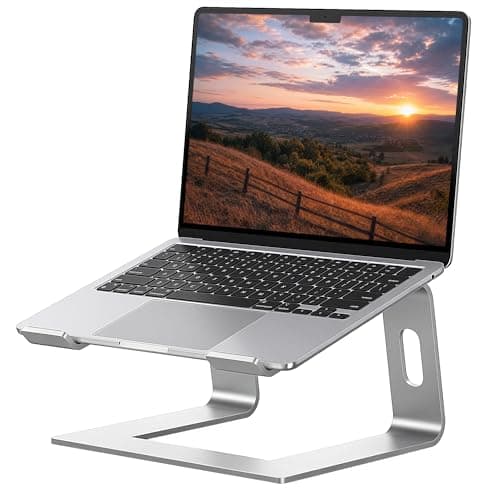
  • SOUNDANCE Aluminum Laptop Stand (10-15.6 in)

    SOUNDANCE Aluminum Laptop Stand (10-15.6 in)

    If you work off a laptop, no amount of desk height fixes a screen sitting in your lap. This lifts it toward eye level for under twenty dollars.

    Materials Solid aluminum — no composite panel, no adhesive, nothing to off-gas. That is the honest appeal of a metal accessory on a site like this, and it needs no certificate to be true.

  • Gorilla Grip Memory Foam Wrist Rest (keyboard + mouse, 2-piece)

    Gorilla Grip Memory Foam Wrist Rest (keyboard + mouse, 2-piece)

    Standing does not fix wrist extension; keeping the wrist neutral does. Two pieces, so the mouse hand gets one as well.

    Materials Memory foam under a fabric cover. No emissions or content certificate is published — memory foam is polyurethane foam, and if that is a hard line for you, skip this one rather than talk yourself into it.

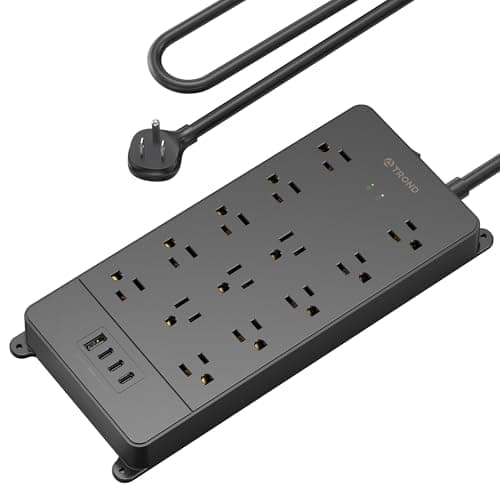
  • TROND Surge Protector Power Strip (4000 J, ETL Listed)

    TROND Surge Protector Power Strip (4000 J, ETL Listed)

    A powered desk, two monitors and a laptop brick all end up on one strip that travels with the top. Worth thirty dollars for that not to be the cheapest part of the setup.

    Materials ETL Listed — a real third-party safety listing from Intertek, and the only genuine certification in this list. You can look it up in Intertek's public directory the same way we tell you to check a GREENGUARD claim at UL SPOT.

Questions

Frequently asked

Is buying a standing desk frame separately cheaper?
Usually not. A frame plus a good top generally costs more than a bundled desk of the same size. You buy a frame for control over the surface material and for a better base than the one bundled at that price — not to save money. The exception is at the very bottom of the market, where a budget frame under a cheap solid pine top is the least expensive composite-free desk available.
What desktop should I put on a standing desk frame?
Solid hardwood or butcher block if the frame's load rating allows it, bamboo if you want the same no-composite argument at a lower weight, or solid pine as the cheap version. If you want laminate, buy a certified one — UPLIFT publishes GREENGUARD Gold for its laminate tops. Check that "solid wood" in a listing is not veneer over MDF.
Do I need a dual-motor frame?
If the top is heavy or the load is uneven, yes. Dual motors drive each leg independently, which keeps a long top level and moves it faster and more quietly. Single-motor frames drive both legs through a cross-shaft and are the ones that complain first under load. For a light top and one monitor, single-motor is adequate.
Does a standing desk frame need to be BIFMA certified?
None of the consumer frames here is. BIFMA certification is independent testing for strength, stability and durability, and it is largely confined to commercial furniture. Its absence does not mean a frame is unsafe; it means the capacity number is the seller's claim rather than a tested figure, and you should leave margin accordingly.
How do I attach a top to a standing desk frame?
Assemble the frame upside down on the floor, center it on the inverted top, mark through the bracket holes, pilot-drill to a depth shorter than the top's thickness, then drive the supplied screws. Turn the finished desk upright with a second person, and level it again after a week of use once the frame has settled.

Keep reading

Receipts

Sources

We do not run a testing lab, and we do not pretend to. We verify certifications in the certifying body's own registry, compile specs from manufacturer manuals, and cite health claims to recognized authorities — by name, with a link. Where we could not verify something, we say so on the page rather than quietly leaving it out. Read our full method.