Skip to content
Riser & Rail

03 — Ergonomic Seating

The Best Ergonomic Chairs for Back Pain

No chair is a treatment. The right one supports the curve of your spine and lets you keep changing position — and that is most of what a chair can do for a sore back.

By Stephen V.Updated Published How we research
#ad

We earn a commission when you buy through our Amazon links, at no extra cost to you. It never affects our rankings, and we say so when the cheaper — or the direct-only — product is the better buy. How this works.

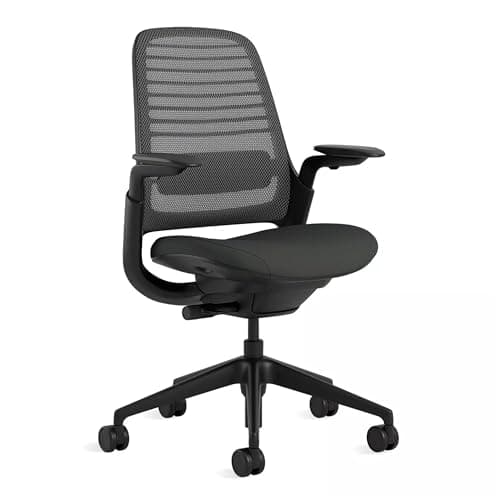
Buy the Steelcase Series 1. Its flexing LiveBack moves with your spine instead of forcing one posture, and it comes from a maker whose entire business is documented, durability-tested ergonomic furniture. The Herman Miller Aeron is the more repairable, longer-warranty alternative if you can stretch to it, and the Branch Verve is the middle option here with a height-adjustable lumbar rest and an emissions certificate Branch actually prints.

We are enthusiasts, not clinicians, and we don't run a lab — nothing on this page is medical advice or a measurement we took. If your pain is persistent or severe, talk to a professional. What we can do is explain which chair features actually support a spine, and rank the seats that have them.

Lumbar support has to reach your curve

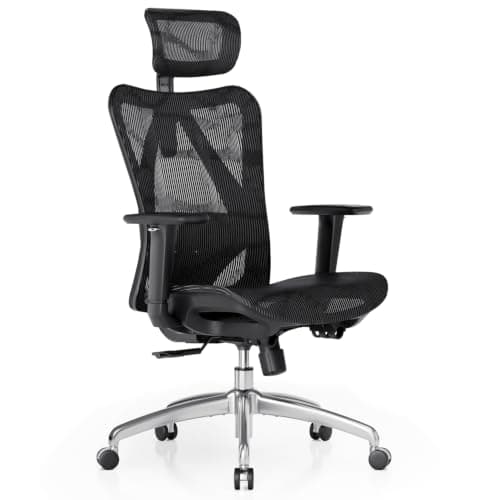
Back pain at a desk is very often the lower back losing its inward curve and rounding into the seat. The fix is support that pushes into that curve — and it has to be adjustable, because a fixed bump set for the average spine will miss yours. The Series 1 and the Verve both let you set lumbar height; the Aeron's PostureFit SL supports the sacrum and lower back together. The SIHOO M57 is the honest budget option here — it has an adjustable lumbar and 3D arms, which is unusual at its price — but SIHOO publishes no emissions certificate and no BIFMA result we could verify, which is why it ranks last.

Seat-edge pressure is the overlooked culprit

A seat that is too deep presses its front edge into the back of your knees, and you compensate by sliding forward — straight off the lumbar support you paid for. Set seat depth so a couple of fingers fit between the seat edge and your calf, and use a chair with a waterfall front edge to keep pressure off the underside of your thighs. This one adjustment resolves more chair-hurts-my-back complaints than any lumbar setting. If a specific pain problem is not what is driving the search, our best ergonomic office chairs roundup ranks the same seats on general fit, adjustment range and published certification.

Adjustability, and the certifications behind it

The chairs that help a sore back are the ones you can tune: seat height, seat depth, lumbar and arm height at minimum. It is not a coincidence that those same chairs tend to carry real certification. A BIFMA-tested frame is one that will hold its adjustment and its support for years rather than sagging into the exact slump you are trying to avoid — durability and back support are the same story over time.

Two readers need a narrower answer than this page gives. If your lower back started hurting during pregnancy, the adjustment that matters most is forward seat tilt rather than lumbar firmness, and we set out why in office chairs for pregnancy. And if the chair has begun dropping under you, no amount of lumbar support will help until the cylinder is dealt with — see why your office chair keeps sinking.

The chair is half of it — keep moving

Every credible source on desk-related back pain says the same thing: the best posture is the next one. A supportive chair reduces the load while you sit, but sitting still for hours is itself part of the problem, so alternate with standing. Read whether it actually helps in our standing desks and back pain guide, and if you want low emissions alongside support, see our certified chairs. If the ache sits in the hip rather than the lumbar spine, the adjustment that matters changes from lumbar height to seat depth and seat angle — that is a different page, and it is office chairs for hip pain.

The short answer

Quick picks

#ProductBest forScorePrice
01
Steelcase Steelcase Series 1 Office Chair
Steelcase Series 1 Office Chair

The contract-grade pick: a real ergonomic chair from a manufacturer whose whole business is certified furniture.

Buy-it-once ergonomic support with documented certification
8.4
$499.00Amazon
02
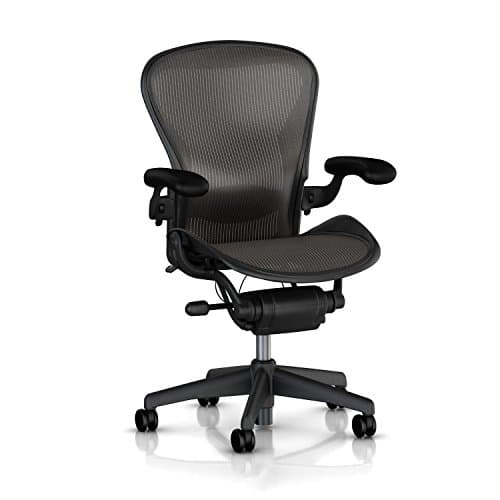
Herman Miller Herman Miller Aeron Chair (Open Box, Size B)
Herman Miller Aeron Chair (Open Box, Size B)

The reference-standard ergonomic chair at its lowest entry price — because this listing is an open-box unit from a reseller, not a new chair from Herman Miller.

The cheapest honest route into an Aeron
8.6
$699.00Amazon
03
Branch Branch Verve Chair (Galaxy)
Branch Verve Chair (Galaxy)

The Branch chair that carries the emissions line and the 7-year warranty — fewer adjustments than the Pro, more paper.

Buyers whose filter is the published certification, not the lever count
7.2
$599.00Amazon
04
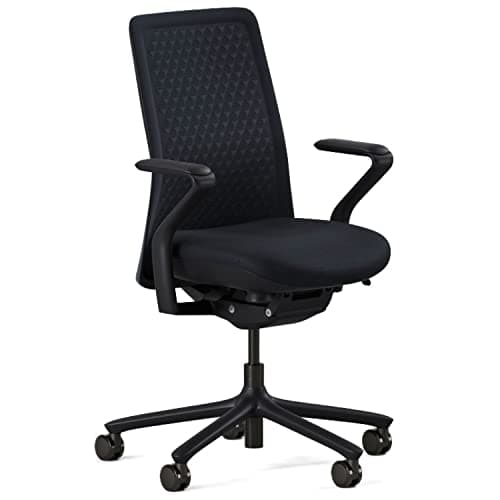
SIHOO SIHOO M57 Ergonomic Office Chair
SIHOO M57 Ergonomic Office Chair

The best real ergonomics per dollar here — adjustable lumbar and 3D arms at a price the flagships cannot touch.

A full-workday chair on a real budget
7.4
$199.99Amazon

#ad · Live prices from the Amazon Product API, as of October 21, 2026. Where we have no verified live price, we show none — we would rather leave a gap than print a number that has rotted.

In detail

The picks, in full

01
Steelcase Steelcase Series 1 Office Chair

Buy-it-once ergonomic support with documented certification

Steelcase Series 1 Office Chair

LiveBack support4D arms + adjustable lumbarSteelcase rates 400 lb12-year warranty

Certification & materials

Steelcase publishes more paper for this chair than any other seat we rank: a dated Product Compliance certificate (8 Jan 2024) covering Series 1 seating to ANSI/BIFMA X5.1 and X5.11 at 400 lb, and a cut sheet listing BIFMA LEVEL 3, CAL 117, SCS Indoor Advantage Gold (Furniture) and a published EPD. Read the emissions line carefully: the certificate is SCS Indoor Advantage Gold — the same ANSI/BIFMA M7.1/X7.1 chamber method GREENGUARD uses, issued by a different certifier — so verify it in the SCS Certified Green Products Guide rather than UL SPOT (corrected 2026-09-19; this row previously said 'GREENGUARD / low-emission'). This listing's part number (435A00-…-4ARM-LUM-CC) decodes to 4D arms, adjustable lumbar and carpet casters.

8.4/10

The contract-grade pick: a real ergonomic chair from a manufacturer whose whole business is certified furniture.

Lumbar support
9
Adjustability
8
Materials & certs
10
Build
9
Value
6

Pros

  • Genuine ergonomic engineering and a long warranty from a company that stakes its name on it
  • Extensive certification and sustainability documentation, not a silent spec sheet
  • The flexing back moves with you rather than forcing one posture

Cons

  • The most expensive chair here by a wide margin
  • Fewer manual adjustments than some cheaper chairs — it relies on its passive support instead

Don't buy this if…

…your budget is tight. The Series 1 is the certified long-term investment; if that's not the priority, the Branch or a good mesh chair gets you most of the way for much less.

$499.00View on Amazon

Price as of October 21, 2026. Prices change — Amazon's is the one that counts.

#ad · we may earn a commission from this link to Steelcase Series 1 Office Chair

02
Herman Miller Herman Miller Aeron Chair (Open Box, Size B)

The cheapest honest route into an Aeron

Herman Miller Aeron Chair (Open Box, Size B)

Pellicle suspension meshAdjustable lumbar padFully adjustable armsOpen Box listing

Certification & materials

CORRECTED 2026-10-09: Herman Miller's own Aeron store page names "BIFMA Level 3 certified" and "Indoor Advantage Gold certification, SCS Global Services' highest level of indoor air quality performance" — it does NOT name GREENGUARD, and this row's previous GREENGUARD Gold claim is withdrawn (same error class as the Steelcase Series 1 row, corrected 2026-09-19). Verify Indoor Advantage Gold in the SCS Certified Green Products Guide. That is a statement about the chair as manufactured, which an open-box unit still is. What it is NOT a statement about is this listing: it is an "Open Box Model" sold by a third-party reseller, the bullets claim "12 Year Warranty and 30 day money back" from that seller rather than from Herman Miller, and Herman Miller's own warranty terms exclude products bought from unauthorized resellers. Confirm the configuration, the condition and who actually stands behind the cover before you buy. If you want a new chair with the remastered 8Z Pellicle and PostureFit SL, that is the Size B listing on our best-office-chair page.

8.6/10

The reference-standard ergonomic chair at its lowest entry price — because this listing is an open-box unit from a reseller, not a new chair from Herman Miller.

Lumbar support
9
Adjustability
8
Materials & certs
10
Build
9
Value
7

Pros

  • The mesh suspends your weight without foam to compress or off-gas, and Herman Miller cites BIFMA Level 3 and SCS Indoor Advantage Gold for the chair
  • Genuinely repairable — parts are available years later, so it's a decade-plus chair
  • The most studied ergonomic chair in existence, and open-box is the cheapest way into one

Cons

  • An "Open Box Model" from a reseller, not a new chair — condition, cosmetics and remaining service life are whatever that seller says they are
  • The 12-year cover quoted on the listing is the seller's, and Herman Miller excludes unauthorized resellers from its own warranty
  • Still expensive next to everything else here, and sizing matters (A/B/C) — the wrong size undoes the ergonomics

Don't buy this if…

…you want a warranty you can take to Herman Miller, or you can't confirm the right size for your body. An open-box chair with no manufacturer cover behind it, or a wrong-size Aeron, is worse than a right-size cheaper chair bought new.

$699.00View on Amazon

Price as of October 21, 2026. Prices change — Amazon's is the one that counts.

#ad · we may earn a commission from this link to Herman Miller Aeron Chair (Open Box, Size B)

03
Branch Branch Verve Chair (Galaxy)

Buyers whose filter is the published certification, not the lever count

Branch Verve Chair (Galaxy)

3D knit backAdjustable lumbar heightBranch rates 275 lb7-year warranty

Certification & materials

Branch's own Verve product page prints, in its benefits list, "Certified Greenguard Gold for low VOC emissions" and "Meets the BIFMA standard for commercial-grade use" alongside a 275 lb capacity — the same three lines it prints on the Ergonomic Chair and does NOT print on the Ergonomic Chair Pro (read 2026-09-26). Both are manufacturer statements: Branch publishes no certificate number and names no BIFMA standard number, and UL SPOT returns nothing to an automated lookup, so verify the live GREENGUARD Gold certificate for Branch at UL SPOT before you buy. The Amazon listing itself repeats neither claim.

7.2/10

The Branch chair that carries the emissions line and the 7-year warranty — fewer adjustments than the Pro, more paper.

Lumbar support
8
Adjustability
6
Materials & certs
8
Build
8
Value
6

Pros

  • One of only three Branch chairs whose own product page carries the GREENGUARD Gold line
  • Height-adjustable lumbar rest plus seat depth — the two adjustments that actually change how a back is supported
  • Sold and shipped on Amazon by Branch itself, and Branch's warranty page names Amazon as an authorized third party

Cons

  • Six adjustment points on the Amazon listing against the Pro's fourteen, at a higher price
  • Amazon's own title says it fits 5 ft to 6 ft — a narrower stature range than the Pro with its optional tall cylinder
  • Stock was thin at resolve time ("Only 9 left"), and Branch publishes no certificate number for the GREENGUARD claim

Don't buy this if…

…you want to dial a chair in adjustment by adjustment. The Verve is a shape you fit into, not a rig you configure — the Pro is the one with fourteen controls.

$599.00View on Amazon

Price as of October 21, 2026. Prices change — Amazon's is the one that counts.

#ad · we may earn a commission from this link to Branch Verve Chair (Galaxy)

04
SIHOO SIHOO M57 Ergonomic Office Chair

A full-workday chair on a real budget

SIHOO M57 Ergonomic Office Chair

Adjustable lumbar3D armrestsMesh backTilt lock

Certification & materials

SIHOO does not publish a GREENGUARD certificate for this model. Some SIHOO chairs are marketed as BIFMA-tested; verify the claim for your exact SKU with the seller rather than trusting a listing badge, and treat emissions as undocumented.

7.4/10

The best real ergonomics per dollar here — adjustable lumbar and 3D arms at a price the flagships cannot touch.

Lumbar support
8
Adjustability
8
Materials & certs
5
Build
7
Value
9

Pros

  • Adjustable lumbar plus three-way armrests is a genuinely ergonomic feature set at this price
  • Mesh back stays cool through a long day
  • Large enough owner base that failure modes and fixes are well documented

Cons

  • No emissions certificate, and BIFMA claims need checking per SKU
  • Foam seat pad is the first part to flatten

Don't buy this if…

…documented certification is the reason you are shopping. The Branch and Steelcase chairs publish what this one does not.

$199.99View on Amazon

$239.8817% off

Price as of October 21, 2026. Prices change — Amazon's is the one that counts.

#ad · we may earn a commission from this link to SIHOO M57 Ergonomic Office Chair

Setting up a chair to protect your back

Seat depth before anything else

Sit all the way back so the lumbar meets your spine, then check the gap behind your knees: aim for two or three fingers between the seat edge and your calf. Too deep and you slide forward off the support; too shallow and your thighs are unsupported. A sliding seat pan, on the Series 1 or the Branch, is what lets you get this right for your leg length. Sliding forward is also how a back complaint becomes a tailbone complaint, because the pelvis rotates back as you slump — if the sore spot is the bone at the very base of your spine rather than the lumbar curve, that is a different page: chairs for tailbone pain.

Armrests take load off your spine

Supported forearms mean your shoulders and upper back are not holding the weight of your arms all day. Set armrests so your shoulders relax and your elbows sit near a right angle without hunching or reaching. Height-adjustable arms are the feature to insist on for a painful back; fixed arms that sit too high quietly keep your shoulders raised for hours — the same mechanism that turns into a neck complaint, which we deal with in chairs for neck pain.

Mesh vs foam for a sore back

Neither is inherently better for pain — support geometry matters more than the surface. Mesh stays cool and distributes weight evenly across a suspension; a firm, well-shaped foam seat can be equally supportive and feels more cushioned at first but softens over the years. Prioritize the chair with the lumbar and depth adjustment you can dial in, then pick the surface you prefer.

Why alternating sit and stand matters most

The single most useful change for a desk-bound back is not a setting — it is getting up. A supportive chair paired with a standing desk lets you switch positions through the day, which loads your spine differently and breaks the long static holds that stiffen it. The chair is the support; the movement is the medicine, and no chair replaces it.
How we picked

We do not run a testing lab

We compiled specs from manufacturer manuals, verified every certification claim in the certifying body's own registry (UL SPOT for GREENGUARD, BIFMA, CARB), did the cost-to-own math, and read the aggregated owner reviews, then scored each product against a published rubric. The scores are judgments from documented research — they are not measurements we took, because we do not have a lab and we are not going to pretend we do.

Not medical advice

This page is general information, not medical advice, and does not replace a clinician. If you have persistent or severe pain — or a specific condition like a herniated disc or sciatica — talk to a doctor or physical therapist before changing how you work.

Small things, same day

Desk-day essentials under $40

None of these will change which desk you should buy. They are the cheap, unglamorous parts that decide whether the desk you do buy is pleasant to use on a Tuesday — and, where the material is the whole point of the thing, we have said what it is and what it is not certified to.

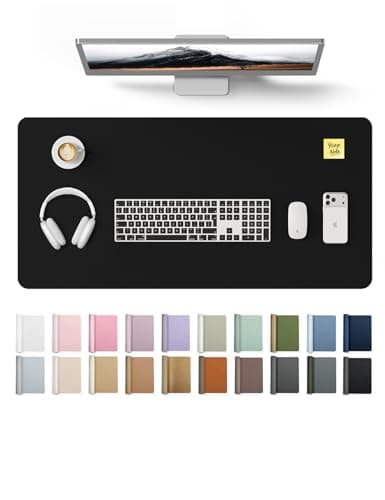
  • YSAGi PU Leather Desk Pad (31.5 × 15.8 in)

    YSAGi PU Leather Desk Pad (31.5 × 15.8 in)

    The cheapest way to stop a laminate top getting scratched, and it gives the mouse one consistent surface at both sitting and standing height.

    Materials YSAGi lists it as PU — polyurethane, the same polymer we prefer over PVC on the mats side, and for the same reason: no plasticizer question. No emissions certificate is published for it, and at this price we would not expect one.

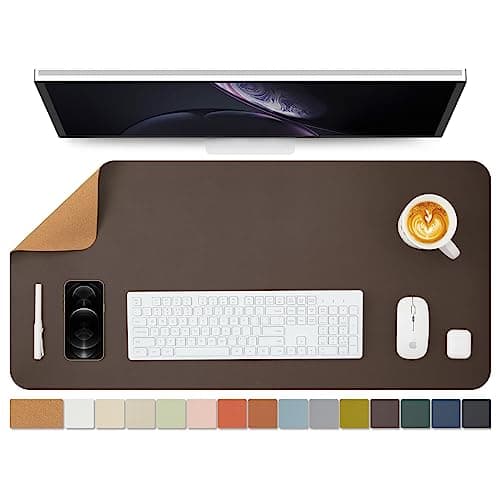
  • Cork Desk Mat, dual-sided (36 × 17 in)

    Cork Desk Mat, dual-sided (36 × 17 in)

    The natural-material option if a polymer sheet on your desk is exactly the thing you are trying to avoid. Wide enough that keyboard and mouse both sit on it.

    Materials Sold as a dual-sided cork mat — cork is bark rather than a polymer sheet, which is the whole reason to pick it here. The seller does not publish what the backing or the second face is made of, and there is no emissions certificate, so treat it as uncertified like the rest of this list.

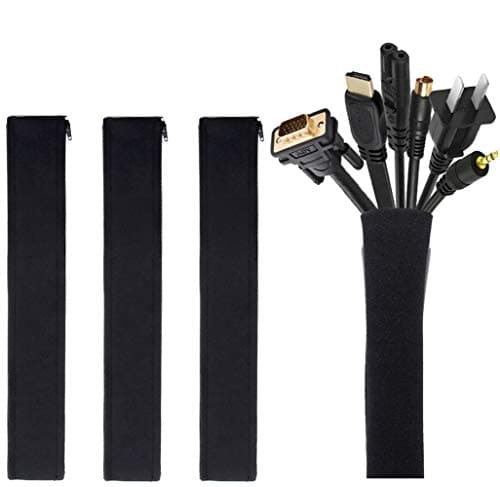
  • JOTO Cable Management Sleeve (4-pack, 19-20 in)

    JOTO Cable Management Sleeve (4-pack, 19-20 in)

    A sit-stand desk drags its entire cable loom up and down twenty times a day. Sleeving the run is the single cheapest thing that stops a cable snagging mid-travel.

    Materials No certification is published, and none would mean anything on a cable wrap. This one is on the list for what it prevents, not for what it is made of.

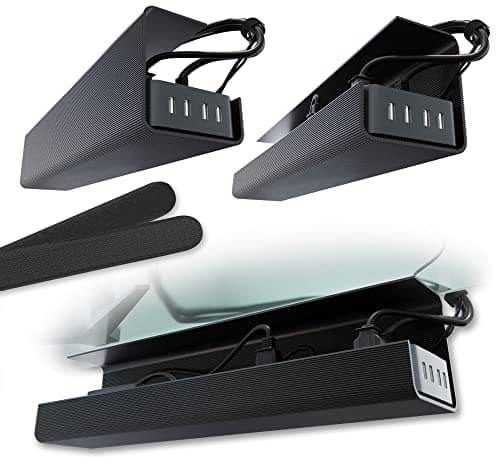
  • Scanfield No-Screw Under-Desk Cable Tray (17 in, 2-pack)

    Scanfield No-Screw Under-Desk Cable Tray (17 in, 2-pack)

    Gets the power strip and the laptop brick off the floor and onto the underside of the top, so the whole lot travels with the desk instead of tugging at it.

    Materials No certification is published and none applies to a tray. The reason it is this one: the no-screw mount means nothing gets drilled into a desktop you may have chosen precisely because it is intact and certified.

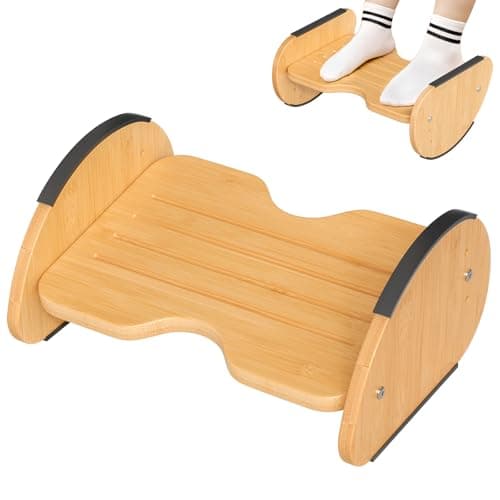
  • Amazer Bamboo 2-in-1 Reversible Rocking Footrest

    Amazer Bamboo 2-in-1 Reversible Rocking Footrest

    Rock it while you sit, flip it to a fixed angle while you stand. Movement is the entire point of alternating, and this is the cheapest way to add some.

    Materials Bamboo. Bamboo panel is normally laminated with an adhesive, and Amazer publishes no formaldehyde or emissions certificate for this model — we are not going to imply it has one.

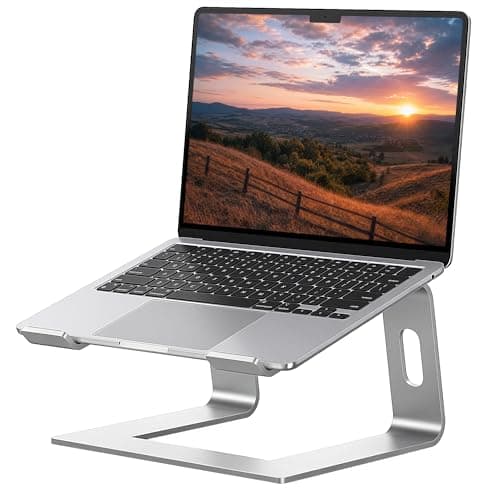
  • SOUNDANCE Aluminum Laptop Stand (10-15.6 in)

    SOUNDANCE Aluminum Laptop Stand (10-15.6 in)

    If you work off a laptop, no amount of desk height fixes a screen sitting in your lap. This lifts it toward eye level for under twenty dollars.

    Materials Solid aluminum — no composite panel, no adhesive, nothing to off-gas. That is the honest appeal of a metal accessory on a site like this, and it needs no certificate to be true.

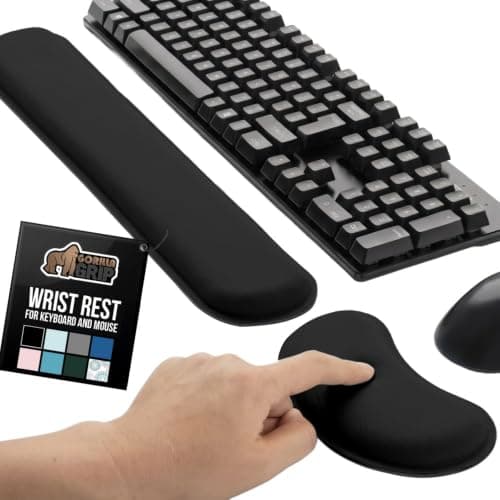
  • Gorilla Grip Memory Foam Wrist Rest (keyboard + mouse, 2-piece)

    Gorilla Grip Memory Foam Wrist Rest (keyboard + mouse, 2-piece)

    Standing does not fix wrist extension; keeping the wrist neutral does. Two pieces, so the mouse hand gets one as well.

    Materials Memory foam under a fabric cover. No emissions or content certificate is published — memory foam is polyurethane foam, and if that is a hard line for you, skip this one rather than talk yourself into it.

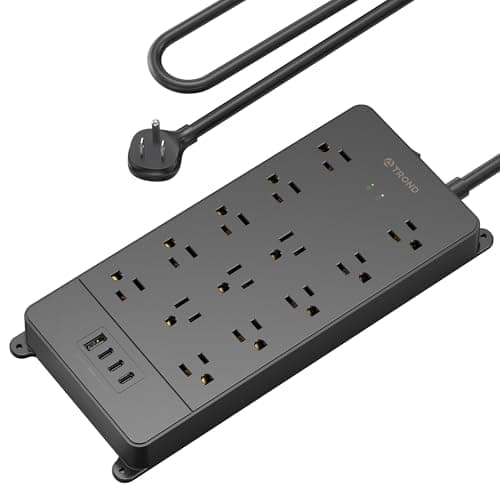
  • TROND Surge Protector Power Strip (4000 J, ETL Listed)

    TROND Surge Protector Power Strip (4000 J, ETL Listed)

    A powered desk, two monitors and a laptop brick all end up on one strip that travels with the top. Worth thirty dollars for that not to be the cheapest part of the setup.

    Materials ETL Listed — a real third-party safety listing from Intertek, and the only genuine certification in this list. You can look it up in Intertek's public directory the same way we tell you to check a GREENGUARD claim at UL SPOT.

Questions

Frequently asked

What is the best office chair for back pain?
The Steelcase Series 1 for most people — a flexing back that moves with your spine, real lumbar and depth adjustment, and a durability-tested frame that keeps its support for years. The Herman Miller Aeron is the longer-warranty, more repairable alternative, and the Branch Verve is the middle option with a height-adjustable lumbar rest and a published emissions certificate.
What chair features actually help back pain?
Adjustable lumbar support that reaches the curve of your lower back, a seat depth you can set for your leg length, and height-adjustable arms that take load off your shoulders. A frame durable enough to hold those settings for years matters too — a chair that sags reintroduces the slump you were avoiding.
Is a mesh or foam chair better for back pain?
Support geometry matters far more than the surface. Mesh distributes weight across a suspension and stays cool; a firm, well-shaped foam seat can support just as well and feels plusher at first. Choose the chair with the lumbar and seat-depth adjustment you can tune to your body, then pick the surface you prefer.
Will a standing desk fix my back pain instead?
Not on its own, and standing all day brings its own strain. The evidence favors alternating — a supportive chair for sitting, a standing desk for part of the day, and regular position changes between them. Our standing desks and back pain guide walks through what the research actually supports.
Can an expensive chair cure back pain?
No chair is a cure, and we won't pretend otherwise — this is not medical advice. A well-adjusted, supportive chair reduces the load on your spine while you sit, which can ease desk-related discomfort, but movement and, for persistent pain, a professional matter more than any single purchase.

Keep reading

Receipts

Sources

We do not run a testing lab, and we do not pretend to. We verify certifications in the certifying body's own registry, compile specs from manufacturer manuals, and cite health claims to recognized authorities — by name, with a link. Where we could not verify something, we say so on the page rather than quietly leaving it out. Read our full method.