Skip to content
Riser & Rail

01 — Standing Desks

The Best Standing Desk Converters

A converter is the right answer when the desk is not yours to replace — and the wrong one when it is. Here is the honest version of both.

By Stephen V.Updated How we research
#ad

We earn a commission when you buy through our Amazon links, at no extra cost to you. It never affects our rankings, and we say so when the cheaper — or the direct-only — product is the better buy. How this works.

Buy the VariDesk Pro Plus 36. It arrives assembled, the spring lift is smooth enough that you will use it several times a day, and Vari's own published certification table lists it with ANSI/BIFMA certification — which for a device holding two monitors above your lap is a more meaningful credential than it sounds. If you need to carry serious screen weight, the Ergotron WorkFit-T is the better machine and costs like it.

Who a converter is actually for

Three groups, and if you are not in one of them you should buy a desk instead:

  • Renters and people in shared offices who cannot remove or drill the desk they have.
  • People with a desk they love — an heirloom, a solid-wood slab, something with a shape a frame will not fit.
  • People testing the idea who do not yet know whether they will stand, and want a reversible experiment.

Everyone else is better served by a real sit-stand desk, which is steadier, does not steal desk depth, and costs less per square inch of working surface. We go through that trade in detail in standing desk vs converter.

The three lift mechanisms, and which one you want

Converters differ far more in how they move than in what they are made of, and the mechanism decides whether you use the thing.

  1. Spring-assisted vertical (VariDesk): rises straight up on a Z-frame with spring help. Predictable, keeps its footprint, and the surface stays over the same patch of desk at every height. The safest default.
  2. Constant-force / gas (Ergotron, VIVO): moves with one hand and stops anywhere you let go. The nicest to use and generally the highest capacity, but the mechanism costs money.
  3. Pneumatic arc (X-Elite): swings up in an arc, which brings the surface toward you as it rises. Simple and cheap, but you need standing room behind you and the working position shifts as you change height.

Two tiers or one surface?

A two-tier converter puts the monitor on the upper deck and the keyboard on a lower tray. That is the ergonomically correct arrangement: screen at eye level, hands at elbow level, which are not the same height and never were. A single-surface converter is simpler and better for laptop work and writing, but it forces the screen and the keyboard to share a height, and something has to be wrong.

Unless you work mainly on a laptop, buy the two-tier version. If you already own a single-tier riser, a keyboard tray underneath the host desk can restore the split for very little money.

The cost nobody quotes: desk depth

A converter sits on your desk, so its own depth comes straight out of your usable surface. A typical 36-inch converter is about 24 inches deep, which on a 30-inch desk leaves you six inches of real estate behind it and nothing in front. Measure your desk depth before you buy anything, and if you are on a 24-inch-deep desk, treat the deeper converters as unavailable regardless of how good they are.

The related failure is monitor distance. Push a screen back on a converter and you run out of deck; leave it forward and it is closer to your eyes than it should be. This is the single most common reason converter users end up with eye strain, and the fix is a monitor arm clamped to the host desk rather than a screen sitting on the converter deck.

Stability: the honest comparison

No converter is as steady as a decent sit-stand desk, because a converter is a stack. You have the host desk's own flex, plus the converter's mechanism, plus the height of the load above both. The good ones manage this well enough that you stop noticing; the cheap arc-lift ones bounce when you type hard at full height.

Two things help more than the brand does. First, put the converter over a leg or a frame rail rather than in the unsupported middle of a wide desk. Second, if the host desk itself wobbles, fix that before blaming the converter — the fixes in our wobble guide apply just as well to a fixed desk.

Materials, briefly and honestly

Converter decks are laminate over composite, exactly like desktops, and almost none of them publish an emissions certificate — including the ANSI/BIFMA-certified VariDesk, whose certification is structural rather than about emissions. That distinction matters and we will not blur it. Read what BIFMA covers if you want the detail. On the plus side, a converter deck is a much smaller piece of composite wood than a full desktop, so it is a smaller version of the same question.

The short answer

Quick picks

#ProductBest forScorePrice
01
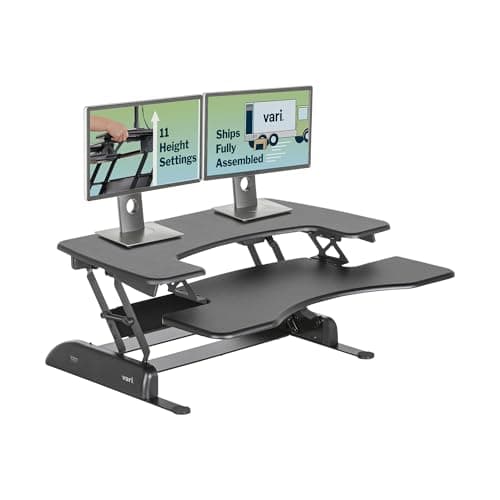
Vari Vari VariDesk Pro Plus 36 Converter
Vari VariDesk Pro Plus 36 Converter

The converter that defined the category — spring-loaded, arrives assembled, and its maker publishes a certification table.

Renters and offices that cannot replace the desk
7.6
$429.00Amazon
02
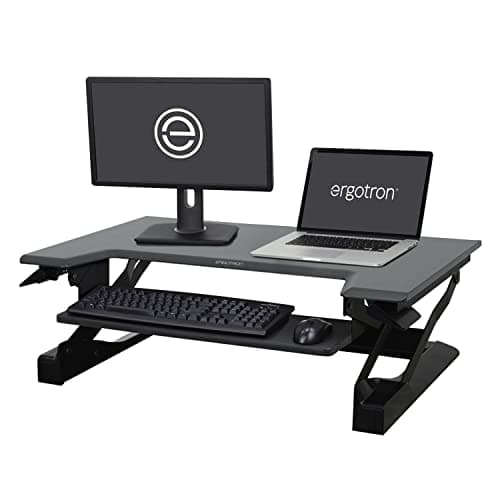
Ergotron Ergotron WorkFit-T Standing Desk Converter
Ergotron WorkFit-T Standing Desk Converter

The engineering-grade converter — the smoothest, most stable lift here, and priced accordingly.

Dual monitors on a converter, done properly
7.8
$419.54Amazon
03
FlexiSpot FlexiSpot Standing Desk Converter (36″)
FlexiSpot Standing Desk Converter (36″)

The convert-your-existing-desk route: a stable riser that sits on the desk you already own.

Renters and anyone who can't replace their desk
7.2
$124.99Amazon
04
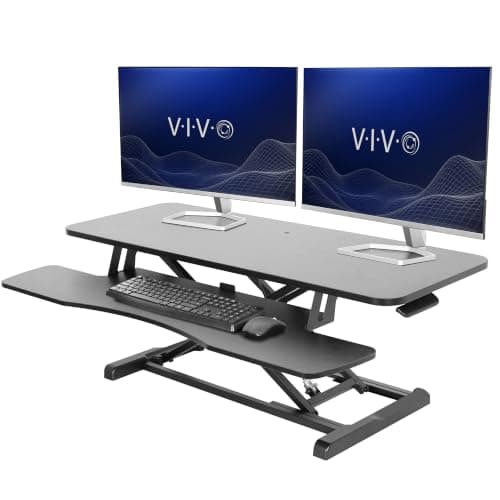
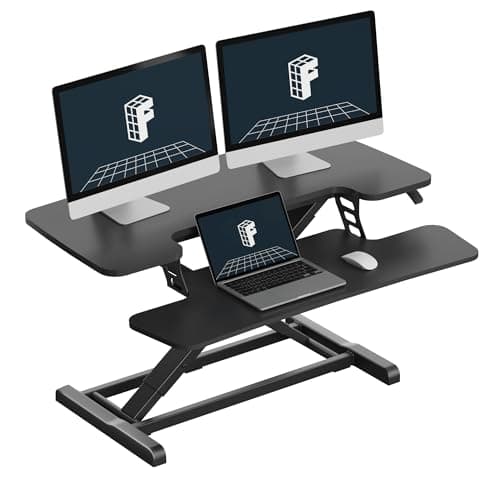
VIVO VIVO 42″ Standing Desk Converter
VIVO 42″ Standing Desk Converter

The wide-deck value pick — 42 inches of surface for well under the price of the premium converters.

Two screens on a budget
7.0
$179.99Amazon
05
Stand Steady Stand Steady X-Elite Pro Standing Desk Converter
Stand Steady X-Elite Pro Standing Desk Converter

The single-surface converter — one flat deck that lifts in an arc, which suits a laptop setup.

Laptop-and-one-screen setups that want a single surface
7.0
$226.99Amazon
06
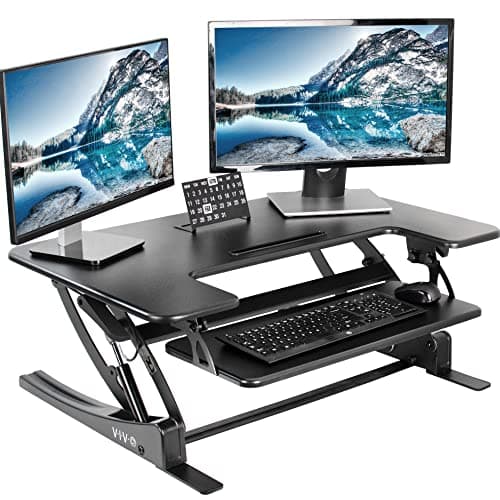
VIVO VIVO 36″ Standing Desk Converter
VIVO 36″ Standing Desk Converter

The long-running budget converter — a big two-tier surface that just works on top of your desk.

A wide converter on a budget
7.0
$199.99Amazon

#ad · Live prices from the Amazon Product API, as of Sep 6, 2026. Where we have no verified live price, we show none — we would rather leave a gap than print a number that has rotted.

In detail

The picks, in full

01
Vari Vari VariDesk Pro Plus 36 Converter

Renters and offices that cannot replace the desk

Vari VariDesk Pro Plus 36 Converter

36 in wide11 height settingsSpring-assisted liftShips assembled

Certification & materials

Vari's published certification table lists the VariDesk Pro Plus 36 with ANSI/BIFMA certification and shows no GREENGUARD row against it — so this is a structurally certified product, not a documented low-emission one. That distinction is exactly the kind we refuse to blur; verify the row yourself at vari.com/certifications.html.

7.6/10

The converter that defined the category — spring-loaded, arrives assembled, and its maker publishes a certification table.

Stability
8
Adjustment
8
Materials & certs
7
Build
9
Value
6

Pros

  • Out of the box and working in minutes — no assembly, no drilling into a desk you do not own
  • ANSI/BIFMA certification on a converter is genuinely rare
  • The spring lift is smooth enough that you will use it several times a day

Cons

  • No GREENGUARD row on Vari's own table — structurally certified, not emissions certified
  • Expensive for a device that sits on a desk you already paid for

Don't buy this if…

you can replace the desk. A full sit-stand desk is steadier, cheaper per square inch, and does not eat your desk depth.

$429.00View on Amazon

Price as of Sep 6, 2026. Prices change — Amazon's is the one that counts.

#ad · we may earn a commission from this link to Vari VariDesk Pro Plus 36 Converter

02
Ergotron Ergotron WorkFit-T Standing Desk Converter

Dual monitors on a converter, done properly

Ergotron WorkFit-T Standing Desk Converter

Dual-monitor capableConstant-force liftShips assembledErgotron warranty

Certification & materials

Ergotron is a long-established ergonomics manufacturer that publishes detailed product documentation, but we found no GREENGUARD registration for this model. It is judged here on lift quality and stability, not on an emissions certificate.

7.8/10

The engineering-grade converter — the smoothest, most stable lift here, and priced accordingly.

Stability
9
Adjustment
9
Materials & certs
6
Build
9
Value
6

Pros

  • The constant-force lift stays exactly where you leave it and moves with one hand
  • Genuinely carries two monitors, which most converters only claim
  • Built to a commercial standard, with support to match

Cons

  • Costs as much as a complete budget standing desk
  • Heavy and deep — it takes a real bite out of the desk underneath

Don't buy this if…

you only have a laptop. The WorkFit-T's whole value is carrying serious screen weight steadily.

$419.54View on Amazon

$565.0026% off

Price as of Sep 6, 2026. Prices change — Amazon's is the one that counts.

#ad · we may earn a commission from this link to Ergotron WorkFit-T Standing Desk Converter

03
FlexiSpot FlexiSpot Standing Desk Converter (36″)

Renters and anyone who can't replace their desk

FlexiSpot Standing Desk Converter (36″)

36 in wideSits on existing deskKeyboard trayGas-spring lift

Certification & materials

A converter is a steel-and-laminate riser, not a composite-wood desktop, so the formaldehyde question is far smaller here. No formal emissions certificate is published; the material risk is inherently low.

7.2/10

The convert-your-existing-desk route: a stable riser that sits on the desk you already own.

Stability
7
Adjustment
7
Materials & certs
7
Build & motor
7
Value
8

Pros

  • Turns any desk into a sit-stand setup for a fraction of a full electric desk
  • Nothing to disassemble — it lifts off if you move

Cons

  • Eats desk depth and raises the monitor and keyboard together, which can be too high or too low for some heights
  • Less stable at full height than a dedicated electric desk

Don't buy this if…

you have room and budget for a real electric desk — a converter is the compromise, not the ideal, and a full desk is steadier and roomier.

$124.99View on Amazon

Price as of Sep 6, 2026. Prices change — Amazon's is the one that counts.

#ad · we may earn a commission from this link to FlexiSpot Standing Desk Converter (36″)

04
VIVO VIVO 42″ Standing Desk Converter

Two screens on a budget

VIVO 42″ Standing Desk Converter

42 in wide deckSeparate keyboard tierGas-spring liftShips assembled

Certification & materials

No GREENGUARD or BIFMA certification published for this model. Composite deck on a steel frame — uncertified on emissions.

7.0/10

The wide-deck value pick — 42 inches of surface for well under the price of the premium converters.

Stability
7
Adjustment
7
Materials & certs
5
Build
7
Value
9

Pros

  • A genuinely wide top tier that takes two monitors without crowding
  • Costs a fraction of the Ergotron while doing most of the same job

Cons

  • Heavier and less refined in motion than the constant-force lifts
  • The wide deck swallows a lot of the desk it sits on

Don't buy this if…

your desk is shallow. A 42-inch converter on a 24-inch-deep desk leaves nowhere to put anything else.

$179.99View on Amazon

Price as of Sep 6, 2026. Prices change — Amazon's is the one that counts.

#ad · we may earn a commission from this link to VIVO 42″ Standing Desk Converter

05
Stand Steady Stand Steady X-Elite Pro Standing Desk Converter

Laptop-and-one-screen setups that want a single surface

Stand Steady X-Elite Pro Standing Desk Converter

Single-tier surfacePneumatic liftShips assembledSqueeze-handle adjust

Certification & materials

No GREENGUARD or BIFMA certification published for this model. It is a laminate-over-composite deck on a steel arm — treat the surface as uncertified on emissions.

7.0/10

The single-surface converter — one flat deck that lifts in an arc, which suits a laptop setup.

Stability
7
Adjustment
8
Materials & certs
5
Build
7
Value
8

Pros

  • One continuous surface instead of a split keyboard tier, which suits laptops and note-taking
  • The pneumatic squeeze handle is the easiest one-handed adjustment in this list

Cons

  • The arc motion brings the surface toward you as it rises, so you need room to step back
  • No published certification, and the deck is composite

Don't buy this if…

you type on a separate keyboard all day. A split-tier converter puts the keyboard below the screen, which is the better posture.

$226.99View on Amazon

Price as of Sep 6, 2026. Prices change — Amazon's is the one that counts.

#ad · we may earn a commission from this link to Stand Steady X-Elite Pro Standing Desk Converter

06
VIVO VIVO 36″ Standing Desk Converter

A wide converter on a budget

VIVO 36″ Standing Desk Converter

36 in wideTwo-tierHeight-adjustableKeyboard tray

Certification & materials

Steel frame with a laminate work surface — a low material-risk product, not a composite-wood desktop. No formal emissions certificate published; the risk is inherently low.

7.0/10

The long-running budget converter — a big two-tier surface that just works on top of your desk.

Stability
7
Adjustment
6
Materials & certs
7
Build & motor
7
Value
8

Pros

  • Large upper surface holds two monitors on the converter itself
  • One of the cheapest ways into sit-stand without changing your desk

Cons

  • Heavy and bulky; it dominates the desk it sits on
  • Fixed monitor-to-keyboard spacing won't suit every height

Don't buy this if…

your desk is shallow — a two-tier converter needs depth, and it will hang off the front of a small desk.

$199.99View on Amazon

Price as of Sep 6, 2026. Prices change — Amazon's is the one that counts.

#ad · we may earn a commission from this link to VIVO 36″ Standing Desk Converter

How to buy a sit-stand converter

Measure your desk depth first

The converter's depth comes out of your desk. Under 26 inches of desk depth, stick to the compact models; at 30 inches you can take almost anything.

Count your monitors honestly

Two monitors on a converter needs real capacity and a wide deck. A cheap riser rated "dual-monitor" with two 27-inch screens on it is how you learn what a bouncy keyboard deck feels like.

Pick two tiers unless you are laptop-only

Screen at eye level and hands at elbow level are different heights. A split-tier converter is the only one that respects that.

Check the standing height it reaches

A converter adds its travel to your existing desk height. If your desk is 29 inches and the converter lifts 16, you top out at 45 — which is short for anyone over about six feet. Get your target from the height calculator and check the math before ordering.

Prefer a lift you can work one-handed

Two-handed squeeze bars mean you put your coffee down every time. It sounds trivial; it is the difference between four height changes a day and one.

Plan the cables for a surface that moves

Everything on the converter travels 16 inches several times a day. Give it slack, bundle it, and route it off the back — see cable management.
How we picked

We do not run a testing lab

We compiled specs from manufacturer manuals, verified every certification claim in the certifying body's own registry (UL SPOT for GREENGUARD, BIFMA, CARB), did the cost-to-own math, and read the aggregated owner reviews, then scored each product against a published rubric. The scores are judgments from documented research — they are not measurements we took, because we do not have a lab and we are not going to pretend we do.

Small things, same day

Desk-day essentials under $40

None of these will change which desk you should buy. They are the cheap, unglamorous parts that decide whether the desk you do buy is pleasant to use on a Tuesday — and, where the material is the whole point of the thing, we have said what it is and what it is not certified to.

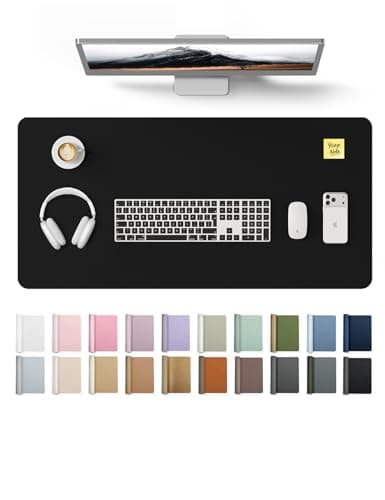
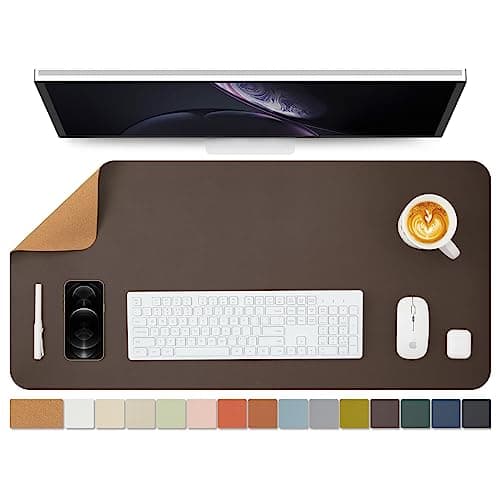
  • YSAGi PU Leather Desk Pad (31.5 × 15.8 in)

    YSAGi PU Leather Desk Pad (31.5 × 15.8 in)

    The cheapest way to stop a laminate top getting scratched, and it gives the mouse one consistent surface at both sitting and standing height.

    Materials YSAGi lists it as PU — polyurethane, the same polymer we prefer over PVC on the mats side, and for the same reason: no plasticizer question. No emissions certificate is published for it, and at this price we would not expect one.

  • Cork Desk Mat, dual-sided (36 × 17 in)

    Cork Desk Mat, dual-sided (36 × 17 in)

    The natural-material option if a polymer sheet on your desk is exactly the thing you are trying to avoid. Wide enough that keyboard and mouse both sit on it.

    Materials Sold as a dual-sided cork mat — cork is bark rather than a polymer sheet, which is the whole reason to pick it here. The seller does not publish what the backing or the second face is made of, and there is no emissions certificate, so treat it as uncertified like the rest of this list.

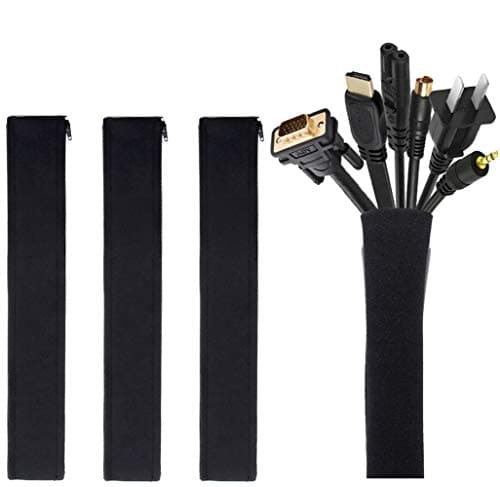
  • JOTO Cable Management Sleeve (4-pack, 19-20 in)

    JOTO Cable Management Sleeve (4-pack, 19-20 in)

    A sit-stand desk drags its entire cable loom up and down twenty times a day. Sleeving the run is the single cheapest thing that stops a cable snagging mid-travel.

    Materials No certification is published, and none would mean anything on a cable wrap. This one is on the list for what it prevents, not for what it is made of.

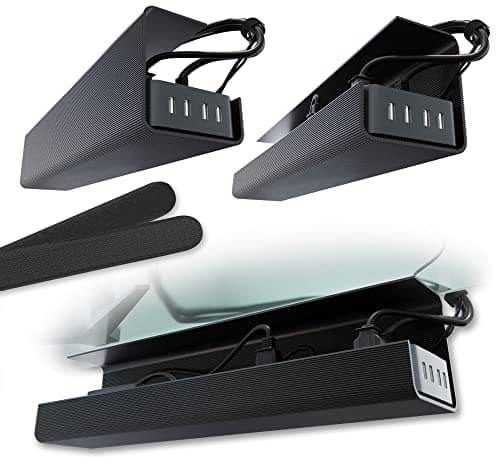
  • Scanfield No-Screw Under-Desk Cable Tray (17 in, 2-pack)

    Scanfield No-Screw Under-Desk Cable Tray (17 in, 2-pack)

    Gets the power strip and the laptop brick off the floor and onto the underside of the top, so the whole lot travels with the desk instead of tugging at it.

    Materials No certification is published and none applies to a tray. The reason it is this one: the no-screw mount means nothing gets drilled into a desktop you may have chosen precisely because it is intact and certified.

  • Amazer Bamboo 2-in-1 Reversible Rocking Footrest

    Amazer Bamboo 2-in-1 Reversible Rocking Footrest

    Rock it while you sit, flip it to a fixed angle while you stand. Movement is the entire point of alternating, and this is the cheapest way to add some.

    Materials Bamboo. Bamboo panel is normally laminated with an adhesive, and Amazer publishes no formaldehyde or emissions certificate for this model — we are not going to imply it has one.

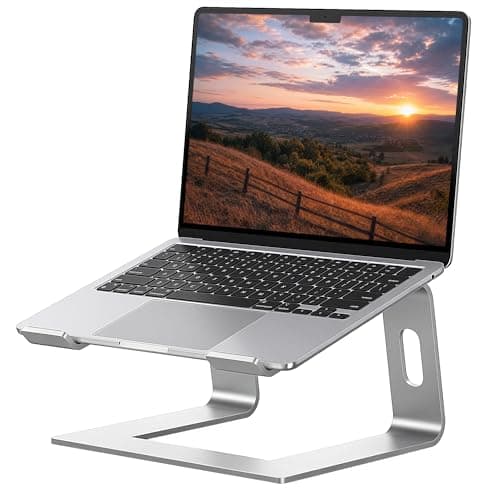
  • SOUNDANCE Aluminum Laptop Stand (10-15.6 in)

    SOUNDANCE Aluminum Laptop Stand (10-15.6 in)

    If you work off a laptop, no amount of desk height fixes a screen sitting in your lap. This lifts it toward eye level for under twenty dollars.

    Materials Solid aluminum — no composite panel, no adhesive, nothing to off-gas. That is the honest appeal of a metal accessory on a site like this, and it needs no certificate to be true.

  • Gorilla Grip Memory Foam Wrist Rest (keyboard + mouse, 2-piece)

    Gorilla Grip Memory Foam Wrist Rest (keyboard + mouse, 2-piece)

    Standing does not fix wrist extension; keeping the wrist neutral does. Two pieces, so the mouse hand gets one as well.

    Materials Memory foam under a fabric cover. No emissions or content certificate is published — memory foam is polyurethane foam, and if that is a hard line for you, skip this one rather than talk yourself into it.

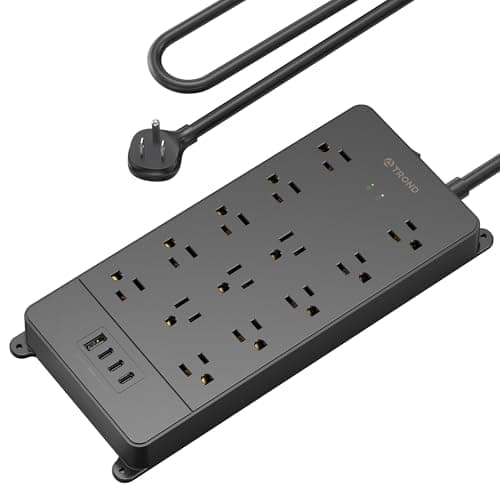
  • TROND Surge Protector Power Strip (4000 J, ETL Listed)

    TROND Surge Protector Power Strip (4000 J, ETL Listed)

    A powered desk, two monitors and a laptop brick all end up on one strip that travels with the top. Worth thirty dollars for that not to be the cheapest part of the setup.

    Materials ETL Listed — a real third-party safety listing from Intertek, and the only genuine certification in this list. You can look it up in Intertek's public directory the same way we tell you to check a GREENGUARD claim at UL SPOT.

Questions

Frequently asked

Are standing desk converters any good?
The good ones are genuinely good — assembled in minutes, no drilling, and reversible. They are the right answer if you cannot replace the desk. They are the wrong answer if you can: a real sit-stand desk is steadier, does not cost you desk depth, and is cheaper per square inch.
How much desk space does a converter take up?
Its full footprint, permanently. A typical 36-inch converter is around 24 inches deep, which on a 30-inch desk leaves very little behind it. Measure your desk depth before you shop.
Can a converter hold two monitors?
The high-capacity ones can — the Ergotron WorkFit-T and the wide VIVO decks are designed for it. Cheap arc-lift risers claim it and bounce. A better solution on any converter is to clamp a monitor arm to the host desk so the screens are not on the moving deck at all.
Is a converter BIFMA certified?
Almost none are. Vari's published table lists the Pro Plus 36 with ANSI/BIFMA certification, which is unusual in this category. Note that BIFMA is a structural and safety standard — it says nothing about emissions.
Will a converter make my desk wobble?
It will reveal wobble that was already there, and add a little of its own by raising the load. Place it over a desk leg rather than the unsupported middle, and fix the host desk first if it moves.

Keep reading

Receipts

Sources

We do not run a testing lab, and we do not pretend to. We verify certifications in the certifying body's own registry, compile specs from manufacturer manuals, and cite health claims to recognized authorities — by name, with a link. Where we could not verify something, we say so on the page rather than quietly leaving it out. Read our full method.