Buy the Steelcase Series 1. It pairs an adjustable lumbar with a LiveBack that changes shape as you move, and Steelcase publishes more paper for it than any other chair we rank — a dated compliance certificate to ANSI/BIFMA X5.1 and X5.11 at 400 lb, plus a cut sheet naming BIFMA LEVEL 3, CAL 117 and SCS Indoor Advantage Gold. The budget pick is the SIHOO M57, which is the cheapest chair on this site with a lumbar pad you can genuinely move rather than a curve molded into the back. If your spine wants support lower and firmer than a pad, the Classic Aeron's PostureFit is a different mechanism entirely, and it is the one to try.
Who each pick is for
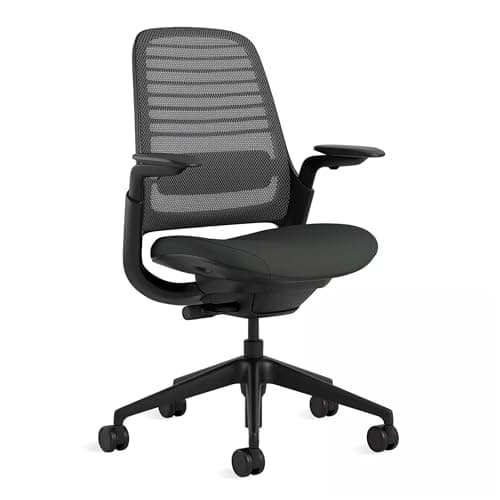
- Steelcase Series 1 — buy-it-once support with documented certification, for someone who will actually set the lumbar height once and leave it right.
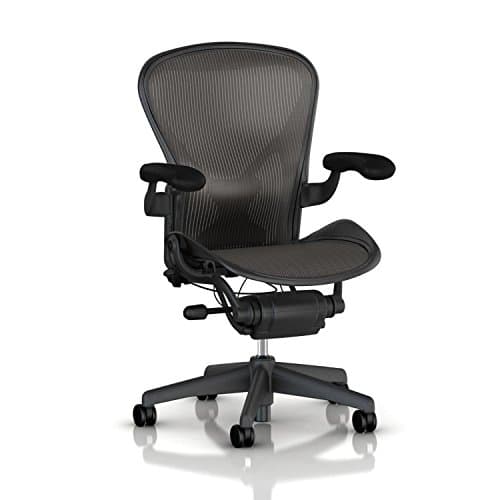
- Herman Miller Classic Aeron (size B) — a sacral-support mechanism rather than a lumbar pad, for the sitter whose problem is the bottom of the curve.
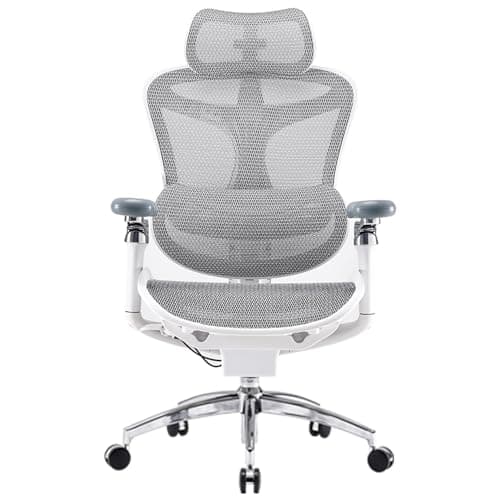
- SIHOO Doro C300 Pro — short femurs, tall sitters and shared desks: the one Doro whose listing names seat-depth adjustment as well as dynamic lumbar.
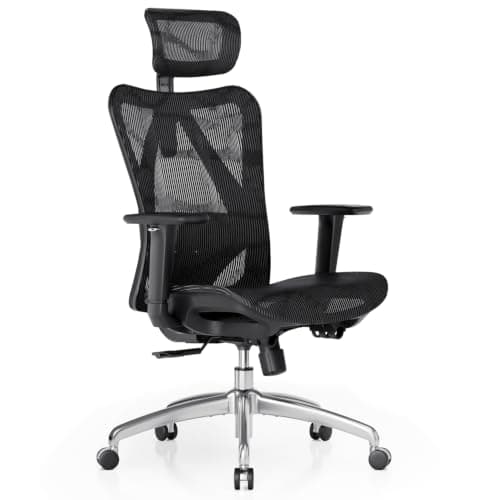
- SIHOO M57 (budget pick) — the lowest price that still buys real lumbar adjustment and 3D arms.
Four different things, one phrase
"Lumbar support" on a product listing can mean any of the following, and the gap between the first and the last is the whole purchase.
A shape in the backrest
A molded curve. It supports whoever happens to share its radius and height, and nobody else. It cannot be adjusted because there is nothing to adjust, and a listing will still call it lumbar support. The Branch Daily is honest about this — its row records a fixed lumbar rest — and it is why we send readers with existing back pain further up the range.
A pad that moves up and down
Height-adjustable lumbar. This is the first version that is worth paying for, because the location of your lumbar curve is a fact about your torso length and it is not the same as the person who designed the chair. The Steelcase Series 1 and the SIHOO M57 both have this.
A pad that moves in and out as well
Depth-adjustable, sometimes sold as 2D or 4D lumbar. It sets how aggressively the curve pushes into you, which is the difference between support and a knuckle in the back after three hours.
A mechanism that responds to load
Self-adaptive, dynamic, or a named system such as PostureFit. Instead of a pad you set, the structure changes with your weight and posture. The Classic Aeron's PostureFit addresses the sacrum and the base of the spine rather than the lumbar curve above it, which is a genuinely different target — and the reason some people who dislike every lumbar pad they have tried get on with an Aeron.
None of these is universally best. What matters is that you know which one you bought, because three of the four cannot be corrected later and one of them cannot be corrected at all.
Setting it, which almost nobody does
An adjustable lumbar that is never adjusted is a molded curve with extra steps, and this is the single most common waste of money in ergonomic seating. The method takes two minutes. Sit all the way back. Find the inward curve at the small of your back with your hand. Set the pad so its fullest point sits in that curve, not above it in your mid-back and not below it on your pelvis. Then set depth so you feel contact when you sit upright and no pressure when you recline.
OSHA's workstation guidance and Mayo Clinic both put the backrest's job in the same place — supporting the natural inward curve of the lower back — and Cornell adds the part people miss, which is that a reclined posture needs the support to come with you rather than stay where an upright posture put it. That is exactly what a load-responsive mechanism buys you, and exactly what a fixed pad cannot. Our chair adjustment guide has the full order of operations, seat height first.
When the chair is not the answer
If you already own a chair with a decent seat and the only failing is the back, a cushion costs a fraction of a new chair and works — the best lumbar support cushions ranks them, and says plainly when a cushion cannot rescue a chair. If the pain is radiating rather than aching, the relevant pages are chairs for sciatica and chairs for back pain, which rank on different criteria again. And if you sit for eight hours at a stretch, no lumbar mechanism beats changing posture — which is the argument for a sit-stand desk and the reason this site exists.
This is general information about product specifications, not medical advice. Persistent or radiating back pain is worth a clinician's opinion before it is worth a chair.
Before you buy
The five-minute lumbar check
1. Ask which of the four mechanisms it is
Moulded shape, height-adjustable pad, height-and-depth-adjustable pad, or load-responsive. If the listing will not say, assume the cheapest one.
2. Measure where your own curve is
Sitting upright, the fullest part of the inward curve is usually a hand's width above the top of the pelvis. A chair whose pad cannot reach that height is the wrong chair.
3. Check the seat depth in the same breath
You cannot use the backrest if the seat pushes you forward off it. A fixed deep seat defeats a perfect lumbar pad, which is why the Doro C300 Pro's depth adjustment matters more than its extra armrest axes.
4. Separate the recline from the support
A chair that tilts does not necessarily keep supporting your lumbar while tilted. If you recline to think, look for a back that follows you.
5. Read the certificate, not the badge
A named certifier and a searchable registry is documentation. "BIFMA certified" with no number is marketing — see our BIFMA explainer.
6. Then set it, on day one
Thirty seconds of adjustment is the difference between the chair you paid for and a molded curve. Do it before the novelty wears off.