Skip to content
Riser & Rail

04 — Accessories

The Best Under-Desk Keyboard Trays

Most desks are two inches too high for most people. A tray is the cheapest way to fix that without lowering your monitor with it.

By Stephen V.Updated How we research
#ad

We earn a commission when you buy through our Amazon links, at no extra cost to you. It never affects our rankings, and we say so when the cheaper — or the direct-only — product is the better buy. How this works.

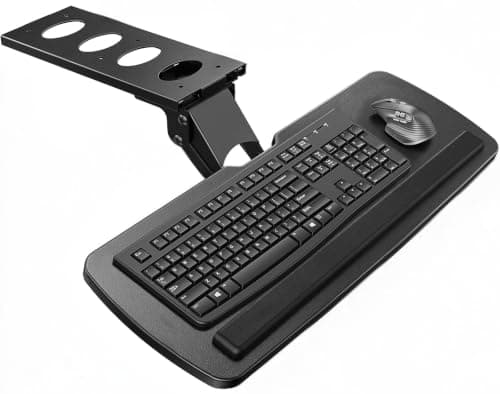
Buy the VIVO platform tray. It gives you the one thing that actually matters — negative tilt, which drops the far edge of the keyboard so your wrists stop bending upward — on a platform wide enough for a keyboard and a mouse together. If you cannot drill into your desk, buy the C-clamp version instead; it costs a little more and leaves no holes.

The problem a tray solves

Standard desks are about 29 to 30 inches high. Seated, most people's elbows sit somewhere between 25 and 28 inches off the floor. That gap is why so many people type with their shoulders slightly shrugged and their wrists bent upward — a posture ergonomics guidance consistently warns against, because extended wrists narrow the carpal tunnel and loaded shoulders ache.

You can fix this three ways: raise your chair (and then your feet dangle), lower the desk (and then your monitor is too low), or drop the keyboard below the desk surface. The tray is the third option, and it is the only one that fixes the wrist angle without breaking something else.

Negative tilt is the whole feature

A flat tray at a lower height helps. A tray with negative tilt — the far edge lower than the near edge — helps considerably more, because it puts your wrists in a neutral or slightly flexed position rather than an extended one. Those little flip-out feet on the back of your keyboard do exactly the wrong thing; they tilt the keyboard toward you and increase wrist extension. Fold them away.

This is why the cheap fixed-height keyboard drawers rank last here. A drawer with no tilt gets your keyboard out of the way, which is a storage benefit, not an ergonomic one. If your wrists hurt, buy tilt.

Clamp or screw

  • Screw-mount trays are rigid, cheap and permanent. They need a desk underside you are allowed to drill into and at least three-quarters of an inch of solid material to bite into — a thin veneer over hollow board will not hold.
  • C-clamp trays leave no holes and come off cleanly. They need a clear, flat front edge with no apron, lip or drawer in the way, and the clamps take a strip of desktop out of use.

Measure your desk edge before ordering a clamp model. An apron or a front rail is the most common reason one gets returned.

Width, and the mouse problem

Half the point of a tray is defeated if your mouse stays up on the desk, because your mousing arm then works two inches higher than your typing hand — which is exactly the shoulder posture you were trying to fix. Buy a platform wide enough for the keyboard and the mouse, or buy a tray with a swing-out mouse pad.

Left-handed users should look specifically for a rotating mouse platform that swings to either side. Most fixed trays assume a right-handed setup and quietly leave you worse off. A vertical or trackball mouse also helps here, because it reduces how much lateral space you need in the first place.

Trays on a standing desk

Here is the counterintuitive part: if you already have a good sit-stand desk, you probably do not need a tray, because you can set the desk to your elbow height in either posture. Where trays still earn their place on a sit-stand setup is when the desk cannot go low enough for seated work — which is common for shorter users, since many desks bottom out around 28 inches.

The other case is a sit-stand converter. Single-surface converters force your screen and keyboard to the same height; a tray under the host desk restores the split. Our converter roundup flags which models already have two tiers.

Fit the tray, then check everything else

A tray is one of three heights that have to be right. Once the keyboard is at elbow level, the monitor almost always needs to come up to match — that is what a monitor arm is for — and if your feet no longer reach the floor comfortably, add a footrest. Get all three and the setup is genuinely correct; get one and you have moved the problem. The posture guide has the full sequence.

The short answer

Quick picks

#ProductBest forScorePrice
01
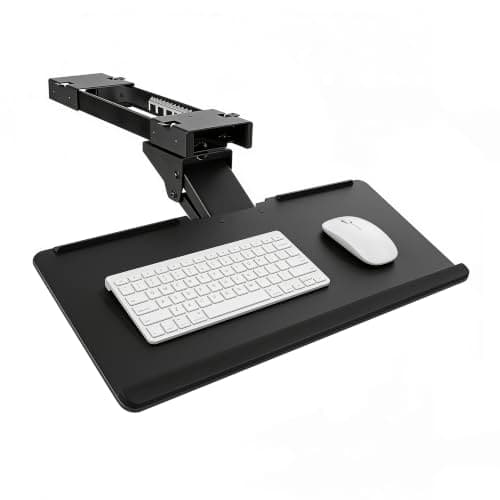
VIVO VIVO Adjustable Keyboard & Mouse Platform Tray
VIVO Adjustable Keyboard & Mouse Platform Tray

The default under-desk tray: a wide platform, a real tilt range, and a price that makes fixing your wrists easy.

Most desks that sit slightly too high
7.8
$53.99Amazon
02
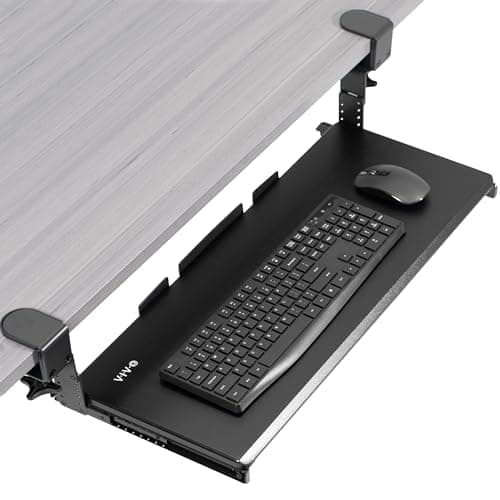
VIVO VIVO Large Height-Adjustable Keyboard Tray (C-clamp)
VIVO Large Height-Adjustable Keyboard Tray (C-clamp)

The renter's tray — it clamps on, so nothing gets drilled and nothing gets damaged.

Rented desks, glass tops and anything you cannot drill
8.2
$69.99Amazon
03
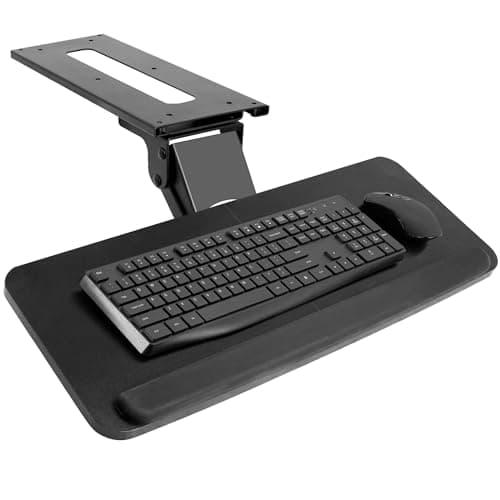
HUANUO HUANUO Under-Desk Keyboard Tray with Rotating Mouse Platform
HUANUO Under-Desk Keyboard Tray with Rotating Mouse Platform

The one with a swinging mouse pad — the fix if your mousing arm, not your typing hand, is the sore one.

Mouse-heavy work and left-handed users
7.4
$69.99Amazon
04
3M 3M Adjustable Under-Desk Keyboard Drawer
3M Adjustable Under-Desk Keyboard Drawer

The named-brand ergonomics option — three fixed heights, a gel wrist rest included, and 3M's name on the box.

Offices that want a brand and a spec sheet
7.0
Check price →
05
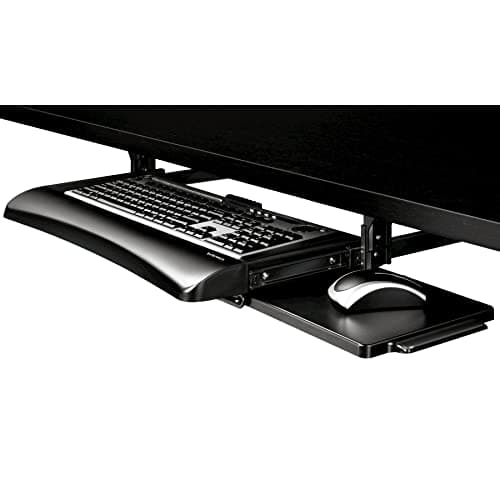
Fellowes Fellowes Office Suites Under-Desk Keyboard Drawer
Fellowes Office Suites Under-Desk Keyboard Drawer

The cheap, simple drawer — no tilt, no height range, just gets the keyboard off the desktop.

Reclaiming desk surface on a tight budget
6.2
$36.99Amazon

#ad · Live prices from the Amazon Product API, as of Sep 6, 2026. Where we have no verified live price, we show none — we would rather leave a gap than print a number that has rotted.

In detail

The picks, in full

01
VIVO VIVO Adjustable Keyboard & Mouse Platform Tray

Most desks that sit slightly too high

VIVO Adjustable Keyboard & Mouse Platform Tray

Keyboard + mouse platformNegative tiltSlide-out railsScrews to the desk

Certification & materials

Not a materials-certification product — a steel mechanism with a laminated platform, judged on tilt range, travel and mounting.

7.8/10

The default under-desk tray: a wide platform, a real tilt range, and a price that makes fixing your wrists easy.

Wrist posture
9
Adjustability
8
Build
7
Ease of install
6
Value
9

Pros

  • Negative tilt is the whole point: it drops the far edge so your wrists stop extending upward
  • Wide enough for a full keyboard and a mouse, so your arm stays at the same height as your hand
  • Cheap relative to the problem it solves

Cons

  • Mounts with screws into the underside of the desk — not an option on a rented or laminate-thin surface
  • Adds a few inches of height under the desk, which matters on a low desk

Don't buy this if…

you cannot drill into your desk. Look at a C-clamp tray instead — it costs a little more and leaves no holes.

$53.99View on Amazon

$69.9923% off

Price as of Sep 6, 2026. Prices change — Amazon's is the one that counts.

#ad · we may earn a commission from this link to VIVO Adjustable Keyboard & Mouse Platform Tray

02
VIVO VIVO Large Height-Adjustable Keyboard Tray (C-clamp)

Rented desks, glass tops and anything you cannot drill

VIVO Large Height-Adjustable Keyboard Tray (C-clamp)

C-clamp mountHeight adjustableWide platformNo drilling

Certification & materials

Not a materials-certification product. Judged on clamp grip, height range and platform size.

8.2/10

The renter's tray — it clamps on, so nothing gets drilled and nothing gets damaged.

Wrist posture
8
Adjustability
9
Build
7
Ease of install
9
Value
8

Pros

  • Zero holes — it comes off as cleanly as it went on, which matters on a desk you do not own
  • Height adjustable as well as tiltable, so it suits desks that are badly wrong rather than slightly wrong

Cons

  • The clamps sit on top of the desk edge, eating a strip of usable surface
  • Not compatible with a desk that has a lip, drawer or apron at the front edge

Don't buy this if…

your desk has a front apron or an overhanging edge. Measure the clamp opening against your desk before ordering.

$69.99View on Amazon

Price as of Sep 6, 2026. Prices change — Amazon's is the one that counts.

#ad · we may earn a commission from this link to VIVO Large Height-Adjustable Keyboard Tray (C-clamp)

03
HUANUO HUANUO Under-Desk Keyboard Tray with Rotating Mouse Platform

Mouse-heavy work and left-handed users

HUANUO Under-Desk Keyboard Tray with Rotating Mouse Platform

Rotating mouse platformTilt adjustmentSlide-out railsScrew mount

Certification & materials

Not a materials-certification product. Judged on tilt, travel and the mouse platform's stability.

7.4/10

The one with a swinging mouse pad — the fix if your mousing arm, not your typing hand, is the sore one.

Wrist posture
8
Adjustability
9
Build
6
Ease of install
6
Value
8

Pros

  • The mouse platform swings to either side, so left-handed users finally get a matched setup
  • Keeps the mouse at keyboard height instead of up on the desk, which is where shoulder pain starts

Cons

  • The rotating arm is the part with play in it — it is never as solid as a fixed platform
  • Screw-mount only

Don't buy this if…

you barely use a mouse. A simple wide tray is sturdier and cheaper.

$69.99View on Amazon

$89.9922% off

Price as of Sep 6, 2026. Prices change — Amazon's is the one that counts.

#ad · we may earn a commission from this link to HUANUO Under-Desk Keyboard Tray with Rotating Mouse Platform

04
3M 3M Adjustable Under-Desk Keyboard Drawer

Offices that want a brand and a spec sheet

3M Adjustable Under-Desk Keyboard Drawer

Three height settingsGel wrist rest includedWide trayUnder-desk mount

Certification & materials

Not a materials-certification product. 3M is an established ergonomics manufacturer that publishes product documentation; judged here on height range and tray size.

7.0/10

The named-brand ergonomics option — three fixed heights, a gel wrist rest included, and 3M's name on the box.

Wrist posture
8
Adjustability
6
Build
8
Ease of install
7
Value
6

Pros

  • Discrete height settings are easier to reproduce than a continuously adjustable mechanism
  • The included gel rest is a real wrist rest, not a token foam strip
  • A brand a workplace purchasing team will actually approve

Cons

  • Three fixed heights is less flexible than continuous adjustment
  • Costs more than the VIVO trays that do the same job

Don't buy this if…

you need fine height control. Fixed steps either land where you need them or they do not.

Check price on Amazon →

No buyable offer at the last price check (Sep 6, 2026). We show nothing rather than a stale number.

#ad · we may earn a commission from this link to 3M Adjustable Under-Desk Keyboard Drawer

05
Fellowes Fellowes Office Suites Under-Desk Keyboard Drawer

Reclaiming desk surface on a tight budget

Fellowes Office Suites Under-Desk Keyboard Drawer

Slide-out drawerFixed heightEstablished brandScrew mount

Certification & materials

Not a materials-certification product. Judged on slide quality and capacity.

6.2/10

The cheap, simple drawer — no tilt, no height range, just gets the keyboard off the desktop.

Wrist posture
5
Adjustability
4
Build
7
Ease of install
7
Value
8

Pros

  • The cheapest way to get a keyboard off the desk and out of the way when you are not typing
  • Fellowes is a real office-products brand with a support channel

Cons

  • No tilt and no height adjustment, so it does not fix wrist extension — it only relocates the keyboard
  • Shallow, so a full-size keyboard plus mouse will not fit

Don't buy this if…

your wrists hurt. Without negative tilt this is a storage solution, not an ergonomic one — buy the VIVO tray.

$36.99View on Amazon

Price as of Sep 6, 2026. Prices change — Amazon's is the one that counts.

#ad · we may earn a commission from this link to Fellowes Office Suites Under-Desk Keyboard Drawer

How to buy a keyboard tray

Insist on negative tilt

Downward slope away from you. Without it you have bought a drawer, not an ergonomic fix.

Measure your desk underside

Screw mounts need solid material to bite into and clear space for the rails. Clamp mounts need a flat front edge with no apron.

Get the mouse on the tray too

A keyboard-only tray leaves your mousing arm working at desk height, which is half the original problem left in place.

Check the travel clears your chair arms

A tray hangs a couple of inches below the desk. If your armrests already just clear the desk, they will not clear the tray.

Left-handed? Buy the rotating platform

Fixed trays assume right-handed mousing. A swing-out platform is the only version that works properly on the other side.
How we picked

We do not run a testing lab

We compiled specs from manufacturer manuals, verified every certification claim in the certifying body's own registry (UL SPOT for GREENGUARD, BIFMA, CARB), did the cost-to-own math, and read the aggregated owner reviews, then scored each product against a published rubric. The scores are judgments from documented research — they are not measurements we took, because we do not have a lab and we are not going to pretend we do.

Questions

Frequently asked

Do keyboard trays actually help wrist pain?
They help the cause of a lot of it: a keyboard above elbow height forces your wrists into extension. A tray with negative tilt puts them back to neutral. It will not fix a wrist problem caused by something else, and persistent pain deserves a clinician.
What is negative tilt on a keyboard tray?
The far edge of the keyboard sits lower than the near edge, sloping away from you. That keeps your wrists straight or slightly flexed instead of bent upward. The flip-out feet on the back of most keyboards do the opposite and should stay folded.
Do I need a keyboard tray if I have a standing desk?
Usually not, because you can set the desk to your elbow height in both postures. The exceptions are desks that will not go low enough for seated work — common for shorter users — and single-surface sit-stand converters.
Can you install a keyboard tray without drilling?
Yes — C-clamp trays mount to the front edge with no holes. They need a flat edge with no apron or drawer in the way, and the clamps use a strip of your desktop.

Keep reading

Receipts

Sources

We do not run a testing lab, and we do not pretend to. We verify certifications in the certifying body's own registry, compile specs from manufacturer manuals, and cite health claims to recognized authorities — by name, with a link. Where we could not verify something, we say so on the page rather than quietly leaving it out. Read our full method.