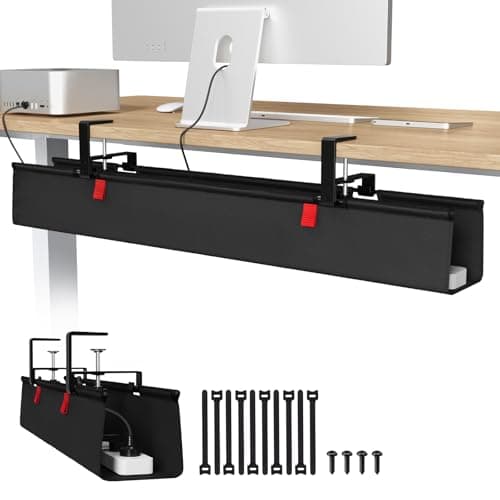
Start with a long under-desk tray and a desk-mounted power strip. Together they turn a dozen cables that dangle into one cord that travels — which is the entire principle of standing-desk cabling, and the reason people stop raising their desks when they skip it. Add a sleeve for the drop to the floor and adhesive raceway for the run that never moves, and you are done for good.
The one rule: separate traveling from fixed
A standing desk cable problem is not a tidiness problem, it is a motion problem. Every cable falls into one of two groups, and the mistake is treating them the same.
- Traveling cables connect things that are ON the desk — monitor, laptop, lamp, dock, speakers. These move up and down 16 inches several times a day. They need slack, a flexible bundle, and no sharp anchor points.
- Fixed cables run from the wall to the room — the single feed to your power strip, an ethernet drop. These never move and should be pinned down hard, out of the way.
Get everything on the desk plugged into a strip mounted to the desk, and you reduce the traveling group to one cable. That is the whole method, and everything below is implementation.
Step one: mount the power strip to the desk
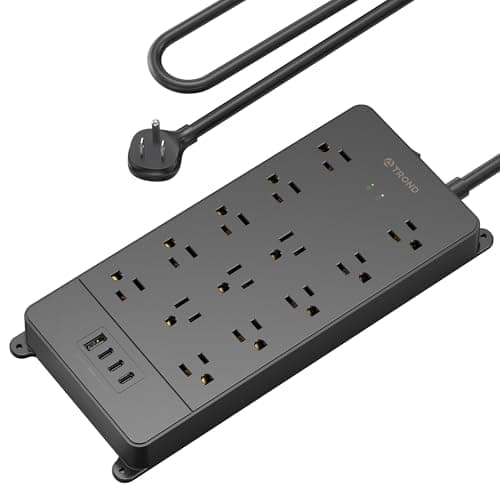
Not on the floor. A strip attached to the underside of the desktop rises and falls with everything plugged into it, so the monitor cable, the laptop brick and the lamp never move relative to their outlet. One cord goes to the wall.
Two safety notes, because this is the one part of desk cabling that can actually hurt you. Use a strip with a genuine third-party safety listing — ETL or UL — rather than an unbranded one, and never plug one strip into another. And keep high-draw appliances off it: a walking pad, a heater or a kettle belongs in a wall outlet, not on a desk strip.
Step two: get the bricks off the floor
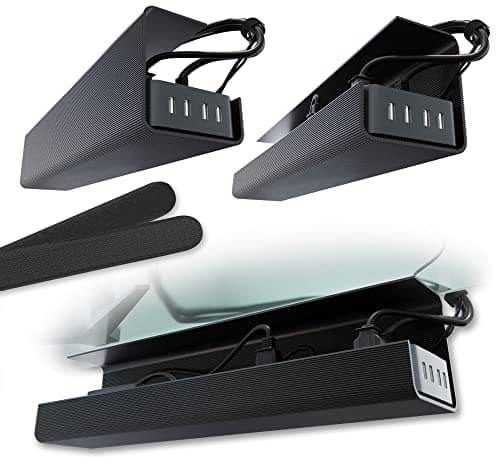
An under-desk tray is the piece that makes the rest work. Everything heavy — the strip, the laptop charger, the monitor brick, the dock — lives in the tray, bolted to the moving desk. Nothing hangs, nothing swings, nothing lands on the floor when the desk drops.
Buy the longest tray your desk underside will take. If a frame crossbar splits the space, two shorter trays are the better answer — that is what the Scanfield two-pack exists for.
Step three: sleeve the drop, and get the slack right
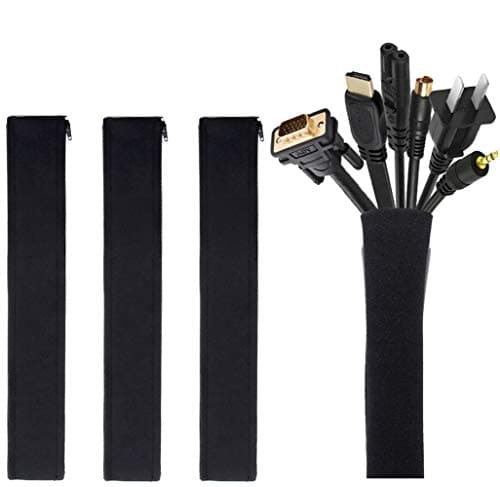
Whatever still has to reach the floor — the single feed, an ethernet run — goes into a zip-up sleeve so it travels as one flexible bundle rather than as separate cords that catch on a caster or a chair leg.
Getting slack right is the step everyone botches. Raise the desk to its maximum height first, then set the length so the bundle is gently taut with a small service loop. Then lower the desk fully and check the slack lands somewhere behind you rather than in a walkway. Set slack at sitting height and you will discover the problem the first time you stand up quickly — usually by pulling a monitor over.
Step four: pin the fixed run
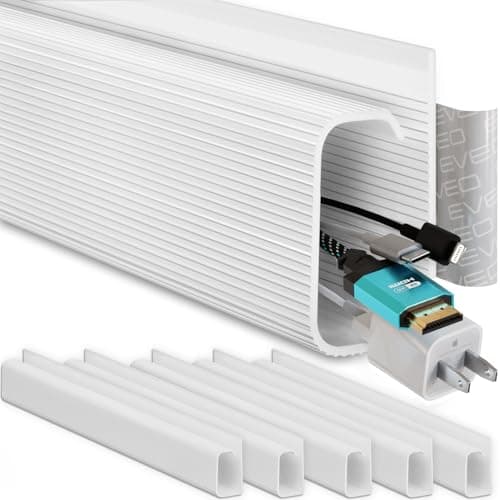
Self-adhesive J-channel raceway along a wall or a desk leg handles the cables that never move. It costs very little, it can be cut and painted, and it removes the last loose run from the floor. It is semi-permanent — the adhesive will mark paint — so commit to your layout first.
Test it properly before you call it done
Run the desk to full height and full drop three times, watching the bundle rather than the desk. You are looking for anything that goes taut, any cable that rubs on a frame edge, and any loop that could catch a caster. Then sit down and roll your chair through the space to check nothing is in a walkway.
This matters more in a small room, where slack has nowhere to go except across the floor you walk on — see standing desks for small spaces.
Why this is an ergonomics page, not a tidiness page
Because the failure mode is behavioral. A desk that snags, tugs a cable or threatens to pull a monitor when you raise it is a desk you stop raising — and the entire health case for a sit-stand desk rests on the number of times a day you change position, as our evidence guide sets out. A fifteen-minute cabling job protects the thing you actually bought the desk for.
How to cable a moving desk
Buy the tray longer than you think
The strip plus two power bricks fills a short tray immediately. A 36-inch tray costs barely more than a 17-inch one.
Insist on a safety-listed power strip
ETL or UL listed, no daisy chaining, and nothing high-draw on it. This is the one part of the job with a real safety dimension.
Set slack at maximum desk height
Raise the desk fully, then size the drop. Sizing it while seated is how monitors get pulled over.
Use hook-and-loop, not zip ties
You will re-cable this desk. Zip ties turn a two-minute change into a job with scissors, and overtightened ties damage cable jackets.
Keep power and data loosely separated
Fine to run them in the same tray; better not to bundle them tightly for long parallel runs.
Test with three full cycles
Watch the cables, not the desk. Anything that pulls tight or rubs will fail eventually.